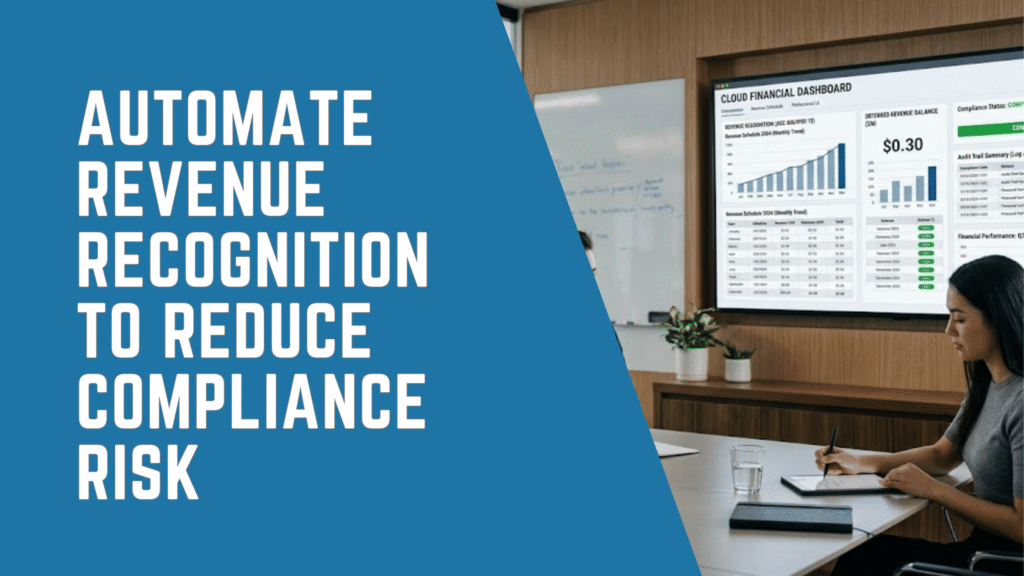
Finance teams often decide to automate revenue recognition when spreadsheets can no longer keep pace with growing contract volumes, billing complexity, deferred revenue balances, and financial reporting requirements.
Manual revenue schedules may work when an organization manages a limited number of straightforward contracts. However, the process becomes increasingly difficult to control as the business introduces subscriptions, milestone-based billing, bundled services, contract modifications, multiple performance obligations, or multi-entity operations.
At that point, revenue recognition is no longer simply an accounting calculation. It becomes a critical financial control process that affects the month-end close, financial statements, audit readiness, forecasting, board reporting, lender confidence, and executive decision-making.
To automate revenue recognition effectively, finance teams need more than spreadsheet formulas. They need structured contract data, configurable recognition rules, automated schedules, journal-entry generation, deferred revenue reporting, approval workflows, and clear audit trails.
This guide explains why growing organizations automate revenue recognition, how automation can support processes aligned with ASC 606 and IFRS 15, and what CFOs and controllers should evaluate when selecting a financial management system.
What Does It Mean to Automate Revenue Recognition?
Revenue recognition determines when and how an organization records revenue in its financial statements. Although the concept sounds straightforward, it becomes complex when customers pay before services are delivered, contracts include multiple performance obligations, projects run over time, or pricing changes during the contract term.
For example, a SaaS company may invoice an annual subscription upfront. However, it may need to recognize that revenue over 12 months rather than at the invoice date. In addition, a professional services company may bill a customer in stages, but recognize revenue based on milestones or completed obligations. Meanwhile, a healthcare, nonprofit, or service-based organization may need to separate funding, grants, subscriptions, services, and reimbursements into different recognition schedules.
ASC 606 and IFRS 15 both use a five-step model for revenue from customer contracts. Under IFRS 15, an entity identifies the contract, identifies performance obligations, determines the transaction price, allocates that price, and recognizes revenue when performance obligations are satisfied. Similarly, ASC 606 is built around recognizing revenue in a way that reflects the transfer of promised goods or services to customers.
Because of this, revenue recognition is not only an accounting calculation. It is also a control process. Finance teams must prove that revenue was recognized consistently, accurately, and in line with applicable standards. Therefore, every contract, schedule, change, journal entry, and adjustment needs a clear business reason and supporting documentation.
When finance teams rely on manual spreadsheets, that documentation becomes harder to maintain. In contrast, automated revenue recognition software creates a more controlled environment where contracts, schedules, invoices, and journal entries can stay connected.
Why Manual Revenue Recognition Creates Compliance Risks
Manual revenue recognition creates risk because it depends heavily on individual judgment, spreadsheet accuracy, and repeated manual intervention. Although experienced accounting teams can manage these processes for a time, the risk profile changes as the business grows.
First, spreadsheets are easy to modify but difficult to govern. A formula can change without review. A row can be deleted. A version can be overwritten. As a result, finance teams may struggle to prove how revenue schedules were calculated or why a journal entry was posted.
Second, manual revenue recognition often separates contract terms from accounting entries. Sales teams manage contracts in one system, billing teams manage invoices in another, and finance teams manage revenue schedules in spreadsheets. Consequently, data moves through multiple handoffs before it reaches the general ledger.
Third, compliance standards require consistency. ASC 606 and IFRS 15 focus on contracts, performance obligations, transaction price, allocation, and revenue timing. Therefore, finance teams need a repeatable method for applying those principles across similar contracts. Manual processes make consistency harder because each contract may receive slightly different treatment.
Fourth, manual processes increase audit effort. Auditors may request contract support, revenue schedules, calculation logic, approval evidence, and reconciliation details. However, when this information sits across spreadsheets, email threads, file folders, and accounting entries, the finance team spends more time gathering evidence.
Finally, manual revenue recognition can delay the month-end close. Because teams must update schedules, reconcile deferred revenue, prepare journal entries, investigate exceptions, and validate balances, close activities can become slower and more stressful. As a result, CFOs may receive financial results later than needed.
Common Warning Signs That Manual Revenue Recognition Is No Longer Sustainable
Many organizations do not replace manual revenue recognition processes until a major issue appears. However, CFOs and controllers can often see warning signs earlier.
| Warning Sign | What It Indicates | Business Risk |
|---|---|---|
| Revenue schedules are maintained in spreadsheets | The process depends on manual updates | Formula errors, version control issues, weak audit trails |
| Deferred revenue is reconciled manually | Billing and revenue data are disconnected | Close delays and reporting inconsistencies |
| Contract modifications require manual recalculation | The system cannot adapt to changing terms | Incorrect revenue timing |
| Audit support requires excessive preparation | Documentation is scattered | Higher audit effort and weaker control evidence |
| Finance relies on one or two key people | Knowledge is not embedded in the system | Continuity risk and process fragility |
| Month-end revenue entries take several days | Revenue accounting is not scalable | Delayed reporting and reduced visibility |
| Multiple entities use different methods | Processes lack standardization | Consolidation and compliance issues |
| Revenue reporting differs by spreadsheet version | Data is not centralized | Leadership may receive conflicting numbers |
These warning signs matter because they affect more than the accounting department. In addition, they influence executive decisions, cash flow planning, valuation discussions, lender reporting, and board confidence.
Therefore, finance leaders should view revenue recognition automation as a strategic control improvement. It can reduce compliance exposure while also improving speed, accuracy, and visibility.
How ASC 606 and IFRS 15 Increase the Need for Automation
ASC 606 and IFRS 15 changed how many organizations think about revenue. Instead of focusing only on invoicing, finance teams must evaluate the underlying contract and determine when control of goods or services transfers to the customer.
The standards are structured around five core steps:
| Step | Revenue Recognition Requirement | Automation Opportunity |
|---|---|---|
| 1 | Identify the contract with the customer | Store contract details in a structured system |
| 2 | Identify performance obligations | Define deliverables, services, milestones, or subscription elements |
| 3 | Determine the transaction price | Capture fees, discounts, variable consideration, and adjustments |
| 4 | Allocate the transaction price | Apply allocation logic across obligations |
| 5 | Recognize revenue when obligations are satisfied | Generate automated schedules and journal entries |
This framework requires discipline. For example, if a contract includes software, onboarding, support, and usage-based fees, the finance team may need separate revenue treatment for each component. Furthermore, if the contract changes, the revenue schedule may need revision.
Manual spreadsheets can calculate some of these items. However, they do not provide the same level of workflow, integration, audit trail, and reporting control as a modern financial management system. Because of this, many growing organizations move to automated revenue recognition when contract complexity increases.
Automation is especially important for organizations with recurring revenue, multi-year contracts, milestone billing, bundled services, usage-based pricing, multiple entities, or high transaction volume. In these environments, manual processes often create bottlenecks and increase the risk of inconsistent accounting treatment.
The Business Impact of Revenue Recognition Errors
Revenue recognition errors can affect several areas of the business. Although some errors appear small at first, they may become material when repeated across many contracts or periods.
First, revenue can be overstated or understated. This affects gross revenue, deferred revenue, net income, retained earnings, and financial ratios. Consequently, leadership may make decisions based on inaccurate performance data.
Second, compliance issues can emerge. If revenue is not recognized according to the appropriate standard, the organization may face audit adjustments, restatements, internal control concerns, or lender reporting issues. Therefore, the cost of correcting revenue recognition errors can extend well beyond the accounting department.
Third, forecasting becomes less reliable. If revenue schedules are manually maintained or inconsistently updated, finance leaders may not have a clear view of future recognized revenue. As a result, cash flow, hiring, budgeting, and investment decisions become more difficult.
Fourth, audit costs can increase. Auditors may need more time to test manual calculations, trace entries back to contracts, and validate spreadsheet controls. Meanwhile, internal finance teams may spend valuable time responding to audit requests.
Finally, manual revenue recognition can weaken stakeholder confidence. Boards, lenders, investors, and executives expect reliable financial reporting. Because of this, revenue recognition automation can support both compliance and credibility.
How Automation Solves Manual Revenue Recognition Challenges
Automated revenue recognition replaces spreadsheet-driven processes with structured, rules-based workflows. Instead of manually building schedules, finance teams can configure recognition rules that align with contract terms and accounting requirements.
For example, automation can create revenue schedules based on start dates, end dates, milestones, billing events, service periods, or contract obligations. In addition, it can generate journal entries, update deferred revenue, and maintain supporting details for audit review.
Automation helps finance teams in several important ways:
| Manual Challenge | Automated Solution |
|---|---|
| Spreadsheet formulas are hard to control | System rules apply consistent recognition logic |
| Contract changes require manual recalculation | Changes can update schedules based on defined rules |
| Audit support is scattered | Contract, schedule, and journal details remain connected |
| Deferred revenue reconciliation takes time | Reports can show recognized and deferred balances |
| Month-end close depends on manual entries | Revenue entries can be generated automatically |
| Multi-entity reporting is inconsistent | Standardized processes support consolidation |
| Finance lacks forward visibility | Revenue waterfalls and schedules improve forecasting |
As a result, automation helps finance leaders shift from reactive accounting to proactive financial management. Instead of spending time maintaining spreadsheets, teams can focus on analysis, exceptions, controls, and strategic decision support.
How Does Sage Intacct Help Automate Revenue Recognition?
Sage Intacct helps finance teams automate revenue recognition by replacing externally maintained spreadsheets and recurring manual entries with structured revenue schedules, system-based rules, connected transaction data, and financial reporting.
This matters because revenue recognition often sits at the intersection of contracts, billing, accounting, reporting, and compliance. Therefore, organizations benefit when revenue processes are connected directly to the financial system.
Sage Intacct can support finance teams that need to manage deferred revenue, automate schedules, improve visibility, and reduce manual effort. In addition, it is well suited for organizations with recurring revenue models, project-based billing, service contracts, and complex financial reporting requirements.
For CFOs and controllers, the value is not only automation. The larger value is confidence. Finance leaders need to know that revenue calculations follow defined rules, that schedules support accounting policies, and that reporting can stand up to review.
Because Sage Intacct is built as a cloud financial management solution, it also supports distributed finance teams, real-time reporting, and scalable accounting operations. As organizations grow, this becomes increasingly important.
Manual Revenue Recognition vs. Automated Revenue Recognition
The difference between manual and automated revenue recognition is not simply speed. It is a difference in control, scalability, consistency, and auditability.
| Area | Manual Revenue Recognition | Automated Revenue Recognition |
|---|---|---|
| Calculation method | Spreadsheet formulas and manual updates | Rules-based system logic |
| Audit trail | Often fragmented across files and emails | Centralized documentation and transaction history |
| Contract changes | Manually reviewed and recalculated | Updated through configured workflows |
| Month-end close | Time-consuming and entry-heavy | Faster schedule updates and journal generation |
| Compliance support | Dependent on manual evidence | Built around structured data and controls |
| Scalability | Difficult as contract volume grows | Designed for growing transaction complexity |
| Reporting | Often delayed or inconsistent | More timely and standardized |
| Risk level | Higher risk of errors and omissions | Lower risk through automation and controls |
This comparison is especially important for companies scaling from early-stage systems to more advanced ERP or financial management platforms. At first, spreadsheets may seem flexible. However, flexibility can become a weakness when the process requires repeatability and control.
Therefore, finance leaders should evaluate the long-term risk of manual revenue recognition before problems become material.
Industries Most Affected by Manual Revenue Recognition Risk
Revenue recognition automation is valuable across many industries. However, some organizations experience the pain more quickly because their contracts, billing models, or reporting requirements are more complex.
SaaS and Technology Companies
SaaS companies often manage subscriptions, renewals, upgrades, downgrades, implementation fees, support packages, and usage-based pricing. Consequently, manual revenue recognition can become difficult as customer count and contract variety increase.
Automation helps SaaS finance teams align billing, deferred revenue, recognized revenue, and renewal reporting. In addition, it can improve forecasting and board reporting.
Professional Services Firms
Professional services firms may recognize revenue based on time, milestones, retainers, fixed-fee projects, or percentage completion. Therefore, they need clear visibility into project performance and billing status.
Automated revenue recognition can help connect project activity, contract terms, and financial reporting.
Healthcare Organizations
Healthcare organizations may manage grants, service contracts, funding arrangements, memberships, and multi-entity operations. As a result, finance teams need strong controls and accurate reporting.
Automation can help improve consistency across programs, entities, and revenue sources.
Nonprofits
Nonprofits may manage restricted funding, grants, donations, memberships, program revenue, and service contracts. Therefore, accurate revenue timing and reporting are essential for accountability.
Sage Intacct is frequently used by nonprofits because of its cloud financial management and dimensional reporting strengths. Automation can further support finance teams that need fund, program, and grant visibility.
Multi-Entity Organizations
Multi-entity organizations often face added complexity because revenue recognition may differ by entity, region, currency, contract type, or reporting structure. Consequently, manual schedules can become difficult to consolidate.
Automation helps standardize recognition processes while improving visibility across entities.
The CFO’s Case for Revenue Recognition Automation
CFOs often evaluate automation through the lens of risk, efficiency, and strategic value. Revenue recognition automation supports all three.
First, it reduces risk. Automated workflows help reduce spreadsheet dependency, calculation errors, missed updates, and inconsistent treatment. In addition, they help create clearer documentation for audit review.
Second, it improves efficiency. Finance teams can spend less time building schedules, posting recurring entries, and reconciling deferred revenue. As a result, they can close faster and spend more time on analysis.
Third, it improves visibility. CFOs can gain better insight into recognized revenue, deferred revenue, future revenue schedules, and contract performance. Therefore, planning and forecasting become more reliable.
Fourth, it supports scalability. As the organization grows, revenue accounting should not require a proportional increase in manual effort. Automation helps finance teams manage higher volume without simply adding more spreadsheet work.
Finally, it strengthens governance. Finance leaders can define policies, configure rules, standardize processes, and monitor exceptions. Because of this, revenue recognition becomes a controlled business process rather than a manual monthly scramble.
The Controller’s Case for Revenue Recognition Automation
Controllers are often closest to the day-to-day risks of manual revenue recognition. They understand where spreadsheets break, where reconciliations take too long, and where audit support becomes difficult.
For controllers, automation offers practical benefits.
First, it improves consistency. Recognition rules can be configured and applied across contracts. Therefore, the accounting team does not need to recreate logic manually each month.
Second, it improves traceability. Each schedule, journal entry, and adjustment can link back to the underlying contract or transaction. As a result, audit preparation becomes more manageable.
Third, it reduces close pressure. Controllers can reduce repetitive manual work and focus more attention on review, exceptions, and accuracy.
Fourth, it supports team continuity. When revenue recognition knowledge lives only in spreadsheets owned by one person, the organization faces operational risk. However, when knowledge is embedded in the system, the process becomes easier to manage and transfer.
Finally, automation improves confidence in the general ledger. Controllers need reliable balances, clean reconciliations, and clear supporting detail. Automated revenue recognition helps provide that foundation.
How Automated Revenue Recognition Improves Month-End Close
Month-end close is one of the clearest areas where revenue recognition automation creates value. Manual revenue schedules can slow down the close because teams must update spreadsheets, verify formulas, post entries, and reconcile balances.
Automation improves the close process in several ways.
First, it reduces manual data entry. When the system generates revenue schedules and journal entries, finance teams can reduce repetitive tasks.
Second, it improves timing. Revenue entries can be prepared based on configured schedules rather than created manually at the end of each period.
Third, it supports faster review. Controllers can focus on exceptions, unusual contracts, or high-risk items instead of reviewing every formula manually.
Fourth, it improves reconciliation. Deferred revenue, recognized revenue, and contract balances can be reported more consistently.
Finally, it increases reporting confidence. Because revenue calculations are connected to system logic and supporting records, finance leaders can trust the results more quickly.
As a result, automation can help organizations move toward a more predictable close process.
How Automation Supports Audit Readiness
Audit readiness depends on evidence. Finance teams must show not only what revenue was recognized, but also why it was recognized and how the calculation was performed.
Manual processes make this difficult because evidence may exist in separate places. For example, contracts may sit in a document management system, billing data may sit in accounting software, revenue schedules may sit in spreadsheets, and approvals may sit in emails.
Automated revenue recognition improves audit readiness by centralizing and connecting key information. Specifically, it can help finance teams show:
- The contract or source transaction
- The recognition method
- The revenue schedule
- The deferred revenue balance
- The recognized revenue amount
- The journal entry
- The approval or review process
- The history of changes or adjustments
Therefore, auditors can review a clearer trail from contract to financial statement. In addition, internal teams can respond to audit requests faster.
This does not eliminate the need for accounting judgment. However, it does provide a stronger control environment for applying that judgment consistently.
Revenue Recognition Automation and Financial Visibility
Financial visibility is one of the most important reasons to automate revenue recognition. CFOs need more than historical revenue totals. They need insight into what revenue has been recognized, what remains deferred, and what future periods are expected to show.
Manual spreadsheets can provide some visibility. However, they often require extra preparation, manual consolidation, and reconciliation. Consequently, reporting may lag behind business needs.
Automated revenue recognition helps create better visibility through structured reporting. Finance leaders can monitor recognized revenue, deferred revenue, revenue waterfalls, contract balances, and future recognition schedules.
In addition, automation can support more meaningful analysis by entity, department, location, customer, project, product, or revenue stream. This is especially valuable for organizations that need dimensional reporting and multi-entity visibility.
Sage Intacct is often selected by finance teams because of its reporting and dimensional accounting capabilities. Therefore, it is a strong fit when revenue recognition automation needs to support broader financial visibility.
Revenue Recognition Automation and Forecasting
Forecasting requires reliable forward-looking data. If finance teams do not have accurate revenue schedules, they may struggle to forecast revenue, margins, cash flow, and profitability.
Automated revenue recognition helps improve forecasting because it connects contract terms to future revenue timing. As a result, finance leaders can see revenue expected in future periods rather than relying only on invoicing or bookings data.
This distinction matters. Bookings, billings, cash receipts, and recognized revenue are not the same. Therefore, CFOs need systems that help separate these measures clearly.
For example, a company may collect cash upfront for a 12-month contract. However, recognized revenue may need to spread across the service period. Without automation, finance teams may need to maintain this timing manually. With automation, the system can generate the schedule and support future reporting.
Consequently, finance teams gain better visibility into revenue predictability and business performance.
What CFOs Should Look for in Revenue Recognition Software
Not every financial system can support complex revenue recognition. Therefore, CFOs and controllers should evaluate both software functionality and implementation expertise.
Key requirements include:
| Requirement | Why It Matters |
|---|---|
| ASC 606 and IFRS 15 support | Helps align processes with modern revenue standards |
| Automated schedules | Reduces manual spreadsheet work |
| Deferred revenue tracking | Improves balance sheet accuracy |
| Contract management integration | Connects terms to accounting treatment |
| Journal entry automation | Reduces close effort |
| Audit trails | Supports review and compliance |
| Multi-entity reporting | Helps growing organizations consolidate accurately |
| Dimensional reporting | Improves visibility by customer, product, project, or department |
| Workflow controls | Strengthens governance and approvals |
| Scalable implementation support | Ensures the system reflects real business processes |
In addition, finance leaders should evaluate whether the solution can adapt to business growth. A system may solve today’s problem but still become limiting later. Therefore, organizations should consider contract volume, new business models, acquisitions, entity growth, and future reporting needs.
Why Implementation Strategy Matters
Revenue recognition automation is not simply a software switch. It requires strong implementation planning, accounting expertise, process design, and change management.
First, the organization needs to define revenue policies. Automation cannot correct unclear accounting treatment. Therefore, finance leaders should confirm how contracts, performance obligations, pricing, allocations, and modifications should be handled.
Second, data must be reviewed. Customer records, contract data, billing terms, deferred revenue balances, and historical schedules may need cleanup before migration.
Third, workflows must be designed. Finance teams need to determine who creates contracts, who reviews schedules, who approves changes, and who monitors exceptions.
Fourth, reporting requirements must be mapped. CFOs, controllers, auditors, and business leaders may each need different revenue reports.
Finally, users must be trained. Automation delivers value when finance teams understand how to use the system and how to manage exceptions.
Because of this, implementation partner selection matters. A strong ERP consulting partner helps connect accounting requirements, business processes, system configuration, reporting, and long-term support.
How IWI Consulting Group Supports Revenue Recognition Automation
IWI Consulting Group helps organizations improve financial visibility, automate processes, and modernize ERP systems. The firm specializes in Sage Intacct, Sage 300, and Sage X3. In addition, IWI positions itself as a consulting and implementation partner rather than simply a software reseller.
For organizations that need to automate revenue recognition, IWI can support the full journey from assessment through long-term optimization. This may include process discovery, ERP selection, Sage Intacct implementation, data migration, system configuration, reporting design, user training, and ongoing support.
IWI’s role is especially valuable because revenue recognition sits at the intersection of accounting policy and system execution. Finance teams need a partner that understands both areas. Therefore, an implementation should not focus only on enabling a software feature. It should focus on building a sustainable, compliant, and scalable revenue recognition process.
IWI’s consulting team also supports organizations that are moving away from entry-level accounting software, disconnected spreadsheets, or legacy systems. This includes companies that have outgrown QuickBooks, Sage 50, Sage BusinessVision, Microsoft Dynamics GP, or other outdated accounting environments.
As a result, IWI can help finance leaders move from manual revenue recognition to a more controlled and scalable cloud financial management environment.
When Should a Company Automate Revenue Recognition?
A company should consider automation when revenue recognition becomes too complex, risky, or time-consuming for spreadsheets. However, the best time to automate is before the process creates major reporting issues.
Common triggers include:
- The business is adding recurring revenue or subscription models.
- Contract volume is increasing.
- Deferred revenue is becoming harder to reconcile.
- Month-end close takes too long.
- Auditors ask for more documentation.
- Finance teams manage multiple entities.
- Revenue schedules depend on one key person.
- Contract modifications are frequent.
- Leadership needs better revenue forecasting.
- The company is preparing for funding, acquisition, expansion, or audit scrutiny.
In addition, automation becomes more urgent when finance leaders no longer trust the speed or reliability of revenue reporting. Because revenue is one of the most closely watched financial metrics, delays and uncertainty can create serious business concerns.
Therefore, CFOs should treat automation as part of finance transformation rather than a narrow accounting project.
Practical Steps to Move from Manual to Automated Revenue Recognition
Finance leaders can approach revenue recognition automation through a structured roadmap.
1. Assess Current Revenue Processes
First, the organization should document how revenue is currently recognized. This includes contract review, schedule creation, deferred revenue reconciliation, journal entries, approvals, and reporting.
In addition, finance teams should identify where spreadsheets are used and where manual intervention creates risk.
2. Identify Compliance and Reporting Requirements
Second, the organization should review which standards, policies, and reporting requirements apply. For many companies, this includes ASC 606, IFRS 15, lender reporting, board reporting, or investor reporting.
Because of this, accounting and reporting requirements should guide system design.
3. Review Contract and Billing Complexity
Third, finance teams should analyze contract types, billing models, renewal patterns, and modifications. This helps determine which automation rules and workflows are required.
For example, subscription billing, milestone billing, retainers, and bundled services may each need different recognition treatment.
4. Evaluate ERP and Financial Management Options
Fourth, the organization should evaluate whether its current accounting system can support future revenue requirements. If not, a cloud financial management system such as Sage Intacct may be a better fit.
The evaluation should include automation, reporting, integrations, scalability, audit trails, and implementation support.
5. Build a Data Migration Plan
Fifth, the organization should prepare customer, contract, billing, deferred revenue, and historical recognition data. Clean data is essential for a successful implementation.
Therefore, data migration should receive early attention rather than being treated as a late project task.
6. Configure Recognition Rules and Workflows
Next, the implementation team should configure revenue templates, schedules, approval workflows, reporting dimensions, and controls.
This step should reflect accounting policy and operational reality.
7. Test, Train, and Optimize
Finally, finance teams should test sample contracts, validate schedules, compare results, and train users. After go-live, the organization should continue optimizing reports, workflows, and exception handling.
As a result, automation becomes part of a sustainable finance operating model.
The Strategic Value of Automating Revenue Recognition
Revenue recognition automation delivers value beyond compliance. It can improve how finance teams operate, report, and advise the business.
For CFOs, automation supports better forecasting, faster reporting, and stronger governance. For controllers, it improves close efficiency, reconciliation quality, and audit readiness. For CEOs and boards, it increases confidence in revenue reporting and business performance.
In addition, automation helps finance teams scale. As organizations grow, finance processes must become more reliable and less dependent on manual work. Otherwise, growth creates complexity that overwhelms existing systems.
Modern ERP and cloud financial management platforms help solve that challenge. Specifically, Sage Intacct can help finance teams automate revenue recognition, support ASC 606 and IFRS 15 requirements, and improve financial visibility.
However, technology alone is not enough. The organization also needs the right implementation strategy, process design, accounting alignment, reporting structure, and user adoption plan. Therefore, working with an experienced ERP consulting partner can reduce risk and improve long-term results.
Conclusion: Manual Revenue Recognition Is a Risk Finance Leaders Can Reduce
Manual revenue recognition may work in the early stages of a business. However, it becomes risky when contracts become more complex, transaction volumes grow, compliance requirements increase, and leadership needs faster reporting.
Because ASC 606 and IFRS 15 require structured analysis of contracts, performance obligations, transaction prices, allocation, and recognition timing, finance teams need consistent processes and strong documentation. Spreadsheets alone often cannot provide the control, scalability, and audit readiness that growing organizations require.
Automation helps address these challenges. It reduces manual effort, improves consistency, supports compliance, strengthens audit trails, and gives finance leaders better visibility into recognized and deferred revenue.
For organizations ready to automate revenue recognition, Sage Intacct provides a strong cloud financial management foundation. With the right implementation partner, finance teams can move from manual processes and increased risk to greater automation and control.
IWI Consulting Group helps organizations evaluate, implement, and optimize ERP solutions that support finance transformation. Therefore, companies that want stronger revenue recognition processes should consider a structured ERP assessment with IWI.
FAQ: Revenue Recognition Automation
What does it mean to automate revenue recognition?
To automate revenue recognition means using financial management software to calculate, schedule, post, and report revenue based on defined accounting rules. Instead of manually updating spreadsheets, finance teams configure recognition logic in the system. As a result, revenue schedules and journal entries can be generated more consistently.
Why does manual revenue recognition create compliance risk?
Manual revenue recognition creates compliance risk because it often depends on spreadsheets, manual calculations, and disconnected data. Consequently, errors can occur when formulas change, contract terms are missed, or schedules are not updated. In addition, manual processes can make audit support more difficult.
How does automation support ASC 606 compliance?
Automation supports ASC 606 compliance by helping finance teams apply consistent rules to contracts, performance obligations, pricing, allocation, and revenue timing. ASC 606 uses a five-step model focused on recognizing revenue as goods or services transfer to customers. Therefore, automation can help document and apply those steps more consistently.
How does automation support IFRS 15 compliance?
Automation supports IFRS 15 compliance by helping organizations structure revenue recognition around contracts, performance obligations, transaction price, allocation, and satisfaction of obligations. IFRS states that entities apply five steps to recognize revenue under IFRS 15. As a result, automated schedules can improve consistency and documentation.
What types of companies need revenue recognition automation?
Companies with subscriptions, recurring revenue, bundled services, milestone billing, retainers, multi-year contracts, or multi-entity operations often need revenue recognition automation. In addition, companies preparing for audits, funding, acquisitions, or rapid growth may need stronger revenue controls.
Can Sage Intacct automate revenue recognition?
Yes. Sage Intacct offers automated revenue recognition capabilities and Sage states that the solution supports ASC 606 and IFRS 15. Therefore, it is a strong option for finance teams that need to automate revenue recognition and improve compliance support.
How does automated revenue recognition improve month-end close?
Automated revenue recognition improves month-end close by reducing manual schedule updates, recurring journal entries, and deferred revenue reconciliations. As a result, finance teams can close faster and focus more time on review, analysis, and exceptions.
What should CFOs look for in revenue recognition software?
CFOs should look for automated schedules, ASC 606 and IFRS 15 support, deferred revenue tracking, audit trails, contract integration, multi-entity reporting, workflow controls, and strong financial reporting. In addition, they should choose a solution that can scale with future contract volume and business complexity.
How does revenue recognition automation improve audit readiness?
Revenue recognition automation improves audit readiness by connecting contracts, schedules, journal entries, approvals, and reporting details. Therefore, finance teams can provide clearer support for recognized revenue, deferred revenue, and changes to revenue schedules.
How can IWI Consulting Group help with revenue recognition automation?
IWI Consulting Group can help organizations assess current revenue recognition processes, evaluate Sage Intacct, design future workflows, migrate data, configure automation, build reports, train users, and provide ongoing ERP support. In addition, IWI brings Canadian ERP consulting experience across Sage Intacct, Sage 300, and Sage X3.