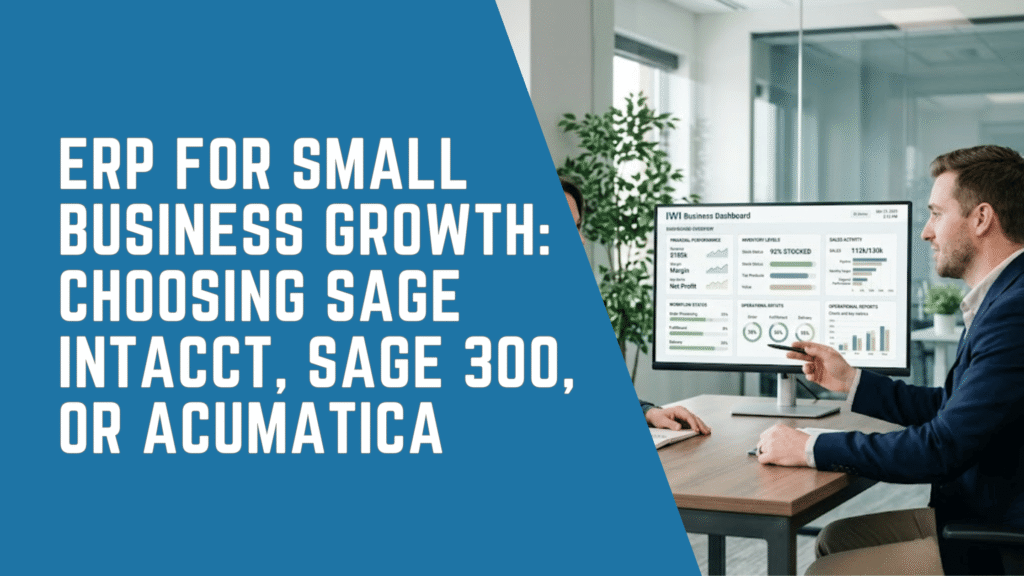
ERP for small business growth helps companies replace disconnected accounting software, spreadsheets, and manual workflows with a single, integrated business management system. As a result, business owners and managers gain better visibility into financial performance, inventory, operations, projects, customer information, and overall business performance.
Many small businesses begin with entry-level accounting software, which often meets their needs during the early stages of growth. However, as organizations expand, they face increasing transaction volumes, more complex reporting requirements, additional approval processes, and greater operational demands. Systems that once supported the business can gradually become barriers to efficiency and scalability.
Therefore, the question is not whether a growing business needs software. Instead, the more important question is when existing systems begin limiting productivity, visibility, and long-term growth.
For many organizations, that point arrives when employees spend too much time reconciling spreadsheets, manually entering data, or searching for accurate information across multiple systems. Managers may struggle to access reliable real-time reporting, while finance, sales, inventory, purchasing, and operations teams work with inconsistent or outdated data.
Modern ERP software addresses these challenges by connecting core business processes within a single platform. It enables organizations to improve financial management, automate routine tasks, strengthen reporting, optimize inventory control, manage projects more effectively, support regulatory compliance, and build a scalable foundation for future growth.
This article explores why ERP software is important for small business growth, the signs that indicate it may be time to upgrade existing systems, and how solutions such as Sage Intacct, Sage 300, and Acumatica can support long-term scalability and operational efficiency.
What Is ERP for Small Business?
ERP stands for enterprise resource planning. In practical terms, ERP is software that connects the main areas of a business into one shared system. These areas often include accounting, purchasing, inventory, sales orders, projects, reporting, approvals, customer information, and operational workflows.
For small businesses, ERP does not need to mean a large, complex enterprise system. Instead, small business ERP software should provide the right level of structure, automation, and visibility for the company’s current size and future growth plans.
A well-selected ERP system helps small businesses:
- Manage accounting and operations in one place
- Reduce duplicate data entry
- Automate routine finance and operational tasks
- Improve reporting accuracy
- Control inventory and purchasing
- Support multiple locations or entities
- Strengthen internal controls
- Improve decision-making
- Prepare for future growth
However, ERP should not be selected only because a company has outgrown basic accounting software. It should also match the company’s industry, processes, reporting requirements, user needs, and growth strategy.
For example, a professional services company may need strong project accounting and multi-entity reporting. In contrast, a distributor may need inventory control, order management, warehouse visibility, and purchasing workflows. Meanwhile, a growing construction or manufacturing company may need job costing, production planning, material management, and operational reporting.
Because of this, ERP selection should begin with business requirements rather than software features.
Why Small Businesses Outgrow Basic Accounting Software
Many small businesses rely on QuickBooks, Sage 50, spreadsheets, or standalone applications during the early stages of growth. These systems can support basic bookkeeping, invoicing, and simple reporting. However, they often become restrictive as the business becomes more complex.
The most common signs include delayed reporting, manual reconciliations, duplicate data entry, and limited visibility. In addition, small businesses often struggle when they add new locations, new product lines, new entities, or more advanced approval workflows.
A growing small business may also experience operational bottlenecks. For example, inventory numbers may not match sales orders. Purchasing may not have accurate demand data. Finance may not receive timely operational information. As a result, leaders make decisions using incomplete or outdated information.
These challenges create hidden costs. Staff spend more time fixing errors. Managers spend more time asking for reports. Owners spend more time questioning numbers. Consequently, the business may lose speed just when it needs to scale.
ERP helps address these issues by creating one system of record. Instead of separate spreadsheets and disconnected tools, teams use shared data, standardized workflows, and integrated reporting.
The Business Case for ERP in a Growing Small Business
A small business does not implement ERP only to modernize software. It implements ERP to improve how the organization runs.
The strongest business case usually includes four outcomes: visibility, efficiency, control, and scalability.
First, ERP improves visibility. Owners, managers, finance leaders, and operations teams can access more accurate data faster. Therefore, they can make better decisions about cash flow, margins, inventory, staffing, and growth.
Second, ERP improves efficiency. Routine tasks such as approvals, invoice processing, reconciliations, order entry, reporting, and data updates can become more automated. As a result, employees spend less time on manual administration.
Third, ERP improves control. Small businesses often need better approval workflows, audit trails, role-based permissions, and reporting discipline as they grow. ERP supports stronger governance without adding unnecessary bureaucracy.
Finally, ERP improves scalability. A business that expects to add locations, entities, employees, SKUs, projects, currencies, or reporting dimensions needs systems that can grow with it.
This makes ERP a strategic investment. It supports the operating model that the business wants to become, not only the business that exists today.
Key Benefits of ERP for Small Business Growth
ERP for small business growth delivers value across finance, operations, sales, inventory, purchasing, and leadership reporting. However, the most important benefits depend on the company’s pain points.
1. Better Financial Visibility
Many small businesses lack timely financial visibility. Month-end reporting may take too long. Departmental performance may be difficult to compare. In addition, managers may rely on spreadsheets that require manual updates.
ERP improves visibility by centralizing financial information. Therefore, companies can build dashboards, track KPIs, analyze performance, and produce more consistent reports.
Sage Intacct, for example, is positioned as a cloud financial management solution that helps organizations streamline operations, gain insights, and make smarter decisions through cloud financial tools. Sage also notes that Sage Intacct supports integrations with many business applications through its marketplace and APIs.
2. Less Manual Data Entry
Manual data entry creates delays and errors. It also prevents employees from focusing on higher-value work.
ERP reduces manual effort by connecting processes. For example, sales orders can connect to inventory. Purchasing can connect to receiving. Invoices can connect to accounting. As a result, information flows through the business with fewer handoffs.
3. Stronger Inventory and Operations Control
Inventory-focused small businesses often struggle when sales, purchasing, finance, and warehouse teams work from different data. Therefore, ERP becomes especially valuable for distributors, manufacturers, retailers, and service companies with inventory requirements.
Sage 300 is described by Sage as ERP software that helps businesses manage accounting, inventory, operations, and reporting in one integrated system. Sage also states that it supports multi-entity companies, international operations, multi-currency needs, and a multilingual interface.
4. Faster, More Reliable Reporting
Small business leaders need timely information. However, many teams still depend on spreadsheets to produce weekly, monthly, or quarterly reports.
ERP reporting tools reduce this dependency. In addition, they give managers access to more consistent data. This improves accountability across departments.
Acumatica provides real-time access to financials, reporting, CRM, and related business management capabilities for small and mid-market businesses. Its platform also includes reporting, dashboards, and data analysis tools for real-time insights.
5. Improved Collaboration
As businesses grow, more people need access to business data. However, not every user needs full accounting access.
A modern ERP system gives teams role-based access. Therefore, sales, operations, warehouse, finance, and management teams can collaborate without relying on emailed spreadsheets.
Acumatica is particularly relevant for companies that want broad team access because its pricing model emphasizes unlimited users and is tailored by applications, usage, and deployment preferences.
6. Better Scalability
Small businesses need systems that support expansion. Growth may include new entities, new regions, more customers, more transactions, more users, or more complex reporting.
ERP provides a foundation for that growth. However, scalability depends on choosing the right ERP system. Sage Intacct, Sage 300, and Acumatica each support different growth paths.
Common Signs a Small Business Is Ready for ERP
A small business may be ready for ERP when daily operations become harder to manage with basic accounting software and spreadsheets.
| Growth Challenge | What It Looks Like | ERP Benefit |
|---|---|---|
| Delayed reporting | Month-end reporting takes too long. | Faster dashboards and financial statements. |
| Spreadsheet dependency | Key reports require manual spreadsheet work. | Centralized data and automated reporting. |
| Inventory problems | Stock levels are inaccurate. | Better inventory tracking and purchasing control. |
| Duplicate data entry | Teams enter the same data in multiple systems. | Integrated workflows. |
| Limited visibility | Managers cannot see real-time performance. | Shared dashboards and KPIs. |
| Approval issues | Purchases and invoices lack structured review. | Automated approval workflows. |
| Multi-location growth | Each location uses different processes. | Standardized operations. |
| Multi-entity complexity | Consolidations are slow or manual. | Multi-entity reporting. |
| Integration gaps | CRM, ecommerce, payroll, and accounting do not connect. | Connected applications. |
| Growth planning | Current systems cannot support future scale. | More flexible business platform. |
These signs often appear gradually. However, they usually become more visible during periods of growth. As a result, small businesses should evaluate ERP before system limitations create operational risk.
What Small Businesses Should Look for in ERP Software
Choosing ERP software requires more than comparing product names. A small business should evaluate the system against its business model, growth goals, internal capabilities, and reporting needs.
The most important ERP requirements usually include the following capabilities.
Financial Management
Financial management is the core of most ERP systems. Small businesses should look for general ledger, accounts payable, accounts receivable, cash management, budgeting, bank reconciliation, reporting, and audit controls.
In addition, growing companies may need multi-entity accounting, dimensional reporting, project accounting, revenue recognition, or multi-currency support.
Operational Management
ERP should support the way the business runs. For distributors, this may include inventory, purchasing, sales orders, warehouse management, and demand planning. For manufacturers, it may include bills of material, production, scheduling, and material requirements planning. For construction firms, it may include project costing, job tracking, and field visibility.
Acumatica, for example, offers editions for manufacturing, distribution, construction, retail, professional services, and general business. Its manufacturing capabilities include support for multiple manufacturing methodologies, bills of material, production management, material requirements planning, and scheduling.
Reporting and Dashboards
Small businesses need reporting that can grow beyond basic financial statements. Therefore, ERP should support dashboards, KPIs, financial dimensions, operational metrics, and self-service reporting.
Reporting should answer practical questions. Which products are profitable? Which customers are slow to pay? Which locations are underperforming? Which projects are over budget? Which inventory items are tying up cash?
Integration Capabilities
ERP rarely operates alone. It may need to connect with CRM, payroll, ecommerce, point-of-sale, warehouse systems, expense tools, or industry applications.
Therefore, integration flexibility matters. Sage Intacct supports integrations through the Sage Marketplace and open APIs. Acumatica also offers an integrated business management system with financials, reporting, CRM, project accounting, and industry capabilities.
Ease of Use and Adoption
ERP value depends on user adoption. As a result, small businesses should evaluate usability, training requirements, workflows, and role-based access.
A system that fits the business but does not fit the users may fail to deliver value. Therefore, implementation planning should include change management, testing, training, and post-go-live support.
Deployment Model
Many growing small businesses prefer cloud ERP because it reduces internal infrastructure demands and supports access from multiple locations. However, deployment needs vary.
A business should consider security, access, integrations, data residency preferences, IT resources, and long-term support needs before choosing a deployment model.
Comparing Sage Intacct, Sage 300, and Acumatica for Small Business Growth
Sage Intacct, Sage 300, and Acumatica can all support growing businesses. However, they serve different needs.
| ERP Solution | Best Fit | Key Strengths | Considerations |
|---|---|---|---|
| Sage Intacct | Finance-led growing companies. | Cloud financial management, multi-entity accounting, dashboards, approvals, and integrations. | Best when financial visibility and reporting are top priorities. |
| Sage 300 | Established small and mid-sized businesses with inventory or operational complexity. | Accounting, inventory, operations, reporting, multi-currency, and multi-entity support. | Best when a company needs proven ERP depth and strong operational control. |
| Acumatica | Growing businesses needing flexible cloud ERP across operations. | Cloud ERP, financials, distribution, manufacturing, construction, CRM, project accounting, and an unlimited-user model. | Best when broad team access and operational depth matter. |
This comparison should not be treated as a simple ranking. Instead, each platform should be evaluated against business requirements.
Sage Intacct for Small Business Growth
Sage Intacct is often a strong fit for growing companies that need advanced financial management. It is especially relevant when finance leaders need stronger reporting, better dashboards, multi-entity consolidation, workflow automation, and integration with other business systems.
Small businesses may consider Sage Intacct when they have outgrown basic accounting software but do not need heavy manufacturing or warehouse management inside the core ERP system.
Sage Intacct is ideal for growing or mid-sized businesses, typically with more than $4 million in annual revenue or more than 20 employees. Sage also states that implementation typically takes three to six months, depending on project scope and planning.
Sage Intacct Is Often a Good Fit When:
- Financial reporting has become too manual
- The business manages multiple entities
- The company needs stronger budgeting and dashboards
- Finance teams need approvals and controls
- Leadership needs better visibility into performance
- The business uses industry systems that need to integrate with finance
- The company wants cloud financial management
Business Outcomes
Sage Intacct can help small businesses create a more disciplined finance function. In addition, it can reduce spreadsheet dependency and improve reporting speed. As a result, owners, controllers, and managers can focus more on strategy and less on manual reporting.
For IWI Consulting Group, Sage Intacct is a strong recommendation when financial visibility, reporting quality, multi-entity management, and finance automation are the primary drivers.
Sage 300 for Small Business Growth
Sage 300 is well suited to established small businesses and mid-sized organizations that need integrated accounting, inventory, operations, and reporting. It is especially relevant for distribution, manufacturing, construction, inventory-intensive, multi-location, and multi-currency businesses.
Sage describes Sage 300 as ERP software for midsize businesses that manages accounting, inventory, operations, and reporting in one integrated system. Sage also states that pricing is tailored to the organization’s size and needs.
Sage 300 Is Often a Good Fit When:
- Inventory control is a major priority
- The business has multiple locations
- Operations and finance need tighter integration
- The company needs multi-currency or multi-entity functionality
- The organization has established processes that need stronger system support
- The business wants a proven ERP platform with customization options
- Reporting and operational control need improvement
Business Outcomes
Sage 300 can help small businesses move from reactive management to structured operations. For example, finance can gain clearer reporting while operations gain better inventory and purchasing visibility. Therefore, Sage 300 is often practical for companies that need a mature ERP backbone.
For IWI Consulting Group, Sage 300 is often relevant when a growing business needs operational depth, inventory control, and proven ERP functionality across accounting and operations.
Acumatica for Small Business Growth
Acumatica is a cloud ERP platform designed for small and mid-market businesses. It supports financial management, reporting, CRM, project accounting, manufacturing, distribution, construction, retail, and professional services.
Acumatica can be a strong fit for small businesses that want a modern cloud ERP system with broad user access. Its pricing approach is also important because Acumatica emphasizes unlimited users and pricing based on applications, expected usage, resource requirements, and deployment preferences.
Acumatica Is Often a Good Fit When:
- The business wants cloud ERP across finance and operations
- Many employees need access to the system
- The company operates in distribution, manufacturing, construction, retail, or professional services
- Leadership needs real-time dashboards and operational visibility
- The business wants CRM and operational workflows connected to ERP
- The company expects growth in users, transactions, locations, or processes
- Flexibility and extensibility are important
Business Outcomes
Acumatica helps growing small businesses connect operations and financial management in one cloud platform. In addition, it supports collaboration across departments. As a result, teams can make decisions using shared data rather than disconnected spreadsheets.
For IWI Consulting Group, Acumatica is often a strong option when a business needs cloud ERP with operational depth, flexible access, and industry-specific capabilities.
ERP Pricing Considerations for Small Businesses
ERP pricing varies based on product, scope, modules, users, implementation requirements, integrations, support, and customization. Therefore, small businesses should avoid comparing ERP systems only by software subscription cost.
A realistic ERP budget should include:
- Software licensing or subscription
- Implementation consulting
- Data migration
- Configuration
- Integrations
- Reporting setup
- User training
- Testing
- Change management
- Ongoing support
- Future optimization
- Sage 300 pricing is tailored to each organization’s size and needs, according to Sage. Sage Intacct uses an annual subscription model, according to Sage Canada. Acumatica pricing is tailored based on applications, expected usage, resource requirements, and deployment preferences.
| Cost Area | Why It Matters |
|---|---|
| Software subscription | Determines the ongoing platform cost. |
| Implementation | Converts business requirements into a working ERP system. |
| Data migration | Moves clean, accurate data into the new platform. |
| Integrations | Connects ERP with CRM, payroll, ecommerce, or operations tools. |
| Reporting | Creates dashboards, statements, KPIs, and management reports. |
| Training | Improves adoption and reduces post-go-live disruption. |
| Support | Helps the system evolve after implementation. |
Although ERP requires investment, the return often comes from better visibility, fewer manual tasks, improved controls, faster reporting, and stronger scalability.
How ERP Improves Day-to-Day Operations
ERP improves small business operations by reducing friction across departments. Instead of forcing teams to work around system gaps, ERP creates more consistent processes.
Finance
Finance teams can automate routine processes, standardize reporting, and strengthen controls. In addition, they can reduce spreadsheet dependency and improve month-end visibility.
Sales and Customer Service
Sales teams can access order, inventory, and customer information more easily. Therefore, they can respond faster and reduce errors.
Inventory and Purchasing
Inventory teams can track stock levels, purchasing needs, and product movement. As a result, they can reduce stockouts, overbuying, and manual adjustments.
Operations
Operations managers can monitor work in progress, project costs, production activity, or service delivery. Consequently, they can identify bottlenecks earlier.
Leadership
Owners and managers can see performance across finance and operations. In addition, they can make decisions based on real-time data rather than delayed reporting.
Cloud ERP for Small Business: Why It Matters
Cloud ERP has become increasingly attractive for growing small businesses. It can reduce dependence on internal servers, improve accessibility, and support teams working across multiple locations.
However, cloud ERP is not only about remote access. It also supports faster scalability, improved collaboration, easier updates, and broader integration options.
Acumatica positions its cloud ERP as an integrated business management solution for small and mid-market businesses, with access to financials, reporting, CRM, and other capabilities. Sage Intacct also provides cloud financial tools designed to streamline operations and improve decision-making.
For many small businesses, cloud ERP supports growth because it gives teams access to shared information wherever work happens. However, the right solution still depends on the business model, process complexity, data requirements, and user needs.
ERP Implementation: What Small Businesses Should Expect
ERP implementation should follow a structured process. Although every project is different, most implementations include discovery, planning, configuration, data migration, testing, training, go-live, and post-go-live support.
Small businesses should expect the implementation partner to begin with business process discovery. This step identifies current pain points, reporting gaps, workflow issues, data challenges, and integration requirements.
Next, the implementation partner defines the future-state system design. This includes the chart of accounts, dimensions, item structures, approval workflows, user roles, reporting requirements, and operational processes.
The system is then configured and thoroughly tested, while data migration takes place in parallel. Because poor data quality can undermine ERP success, small businesses should clean customer records, vendor records, inventory items, opening balances, and historical data before migration.
User training is the final step before go-live. However, ERP implementation does not end once the system is live. Organizations should continue with post-implementation support, optimization, and process improvements to maximize long-term value.
A typical Sage Intacct implementation takes three to six months, depending on the project’s scope and planning. Implementation timelines for other ERP solutions may be shorter or longer based on factors such as business complexity, integrations, data quality, customization requirements, and user readiness.
How to Choose the Right ERP for a Small Business
The right ERP system should fit the company’s operating model, growth plans, industry requirements, and internal team.
A practical ERP selection process should include these steps.
Step 1: Define Business Problems
The business should start by identifying the issues it wants to solve. Common problems include slow reporting, poor inventory visibility, disconnected systems, manual approvals, weak project tracking, and limited financial controls.
Step 2: Map Current Processes
Small businesses should document current workflows before selecting software. This includes order-to-cash, procure-to-pay, record-to-report, inventory management, project accounting, and customer processes.
Step 3: Prioritize Requirements
Not every feature has equal value. Therefore, requirements should be ranked as essential, important, or future-state.
Step 4: Compare ERP Fit
ERP solutions should be compared against real business scenarios. For example, a distributor should test purchasing, receiving, sales orders, inventory transfers, and margin reporting. In contrast, a finance-led services company should test dashboards, dimensions, project accounting, and approvals.
Step 5: Assess Implementation Partner Experience
ERP success depends heavily on the implementation partner. A small business should evaluate product expertise, industry knowledge, migration experience, training capabilities, support structure, and long-term advisory approach.
Step 6: Build a Roadmap
ERP does not need to solve everything on day one. A phased roadmap can reduce risk. For example, the first phase may focus on finance, reporting, and core operations. Later phases may add advanced inventory, CRM, ecommerce, automation, or analytics.
Which ERP Is Right for Which Small Business?
The following guide can help small business owners and managers narrow the decision.
| Business Situation | Recommended Direction |
|---|---|
| Finance reporting is the biggest issue | Consider Sage Intacct. |
| Multi-entity consolidation is difficult | Consider Sage Intacct or Acumatica. |
| Inventory control is central to operations | Consider Sage 300 or Acumatica. |
| Distribution workflows are complex | Consider Sage 300 or Acumatica. |
| Manufacturing is a key process | Consider Acumatica, Sage 300, or Sage X3, depending on operational complexity. |
| Many users need system access | Consider Acumatica. |
| The business wants strong cloud financial management | Consider Sage Intacct. |
| The business needs a mature ERP with inventory and accounting depth | Consider Sage 300. |
| The business needs cloud ERP across finance and operations | Consider Acumatica. |
| The company is migrating from QuickBooks, Sage 50, BusinessVision, or Microsoft GP | Work with an experienced ERP migration partner such as IWI. |
This table provides general guidance. However, final ERP selection should involve a structured needs assessment, product demonstration, implementation scope, and total cost review.
ERP Migration from QuickBooks, Sage 50, BusinessVision, or Microsoft GP
Many small businesses begin their ERP journey after outgrowing QuickBooks, Sage 50, Sage BusinessVision, or Microsoft Dynamics GP. These systems may have served the business well for years. However, growth can expose limitations.
ERP migration requires careful planning. Specifically, companies need to review data quality, historical transactions, opening balances, customer records, vendor records, item lists, chart of accounts, and reporting structures.
Migration also creates an opportunity to improve processes. Instead of recreating every old workflow, small businesses should redesign processes around better controls, automation, and reporting.
IWI Consulting Group has experience supporting migrations from QuickBooks, Sage 50, BusinessVision, and Microsoft GP. Therefore, IWI can help small businesses assess whether Sage Intacct, Sage 300, Acumatica, or another ERP path is the best fit.
Why ERP Projects Need a Consulting Partner
ERP implementation requires more than software configuration. It requires business process knowledge, accounting expertise, data migration planning, reporting design, integration experience, and change management.
A consulting partner helps reduce risk by translating business goals into system design. In addition, the partner helps the business avoid common mistakes, such as over-customization, poor data migration, weak training, unclear ownership, and unrealistic timelines.
IWI Consulting Group is an ERP consulting and implementation partner specializing in Sage Intacct, Sage X3, Sage 300, and Acumatica Cloud ERP. Independent profile data also describes IWI as an ERP implementation partner with experience across finance, accounting, distribution, and manufacturing, and notes its long-term consulting approach and 500+ clients.
For small businesses, this matters because ERP is a long-term platform decision. The right partner helps the company select the right system, implement it correctly, train users, support adoption, and optimize the system after go-live.
How IWI Consulting Group Supports Small Business ERP Growth
IWI Consulting Group helps small and mid-sized businesses improve financial visibility, automate processes, streamline operations, and support growth through modern ERP systems.
IWI supports ERP projects across the full lifecycle:
- ERP assessment and solution selection
- Business process review
- Requirements gathering
- Sage Intacct implementation
- Sage 300 implementation
- Acumatica implementation
- Sage X3 advisory for more complex operations
- Data migration
- System configuration
- Integration planning
- Reporting and dashboard design
- User training
- Go-live support
- Ongoing ERP support and optimization
In addition, IWI brings experience across multiple industries, including distribution, manufacturing, construction, professional services, nonprofits, food and beverage, healthcare, and inventory-intensive organizations.
This consultative approach helps small businesses avoid choosing ERP based only on features. Instead, IWI helps companies align ERP with growth strategy, operational requirements, reporting needs, and long-term scalability.
Final Recommendations for Small Business Owners and Managers
Small businesses should consider ERP when current systems begin slowing growth. This often happens when teams rely on spreadsheets, reports take too long, inventory is unreliable, approvals are manual, or leaders cannot access accurate performance data.
However, ERP selection should not begin with software demos alone. It should begin with a clear understanding of business processes, growth plans, reporting needs, operational pain points, and budget expectations.
Sage Intacct, Sage 300, and Acumatica each offer strong paths for small business growth. Sage Intacct supports finance-led growth and reporting maturity. Sage 300 supports companies that need integrated accounting and operational control. Acumatica supports cloud ERP growth across finance, CRM, projects, inventory, manufacturing, construction, distribution, retail, and services.
For small businesses, IWI Consulting Group provides the advisory, implementation, migration, and support expertise needed to make the right decision. Sage and Acumatica specialist with more than 22 years of experience and 500+ successful projects delivered, IWI helps small businesses choose ERP software that supports better visibility, stronger operations, and sustainable growth.
FAQ: ERP for Small Business
What is ERP for small business?
ERP for small business is business management software that connects accounting, operations, inventory, purchasing, sales, reporting, and workflows in one system. As a result, small businesses can reduce manual work, improve visibility, and support growth with more reliable data.
When should a small business move to ERP software?
A small business should consider ERP when accounting software and spreadsheets no longer support daily operations. Common signs include slow reporting, duplicate data entry, inventory errors, disconnected systems, weak approvals, and limited visibility across departments.
How does ERP help small businesses grow?
ERP helps small businesses grow by improving financial visibility, automating manual tasks, standardizing processes, strengthening controls, and supporting more users, locations, entities, products, and transactions. Therefore, ERP creates a stronger operational foundation for growth.
Is Sage Intacct a good ERP for small businesses?
Sage Intacct can be a strong fit for growing small businesses that need cloud financial management, multi-entity accounting, dashboards, approvals, and integrations. Sage Canada states that Sage Intacct is typically suited to growing or mid-sized businesses with more than $4 million in annual revenue or more than 20 employees.
Is Sage 300 a good fit for growing small businesses?
Sage 300 can be a good fit for established small businesses and mid-sized organizations that need accounting, inventory, operations, and reporting in one integrated system. It is especially relevant for companies with inventory, multi-location, multi-currency, or operational complexity.
Is Acumatica a good ERP for small businesses?
Acumatica can be a strong ERP choice for growing small and mid-market businesses that need cloud ERP across financials, reporting, CRM, projects, inventory, manufacturing, construction, distribution, retail, or professional services. It is also notable for its unlimited-user pricing approach.
How much does ERP for small business cost?
ERP cost depends on software, modules, implementation scope, users or usage, data migration, integrations, training, support, and customization. Sage 300 pricing is tailored to each organization’s size and needs, while Acumatica pricing is tailored by applications, expected usage, resource requirements, and deployment preferences.
How long does ERP implementation take for a small business?
ERP implementation timelines depend on project scope, data quality, integrations, reporting needs, and user readiness. Sage Intacct implementation typically takes three to six months, depending on scope and planning.
Can ERP replace QuickBooks and spreadsheets?
Yes. ERP can replace QuickBooks and spreadsheet-based processes when a business needs stronger accounting, reporting, automation, inventory, approvals, multi-entity management, or operational visibility. However, migration should include data cleanup, process review, training, and implementation planning.
How can IWI Consulting Group help with ERP selection and implementation?
IWI Consulting Group helps businesses assess ERP requirements, compare solutions, implement Sage Intacct, Sage 300, Sage X3, and Acumatica, migrate data, design reports, train users, and provide ongoing support. As a result, small businesses gain a long-term ERP partner focused on visibility, automation, efficiency, and growth.