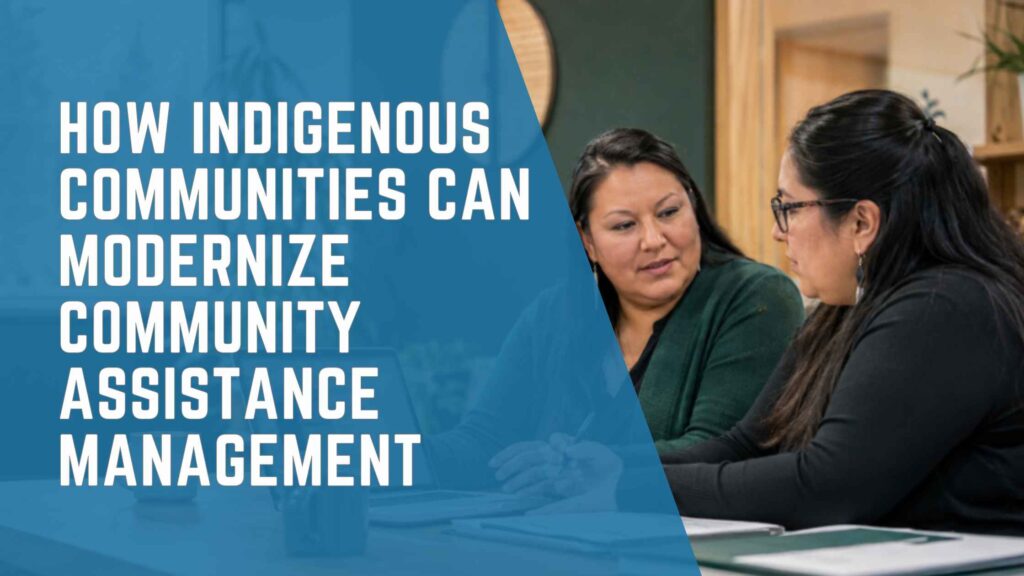
Community assistance modernization begins with a shared understanding of the operational and financial workflow.
Community assistance programs often involve much more than issuing a payment. They can require teams to maintain member and household information, review eligibility, calculate monthly assistance, document decisions, collect approvals, create payments and reconcile financial records. When those steps are spread across spreadsheets, paper files, email and disconnected systems, even a familiar process can become difficult to manage consistently.
For Indigenous communities, modernization is not about replacing local knowledge or imposing a standardized way of working. It is about giving administrators and finance teams a clearer structure for the processes the community has defined—while preserving appropriate oversight, flexibility and control over information.
A connected community assistance workflow can bring operational and financial activities together. Member and household records can support assistance decisions; approved amounts can flow into payment processing; and payment status can return to the operational team without repeated manual entry. The result is a more transparent process from initial registration through financial completion.
Why Community Assistance Becomes Difficult to Manage
Many community assistance processes grow gradually. A spreadsheet may begin as a simple list of recipients. Separate files are later added for household information, monthly calculations, supporting documents and payment tracking. Email becomes the approval mechanism, while the accounting system holds only the final transaction.
Each tool may work on its own, but the overall process becomes fragmented. Staff must determine which file is current, re-enter the same information in multiple places and manually confirm whether an approved payment was processed. When responsibilities change or an audit requires historical support, reconstructing the full decision trail can take significant effort.
Common challenges include:
- Member, household and assistance records maintained in different locations
- Repeated data entry between community services and finance
- Inconsistent approval steps or incomplete supporting documentation
- Limited visibility into the status of a decision or payment
- Difficulty tracing who entered, reviewed or approved information
- Time-consuming month-end reconciliation and reporting
These challenges do not necessarily mean that staff are following the wrong process. More often, the technology does not reflect how the process actually works
What a Connected Community Assistance Workflow Looks Like
An end-to-end workflow creates a clear relationship between the people receiving assistance, the community-defined rules used to determine support and the financial transactions that complete the process. The exact configuration should reflect each community’s policies, roles and terminology, but the following structure provides a practical model.
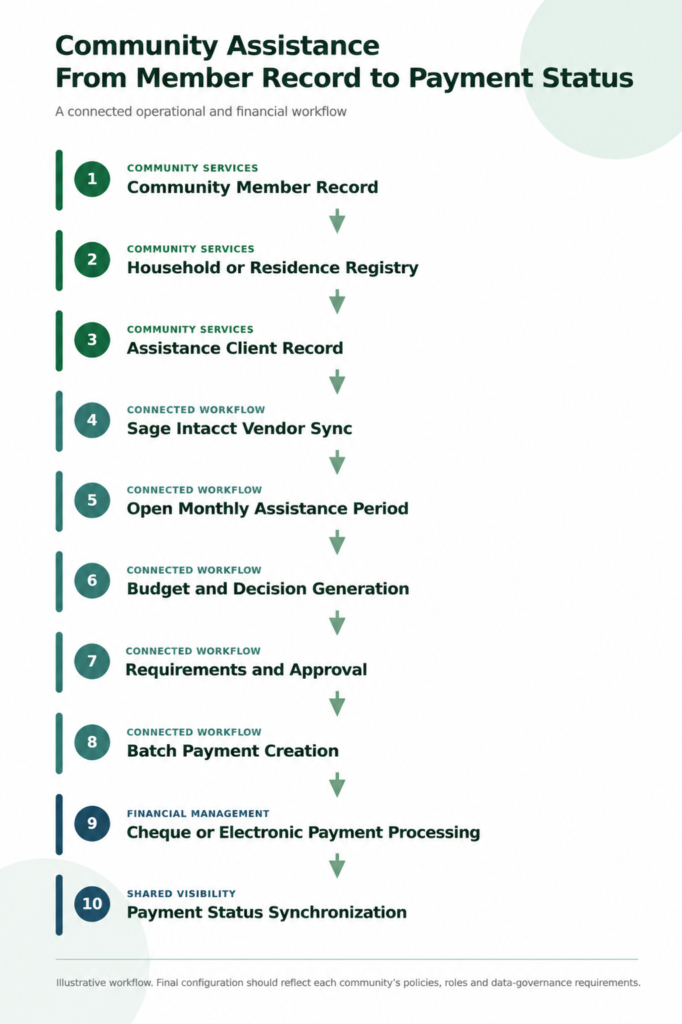
An illustrative ten-step workflow connecting community services, approvals and financial processing.
- Create the community member record. The process begins with a central record for the individual. Relevant contact, identification and program information can be maintained according to the organization’s data-access policies.
- Maintain the household or residence registry. Household relationships can affect eligibility, calculations and reporting. Connecting individuals to a residence helps staff understand who is associated with each household without maintaining a separate list.
- Establish the assistance client record. When a community member participates in an assistance program, an operational client record can hold program-specific details while remaining connected to the original member information.
- Connect the client to financial processing. Where appropriate, the solution can create or synchronize the corresponding vendor record in Sage Intacct. This removes a separate setup step and reduces the risk of inconsistent identifiers.
- Open the monthly assistance period. A defined processing period gives the team a controlled starting point for each month. Active clients can be reviewed within the correct period instead of being mixed with historical records.
- Generate the budget and decision. Forms and calculations can support the organization’s rules for determining the assistance amount. Required information, deductions, additions and decision details can be captured in one place.
- Assign requirements and obtain approval. Supporting requirements can be assigned, reviewed and approved according to staff roles. This creates a visible checkpoint before a payment is released.
- Process approved payments in batches. Approved decisions can be grouped for payment processing. Accounts payable invoices can be created in Sage Intacct without retyping every approved amount.
- Complete payment processing. Finance can process cheque or electronic payments using its established controls within the financial system.
- Synchronize payment status. Payment information—such as status, amount, date, cheque number or posted amount—can return to the assistance workflow, allowing authorized staff to see what happened without requesting a separate update from finance.
Why the Connection to Financial Management Matters
Community assistance administration and accounting are closely related, but they serve different purposes. The assistance team needs context about the member, household, eligibility and decision. Finance needs an approved, properly coded transaction supported by appropriate documentation and controls.
A connected workflow allows each team to work in the environment designed for its responsibilities while sharing the information required to complete the process. Sage Intacct can remain the financial system of record for accounts payable, payments, dimensions and reporting, while the community assistance application manages the operational steps leading to the transaction.
This separation—with controlled integration—can help organizations avoid two common extremes: forcing every operational detail into the accounting system, or leaving finance disconnected from the decision process that created the payment.
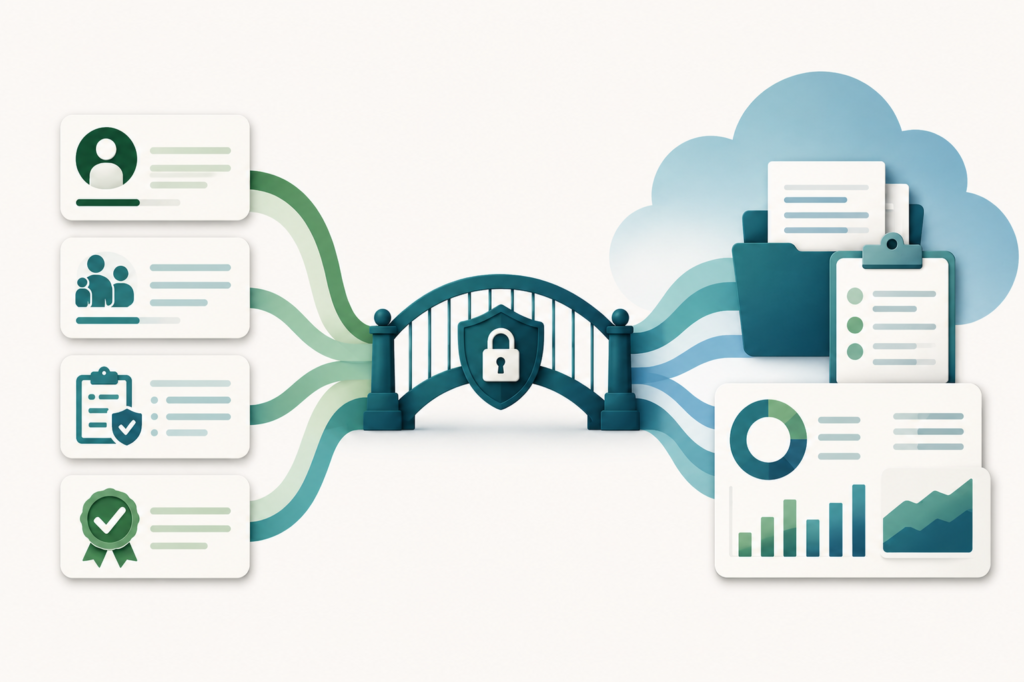
A controlled integration connects operational context with financial processing and reporting.
Potential Benefits for Community Services and Finance Teams
A clearer record of each decision
When member information, calculations, requirements and approvals are connected, authorized users can follow the path from the original record to the final payment. This can make internal review and audit preparation more manageable.
Less duplicate entry
Information approved in the assistance workflow can be transferred into financial processing, reducing the need to copy client identifiers, dates and payment amounts between systems. Fewer handoffs also create fewer opportunities for transcription errors.
More consistent monthly processing
Defined assistance periods, standard forms and visible approval stages help teams apply the same process each month while still allowing authorized exceptions when community policies require them.
Better status visibility
Operational staff can see whether a decision is awaiting documentation, approval, payment creation or financial completion. Finance can receive cleaner, approved information instead of resolving questions after a payment request arrives.
Stronger role-based control
A well-designed solution can separate data entry, review, approval and payment responsibilities. Permissions should be configured around the organization’s governance structure rather than giving every user access to every function.
More useful reporting
Connected data can support reporting by period, program, assistance type, household or financial dimension. The specific reports should be determined during discovery so that they reflect operational needs and financial accountability requirements. Organizations that also operate nonprofit entities or programs can review IWI’s nonprofit financial management overview for additional context on fund accounting, reporting and audit visibility.
Modernization Must Respect Community Governance
Technology should support community decision-making—not define it. Indigenous communities are diverse, and assistance programs may use different terminology, policies, authority structures and reporting requirements. A successful implementation begins by documenting the current process and understanding which elements must remain flexible.
Key considerations include:
- Who owns and governs the information
- Where data is stored and how it is protected
- Which roles can view, edit, approve or export specific information
- How community-defined policies are translated into calculations and workflows
- What records and supporting documents must be retained
- How changes to eligibility, requirements or payment rules will be managed
- Which integrations are required beyond financial management
Privacy, security and community data-governance requirements should be addressed during solution design, not added after the workflow has been built. The implementation team should also plan for data migration, testing, training and ongoing administration.
A Practical Path to Modernization
Organizations do not need to replace every process at once. A structured modernization initiative can begin with discovery and move through controlled phases.
- Map the current workflow. Document how member information, calculations, approvals and payments move today. Include exceptions and informal steps, not only the official procedure.
- Identify the highest-risk handoffs. Look for repeated entry, unclear ownership, manual reconciliation and places where staff must search multiple systems to answer a basic status question.
- Define the future-state process. Agree on roles, approval stages, required information, reporting needs and the point at which financial transactions should be created.
- Configure and validate. Build the workflow around the approved process, then test it using realistic scenarios—including exceptions, corrections and rejected decisions.
- Train by role. Community services, approvers, finance and system administrators require different training. Each group should understand both its tasks and the downstream impact of its work.
- Improve with experience. After launch, review turnaround times, common exceptions, user questions and reporting gaps. The solution should evolve as policies and operational needs change.
Questions to Ask Before Selecting a Solution
Before investing in a community assistance management solution, leadership teams should ask:
- Can the workflow reflect our policies and terminology without forcing unnecessary standardization?
- How will member, household and assistance records relate to one another?
- Can requirements and approvals be configured by program or assistance type?
- How will approved payments integrate with our financial system?
- Can operational users view payment status without receiving access to unrelated financial information?
- What audit history is available for changes, decisions and approvals?
- How are permissions, privacy and data-governance requirements addressed?
- Who will maintain forms, rules and workflows after implementation?
Building a Clearer Path from Assistance Decisions to Payments
Modern community assistance management is not simply a digital version of a spreadsheet. It is a connected operating model that links member and household information, program rules, documentation, approvals and financial processing.
When the workflow is designed around the community’s own policies and integrated with Sage Intacct, teams can gain a clearer view of each case and each payment without losing the distinction between operational and financial responsibilities.
The most important first step is not choosing a screen or feature. It is understanding how the process works today, where staff experience friction and what accountability should look like in the future.
See Where Your Community Assistance Workflow Can Be Improved
IWI Consulting Group helps organizations analyze their processes before recommending and configuring technology. Schedule a 20-minute workflow assessment to explore how member records, approvals, payments and Sage Intacct could work together more effectively.