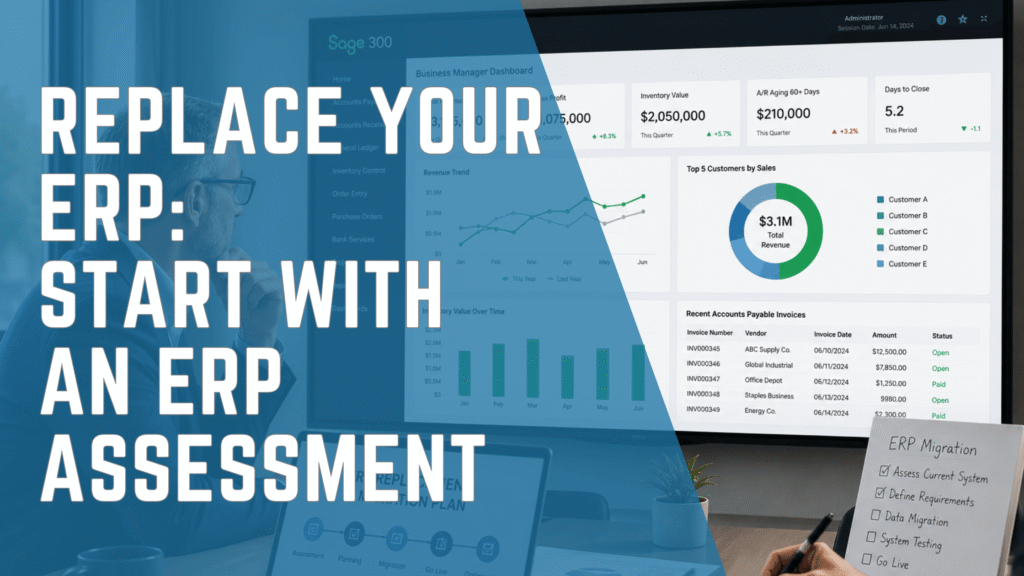
Replacing an ERP system is one of the most important technology decisions a business can make. It affects finance, operations, inventory, purchasing, reporting, compliance, leadership visibility, and long-term growth.
Because of this, the decision should not begin with software.
Too often, companies start an ERP replacement project by comparing systems, watching product demos, or asking vendors for pricing. While those steps may eventually become necessary, they can create problems if the organization has not first understood its current processes, operational gaps, reporting needs, data challenges, and future business requirements.
Before you replace your ERP, the first step should be an ERP assessment.
An ERP assessment helps your organization understand what is working, what is not, what risks exist in your current environment, and which type of solution would best support your next stage of growth. With the guidance of an experienced ERP consulting partner, companies can make a more informed decision, reduce implementation risk, and avoid choosing a system that does not fit their business.
Why Companies Delay ERP Replacement
Most businesses do not decide to replace an ERP system because everything is working well. The decision usually comes after years of frustration, workarounds, manual processes, reporting delays, and operational inefficiencies.
However, many organizations delay ERP replacement because the current system still performs basic functions. It may still process invoices, manage accounting, support purchasing, or store customer and vendor records. As a result, leadership may view replacement as expensive, disruptive, or unnecessary.
Common reasons companies delay the decision include:
- Fear of implementation disruption
- Concern about employee training
- Uncertainty around migration costs
- Dependence on customized legacy processes
- Limited internal IT resources
- Previous unsuccessful technology projects
- Difficulty comparing ERP vendors
- Concern over data migration
- Lack of clarity around which system is the best fit
These concerns are valid. Replacing an ERP is not a simple software change. It is a business transformation project.
However, delaying the decision often creates greater long-term costs. Finance teams may spend days preparing reports that should take minutes. Operations teams may rely on spreadsheets because system data is incomplete. Inventory teams may struggle to understand what is available across locations. Executives may make decisions using outdated or fragmented information.
Over time, the business becomes less efficient while operational complexity continues to increase.
The Hidden Cost of Keeping an Outdated ERP
Many organizations evaluate ERP replacement based only on licensing, implementation, or consulting costs. But the true cost of an outdated ERP is often hidden inside day-to-day operations.
These hidden costs frequently include:
Hidden Cost | Business Impact |
Manual reporting | Increased finance workload |
Duplicate data entry | Higher risk of errors |
Spreadsheet dependency | Limited visibility and control |
Slow financial close | Delayed decision-making |
Limited integrations | Operational inefficiencies |
Aging infrastructure | Higher maintenance costs |
Unsupported software | Increased security and compliance risk |
Poor scalability | Growth limitations |
Manual approvals | Slower purchasing and operational workflows |
Fragmented data | Reduced confidence in business reporting |
Individually, these issues may seem manageable. Collectively, they can create significant operational drag.
Employees spend valuable time reconciling data, correcting errors, exporting reports, updating spreadsheets, and maintaining manual workarounds. Instead of focusing on analysis, planning, customer service, process improvement, and growth, teams become trapped in repetitive administrative tasks.
This is often the clearest sign that your organization may need to replace your ERP.
7 Signs It May Be Time to Replace Your ERP
Not every company needs a new ERP immediately. However, certain warning signs suggest that your current system may no longer support your business goals.
1. Financial Reporting Takes Too Long
Finance leaders need timely and accurate information to support strategic decisions. If month-end reporting requires extensive spreadsheet manipulation, manual reconciliations, or multiple exports from different systems, your ERP may no longer provide the visibility your team needs.
When reports take too long to produce, decision-makers are forced to rely on outdated information. This can affect cash flow planning, budgeting, forecasting, purchasing decisions, and long-term strategy.
An ERP assessment can help identify where reporting delays are happening and whether the issue is caused by software limitations, process design, data quality, or a combination of factors.
2. Employees Depend on Excel More Than the ERP
Excel is a valuable tool, but it should not become the company’s primary operational system.
When finance, inventory, purchasing, sales, and operations teams each maintain their own spreadsheets, data inconsistencies become almost inevitable. Different departments may use different versions of the truth, creating confusion and reducing trust in reports.
If employees regularly export data from the ERP just to make it usable, that is a strong indication that the system is no longer meeting business needs.
A proper assessment can help determine whether the business needs a new ERP, better reporting tools, improved integrations, cleaner data, or redesigned processes.
3. Inventory Visibility Is Limited
For organizations that manage inventory, warehouses, distribution centers, or multiple locations, real-time visibility is essential.
Without accurate inventory information, companies may experience:
- Overstocking
- Stock shortages
- Delayed customer shipments
- Excess carrying costs
- Purchasing inefficiencies
- Inaccurate forecasting
- Reduced customer satisfaction
Inventory problems often affect more than operations. They can impact finance, cash flow, purchasing, sales, customer service, and profitability.
Before choosing a new system, companies should first assess how inventory is managed today, where visibility is limited, and what operational requirements the future solution must support.
4. Your Business Has Outgrown Existing Processes
Growth creates complexity.
A system that worked well when the business was smaller may become restrictive as the organization expands. Additional entities, locations, currencies, products, warehouses, suppliers, and customers can expose limitations in older systems.
Common growth-related challenges include:
- Multiple legal entities
- Multiple currencies
- Additional warehouse locations
- International suppliers
- New business divisions
- Higher transaction volumes
- More complex reporting requirements
- Greater compliance expectations
When the ERP cannot keep up, employees often create workarounds. Over time, these workarounds become standard operating procedures, even though they increase risk and reduce efficiency.
An ERP assessment helps determine whether your current system can still support future growth or whether replacement should be considered.
5. Integrations Are Becoming Difficult
Modern businesses depend on connected systems.
Your ERP may need to integrate with:
- CRM software
- Payroll systems
- E-commerce platforms
- Business intelligence tools
- Shipping applications
- Payment gateways
- Banking systems
- Tax automation tools
- Procurement platforms
Older ERP systems often lack modern integration capabilities or require expensive custom development. As a result, teams may need to manually transfer data between systems, increasing the risk of errors and delays.
An assessment can help map your current technology ecosystem and identify which integrations are critical for the next solution.
6. Vendor Support Is Limited or Declining
As ERP systems age, vendors may reduce updates, support, security enhancements, and compatibility improvements. This creates risk, especially for organizations that rely on the system for financial reporting, compliance, inventory, purchasing, and operational management.
Unsupported or outdated software can increase exposure to:
- Security vulnerabilities
- Compliance issues
- Audit challenges
- Integration failures
- System downtime
- Limited access to technical expertise
If your ERP is no longer actively supported or requires outdated infrastructure to operate, replacement should become a serious business priority.
7. Decision-Makers Lack Real-Time Visibility
Executives should be able to answer basic business questions quickly.
For example:
- What is our current cash position?
- What are our outstanding receivables?
- Which products are most profitable?
- What inventory is available?
- Which locations are underperforming?
- What are our purchasing trends?
- How long does month-end close take?
- Where are costs increasing?
If answering these questions requires multiple reports, manual consolidation, and spreadsheet validation, your ERP may be limiting decision-making rather than supporting it.
This is one of the most important reasons to replace your ERP. However, the right next step is not immediately choosing software. The right next step is understanding what visibility the business actually needs and why the current system cannot provide it.
Why You Should Not Choose ERP Software First
One of the biggest mistakes companies make when replacing an ERP is starting with software selection.
They compare systems before defining requirements. They attend demos before documenting processes. They ask for pricing before understanding the scope. They evaluate features before identifying what the business truly needs.
This approach can lead to serious problems.
A company may choose a system that looks impressive in a demo but does not fit its workflows. It may underestimate implementation complexity. It may fail to account for data migration, integrations, reporting needs, user training, or change management.
Before choosing an ERP system, organizations should first answer questions such as:
- What business problems are we trying to solve?
- Which processes are creating the most friction?
- Where are teams relying on manual workarounds?
- Which reports are difficult or time-consuming to produce?
- What data quality issues exist today?
- Which departments need better visibility?
- What integrations are required?
- What level of scalability will the business need over the next five to ten years?
- What internal resources are available to support the project?
- What risks could affect implementation success?
Without answering these questions first, ERP selection becomes guesswork.
What an ERP Assessment Should Include
An ERP assessment is designed to help organizations understand their current environment before making a major software decision.
A strong assessment should evaluate technology, processes, people, data, reporting, integrations, and business goals.
1. Current System Review
The first step is understanding how the current ERP is being used today.
This includes reviewing:
- Core financial processes
- Accounts payable
- Accounts receivable
- Inventory management
- Purchasing
- Sales order management
- Reporting
- Security
- User permissions
- Integrations
- Manual workarounds
- Customizations
The goal is to identify where the current system is supporting the business and where it is creating limitations.
2. Process Assessment
ERP replacement should not simply recreate old processes in a new system. It should be an opportunity to improve how the business operates.
A process assessment looks at how work actually gets done across departments.
Important questions include:
| Business Area | Questions to Ask |
|---|---|
| Finance | How long does month-end close take? |
| Accounts Payable | How many invoices are entered manually? |
| Accounts Receivable | Are collections tracked effectively? |
| Inventory | Is inventory visible across all locations? |
| Purchasing | Are approvals automated? |
| Reporting | Can executives access accurate dashboards? |
| Security | Are user permissions properly controlled? |
| Integrations | Which systems require manual data transfers? |
This step helps identify inefficiencies that should be addressed before or during ERP replacement.
3. Reporting and Visibility Review
Reporting is one of the most common reasons companies consider replacing their ERP.
An assessment should identify:
- Which reports are most important
- Which reports take too long to prepare
- Where data is being manually consolidated
- Which departments lack visibility
- What dashboards leadership needs
- Whether current reporting issues are caused by system limitations, data structure, or process design
This helps determine whether the next solution needs stronger reporting, better data architecture, business intelligence tools, or improved workflows.
4. Data Quality Assessment
Data migration is one of the most important parts of ERP replacement.
Before moving to a new system, companies should review:
- Customer records
- Vendor master files
- Inventory items
- Chart of accounts
- Open transactions
- Historical records
- Pricing data
- User permissions
- Duplicate records
- Inactive accounts
Poor data quality can delay implementation, reduce reporting accuracy, and create user frustration after go-live.
An ERP assessment helps identify what data needs to be cleaned, migrated, archived, or restructured.
5. Integration Review
Most organizations rely on multiple systems to run the business.
An ERP assessment should review how the current ERP connects with:
- CRM
- Payroll
- E-commerce
- Shipping
- Payment processing
- Banking
- Tax tools
- Reporting platforms
- Procurement systems
- Industry-specific applications
This helps determine which integrations are critical and whether the next solution must support specific workflows or automation requirements.
6. Future Requirements Planning
The right ERP solution should not only solve today’s problems. It should support where the company is going.
Future requirements may include:
- Additional entities
- New locations
- Multi-currency transactions
- Higher transaction volumes
- More complex inventory
- More advanced reporting
- Stronger approval workflows
- Better compliance controls
- Industry-specific requirements
- Cloud deployment
- Remote access
- Improved automation
Understanding future requirements helps avoid choosing a system the company may outgrow too quickly.
Why ERP Replacement Projects Sometimes Fail
Replacing an ERP system can deliver significant value, but not every project succeeds. Ma om ny ERP replacement projects struggle because organizations underestimate the cplexity involved.
Common reasons ERP replacement projects fail include:
- Selecting software before defining business requirements
- Focusing only on software cost
- Underestimating change management
- Poor executive sponsorship
- Inadequate user training
- Insufficient data cleansing
- Unrealistic implementation timelines
- Lack of experienced implementation consultants
- Weak testing before go-live
- Unclear project ownership
- Poor understanding of current processes
The good news is that many of these risks can be reduced with the right assessment and planning process.
Before you replace your ERP, it is important to understand what the business needs, where the current system is failing, which processes should be improved, and what success should look like after implementation.
How an Experienced ERP Partner Helps Reduce Risk
ERP replacement is not only a software decision. It is a business decision that requires experience, structure, and careful planning.
An experienced ERP consulting partner can help organizations:
- Assess the current ERP environment
- Identify operational inefficiencies
- Document business requirements
- Evaluate reporting needs
- Review data quality
- Map integrations
- Understand process gaps
- Compare suitable ERP options
- Estimate project scope
- Reduce migration risk
- Support change management
- Build a realistic implementation roadmap
This guidance helps companies avoid choosing a system based only on features, demos, or price.
Instead, the organization can select a solution based on business fit.
Why Businesses Work with IWI Consulting Group Before Replacing Their ERP
Replacing an ERP system requires more than choosing new software. It requires a clear understanding of the business, the current system, operational pain points, reporting needs, data quality, integrations, and long-term goals. IWI Consulting Group helps organizations assess their current ERP environment before recommending a solution.
This consultative approach is important because not every company needs the same system. Some organizations need stronger financial management. Others need better inventory visibility, project accounting, multi-entity reporting, procurement automation, cloud accessibility, or industry-specific functionality. Rather than forcing a company into a predetermined solution, IWI works to understand the business first.
Through an ERP assessment, IWI helps organizations answer important questions such as:
- Is our current ERP still supporting the business?
- What are the biggest operational risks in our current system?
- Where are manual processes slowing the team down?
- What reporting limitations are affecting leadership decisions?
- What data quality issues need to be addressed?
- Which integrations are critical?
- What future requirements should the next system support?
- Which ERP solution is the best fit for our business model?
- What should the implementation roadmap look like?
IWI Consulting Group brings experience across ERP consulting, implementation, migration, optimization, training, and support. This allows organizations to approach ERP replacement with greater confidence and a clearer understanding of their options.
IWI’s expertise includes:
- ERP assessments
- ERP replacement planning
- ERP selection support
- Legacy ERP migration
- Business process review
- Data migration planning
- Reporting and visibility assessment
- System integration review
- ERP implementation
- User training and support
- Post-go-live optimization
Whether your organization is replacing QuickBooks, Sage 50, Sage BusinessVision, Microsoft Dynamics GP, or another legacy platform, IWI can help evaluate your current environment and guide you toward the ERP solution that best fits your business.
ERP Assessment Checklist
Before you replace your ERP, use this checklist to evaluate whether your organization is ready to move forward.
Checklist Item | Status |
Current ERP pain points documented | ☐ |
Manual workarounds identified | ☐ |
Reporting limitations reviewed | ☐ |
Data quality issues assessed | ☐ |
Integration requirements mapped | ☐ |
Future business requirements defined | ☐ |
Cross-functional stakeholders involved | ☐ |
Executive sponsor identified | ☐ |
Budget expectations discussed | ☐ |
Implementation risks reviewed | ☐ |
Change management needs considered | ☐ |
ERP assessment completed | ☐ |
Suitable ERP options evaluated | ☐ |
Implementation roadmap created | ☐ |
Completing these steps before selecting software can significantly improve project outcomes.
How to Measure ERP Replacement Success
ERP replacement should not be measured only by whether the new system goes live. It should be measured by whether the business becomes more efficient, more visible, and better prepared for growth.
Important success metrics may include:
- Reduced month-end close time
- Faster financial reporting
- Improved inventory accuracy
- Reduced manual data entry
- Better cash flow visibility
- Lower purchasing errors
- Improved approval workflows
- Fewer spreadsheet-based processes
- Stronger executive reporting
- Better audit readiness
- Improved integration between systems
- Higher user adoption
- Greater confidence in business data
These metrics should be discussed during the assessment stage so the organization can define what success looks like before implementation begins.
Final Thoughts
The decision to replace your ERP should not begin with a product demo or software comparison. It should begin with a clear understanding of your business.
If your organization depends heavily on spreadsheets, struggles with reporting delays, lacks inventory visibility, has limited integrations, or cannot access timely business information, your current ERP may already be holding the business back. However, the next step is not simply choosing a new system.
The next step is an ERP assessment. An ERP assessment helps your organization understand current challenges, define future requirements, identify risks, and determine which solution is the best fit for your business.
With an experienced ERP consulting partner like IWI Consulting Group, companies can approach ERP replacement strategically rather than reactively. By assessing processes, data, reporting, integrations, and business goals before selecting software, organizations can reduce implementation risk and make a more confident decision.
Replacing your ERP is not just about moving away from an old system. It is about building a stronger foundation for growth, visibility, efficiency, and better decision-making.
Frequently Asked Questions
When should a business replace its ERP system?
A business should consider replacing its ERP system when manual processes increase, reporting becomes slow, integrations are difficult to maintain, inventory visibility declines, or the system no longer supports business growth.
What should companies do before replacing their ERP?
Before replacing an ERP, companies should complete an ERP assessment. This helps evaluate current processes, reporting needs, data quality, integrations, operational gaps, and future business requirements.
Why is an ERP assessment important?
An ERP assessment helps companies avoid choosing the wrong system. It provides a clear understanding of business needs before software selection begins.
What are the risks of choosing ERP software too quickly?
Choosing ERP software too quickly can lead to poor system fit, unexpected costs, implementation delays, user resistance, reporting issues, and limited long-term scalability.
What does an ERP assessment include?
An ERP assessment may include a review of current systems, business processes, reporting, data quality, integrations, user needs, operational risks, and future requirements.
How can an ERP consulting partner help?
An ERP consulting partner can help assess the current environment, document requirements, identify risks, compare suitable solutions, plan migration, and create a realistic implementation roadmap.
How do I know which ERP solution is right for my business?
The right ERP solution depends on your business processes, industry requirements, reporting needs, integrations, growth plans, budget, and operational complexity. An assessment helps clarify these requirements.
What are common signs of an outdated ERP?
Common signs include spreadsheet dependency, slow reporting, limited integrations, poor inventory visibility, manual approvals, unsupported software, and difficulty accessing real-time business data.
Can an ERP assessment reduce implementation risk?
Yes. An ERP assessment helps identify potential issues before implementation begins, including data problems, process gaps, integration challenges, change management needs, and unclear requirements.
Why work with IWI Consulting Group before replacing your ERP?
IWI Consulting Group helps organizations assess their current ERP environment, understand business challenges, define requirements, and determine which ERP solution best fits their needs before moving into implementation.