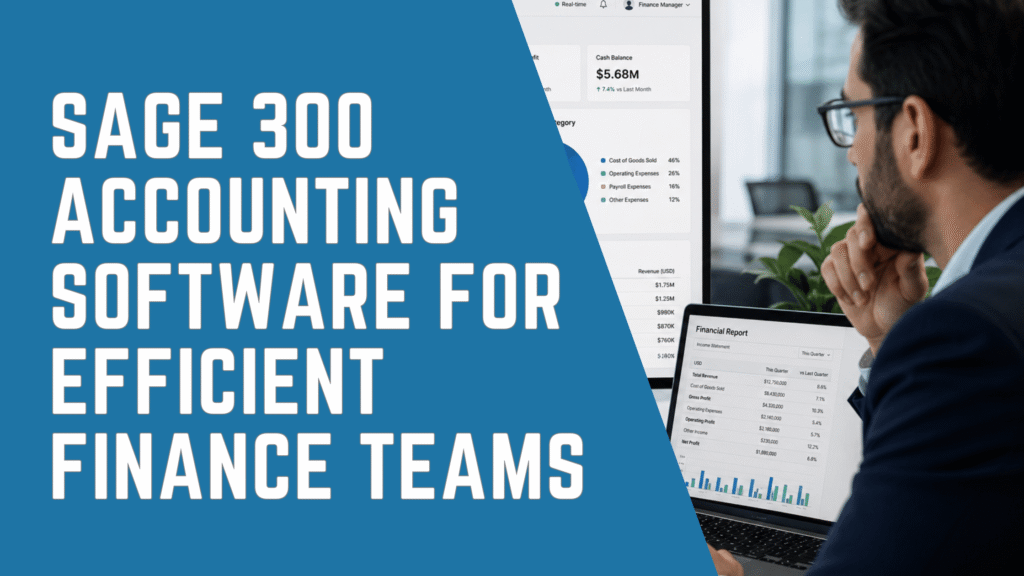
Sage 300 accounting software helps growing organizations manage financials, inventory, purchasing, order processing, and operational reporting within a connected ERP environment.
For finance teams, this can mean less time spent entering the same information in multiple systems, reconciling disconnected spreadsheets, correcting reporting inconsistencies, and waiting for operational data to become available.
By bringing financial and operational information together, Sage 300 can help organizations:
- Improve financial and operational visibility
- Reduce spreadsheet-dependent reporting
- Standardize accounting processes
- Strengthen accounts payable and receivable controls
- Improve inventory and purchasing visibility
- Support multiple companies, divisions, and locations
- Create a more scalable foundation for growth
However, implementing an ERP system does not automatically create efficiency. Results also depend on process design, data quality, reporting structure, integrations, training, internal controls, and ongoing system management.
This guide explains how Sage 300 supports finance teams, which organizations may benefit most from it, where additional configuration may be required, and what businesses should evaluate before implementation.
What Is Sage 300 Accounting Software?
Sage 300 is an accounting and business management solution designed for small and mid-sized organizations that require more financial control, reporting flexibility, and operational functionality than entry-level accounting systems typically provide.
Formerly known as Sage ERP Accpac, Sage 300 supports core financial processes such as:
- General ledger
- Accounts payable
- Accounts receivable
- Banking
- Tax management
- Financial reporting
- Budgeting
- Transaction processing
It can also support broader operational processes, including:
- Inventory management
- Purchasing
- Purchase orders
- Sales order management
- Order entry
- Multi-location operations
- Multi-currency transactions
- Operational reporting
Sage 300 is often considered by organizations that have outgrown QuickBooks, Sage 50, Sage BusinessVision, spreadsheets, or disconnected accounting and inventory applications.
Rather than serving only as a bookkeeping system, Sage 300 can operate as the financial backbone connecting accounting activity with sales, purchasing, inventory, and other operational information.
The exact functionality available to an organization depends on its selected modules, integrations, deployment environment, configuration, and business requirements.
Key Benefits of Sage 300 for Finance Teams
Finance teams often experience inefficiency because their systems and processes no longer reflect the complexity of the business.
As companies add locations, legal entities, users, product lines, warehouses, currencies, or reporting requirements, tasks that were once manageable can become heavily dependent on spreadsheets and manual work.
Sage 300 can help address these challenges in five primary areas.
1. Better Financial Visibility
Finance leaders need reliable information about cash flow, profitability, working capital, expenses, margins, inventory, and operational performance.
When data is distributed across multiple applications, producing this information may require repeated exports, spreadsheet consolidation, and manual reconciliation.
Sage 300 can centralize financial and operational data so that reporting is based on a more consistent system of record.
Depending on the organization’s configuration, financial information can be structured by:
- Company
- Account
- Department
- Division
- Location
- Project
- Cost centre
- Product line
- Business unit
- Currency
This allows finance teams to analyze performance at both consolidated and operational levels.
For example, a CFO may need company-wide financial results, while a regional manager may need profitability by branch or location. A controller may focus on account balances and reconciliations, while an operations leader may need inventory, purchasing, and order information.
A properly designed Sage 300 reporting structure can help each stakeholder access more relevant information without requiring finance to rebuild every report manually.
2. Less Manual Accounting Work
Manual data entry affects more than productivity. It can also increase the risk of duplicated information, inconsistent coding, delayed reconciliations, and reporting errors.
Sage 300 can help standardize common processes across:
- General ledger
- Accounts payable
- Accounts receivable
- Banking
- Purchasing
- Inventory accounting
- Order entry
- Financial reporting
For example, connecting purchasing, receiving, invoicing, and accounting activity can reduce the need to re-enter the same information across different departments.
Similarly, structured vendor, customer, inventory, and account records can improve consistency across financial transactions.
The goal is not simply to automate every existing task. Automating an inefficient process may only allow the same problems to happen faster.
Before configuration, organizations should evaluate:
- Which tasks are repeated unnecessarily
- Where information is entered more than once
- Which approvals happen outside the system
- Which reports require manual preparation
- Where users rely on individual spreadsheets
- Which reconciliations regularly cause delays
- Which exceptions require the most staff time
This process-focused approach helps ensure that Sage 300 supports more efficient workflows rather than reproducing legacy problems in a new environment.
3. More Consistent Reporting
Spreadsheet-based reporting often creates challenges with version control, data accuracy, formula maintenance, and dependence on specific employees.
Sage 300 can provide a more structured reporting environment by connecting financial reports directly to accounting and operational data.
This can help organizations improve:
- Income statement reporting
- Balance sheet reporting
- Cash flow visibility
- Departmental reporting
- Location-level reporting
- Budget-to-actual analysis
- Inventory reporting
- Customer and vendor analysis
- Management reporting
Organizations should not automatically recreate every report from their previous system.
Instead, reporting design should begin with questions such as:
- Which reports support executive decisions?
- Which reports are required by lenders or boards?
- Which reports are used by operational managers?
- Which reports are produced but rarely used?
- Which spreadsheet reports should become system reports?
- Which metrics need daily, weekly, or monthly visibility?
By designing reports around actual decision-making requirements, finance teams can reduce unnecessary reporting work and improve the usefulness of the information they provide.
4. Stronger Financial Controls
As businesses grow, they often need greater control over user access, transaction processing, approvals, accounting periods, and audit trails.
Sage 300 can support more structured accounting processes than many entry-level financial systems.
Depending on configuration and integrated applications, organizations may strengthen controls around:
- User roles and permissions
- Transaction entry
- Vendor and customer records
- Journal entries
- Purchasing
- Payment processing
- Financial periods
- Reporting access
- Audit history
However, system permissions alone do not create effective internal controls.
Organizations should also define:
- Who can create and approve transactions
- Who can modify master data
- Who owns account reconciliations
- Which transactions require additional review
- How exceptions are identified and resolved
- How user access is reviewed over time
Sage 300 should support the organization’s control framework, not replace the need for clear financial policies and responsibilities.
5. Greater Connection Between Finance and Operations
Finance teams depend on operational data to understand revenue, costs, margins, inventory, purchasing commitments, and working capital.
When financial and operational systems are disconnected, accounting teams may not receive the information they need until after transactions have already occurred.
By connecting financial management with inventory, purchasing, and order processing, Sage 300 can provide finance teams with a broader view of business activity.
This is particularly relevant for organizations where financial performance is closely connected to:
- Inventory levels
- Purchase orders
- Customer orders
- Warehouses
- Distribution activity
- Product costs
- Vendor commitments
- Customer payment activity
A connected environment can help finance move beyond historical reporting and participate more actively in operational planning and performance management.
How Sage 300 Supports Core Accounting Processes
Sage 300 can improve efficiency across several core finance functions. The results depend on how the system is configured and how well the underlying business processes are designed.
General Ledger and Financial Reporting
The general ledger provides the foundation for financial reporting and financial control.
Sage 300 can help organizations standardize:
- Account structures
- Journal entry processes
- Transaction coding
- Period management
- Financial statement preparation
- Departmental and divisional reporting
A well-designed chart of accounts is essential.
If the structure is too limited, finance may not have enough information for meaningful management reporting. If it is excessively detailed, users may struggle to apply codes consistently.
The account structure should balance:
- Statutory reporting
- Management reporting
- Operational analysis
- Budgeting
- Consolidation requirements
- Ease of use
Accounts Payable
Accounts payable is frequently one of the most manual areas within finance.
Vendor invoices may arrive through multiple channels, approvals may happen through email, coding may be inconsistent, and payment obligations may not be visible until shortly before their due dates.
Sage 300 can help organize:
- Vendor information
- Invoice records
- Payment terms
- Payment schedules
- General ledger coding
- Outstanding obligations
- Vendor balances
Connecting purchasing and invoice activity can also improve visibility into commitments and reduce duplicated entry.
Organizations requiring more advanced AP automation may need additional capabilities such as:
- Invoice capture
- Document management
- Electronic approvals
- Payment integrations
- Purchase order matching
- Vendor portals
These capabilities may be provided through configuration, complementary applications, or integrations rather than standard Sage 300 accounting software functionality alone.
Accounts Receivable and Cash Flow
Sage 300 can help finance teams manage customer balances, invoices, receipts, credit activity, and aging information in a more structured environment.
This can support:
- Collection prioritization
- Outstanding invoice review
- Customer account management
- Cash application
- Credit monitoring
- Cash flow forecasting
Accurate and current receivables data gives finance leaders a stronger foundation for understanding expected cash inflows.
However, technology must be supported by clear processes for:
- Billing
- Collections
- Disputes
- Credit approvals
- Cash application
- Customer follow-up
Sage 300 can provide the information and structure, but finance teams must still define ownership and accountability.
Banking and Reconciliations
Bank reconciliation can become time-consuming when transaction records are inconsistent or maintained across multiple systems.
Sage 300 can help finance teams maintain more structured banking and transaction information, supporting:
- Cash visibility
- Bank account management
- Transaction review
- Period-end reconciliation
- Payment tracking
The extent of automation depends on the organization’s banking requirements, integrations, payment platforms, and reconciliation processes.
How Sage 300 Can Support a Faster Month-End Close
Month-end close is one of the clearest indicators of finance team efficiency.
A slow close process is often caused by several issues occurring together:
- Delayed operational data
- Manual account reconciliations
- Inconsistent transaction coding
- Spreadsheet-based reporting
- Unclear account ownership
- Late journal entries
- Disconnected systems
- Poorly maintained master data
Sage 300 can support a more controlled close by providing stronger transaction structure, access to account details, more consistent reporting, and better connections between finance and operational activity.
Potential close improvements include:
| Finance Challenge | Business Impact |
|---|---|
| Manual data entry | Higher risk of errors and duplicated work. |
| Spreadsheet-based reporting | Slower close cycles and weaker version control. |
| Disconnected operational systems | Limited visibility into inventory, orders, and costs. |
| Delayed reconciliations | Reduced cash flow visibility. |
| Weak approval workflows | Higher control risk. |
| Inconsistent chart of accounts | Difficult consolidated reporting. |
| Limited audit trails | More time spent preparing for audits. |
| Poor integration | Repetitive work across departments. |
Software alone will not shorten the close.
Organizations also need:
- A defined close calendar
- Clear account ownership
- Reconciliation standards
- Materiality thresholds
- Review procedures
- Clean master data
- Consistent cut-off policies
- Well-designed reports
For this reason, close improvement should be approached as both a system initiative and a finance process initiative.
Sage 300 for Multi-Company and Multi-Location Organizations
Organizations operating multiple legal entities, branches, divisions, warehouses, or locations face additional financial complexity.
Finance teams may need to manage:
- Separate company records
- Location-level performance
- Multiple currencies
- Different reporting requirements
- Shared vendors and customers
- Intercompany transactions
- Consolidated management reporting
Sage 300 accounting software can support businesses with multiple companies and locations, but the appropriate configuration depends on the organization’s structure.
Before implementation, organizations should clearly define:
- How many legal entities will be managed
- Whether each entity requires separate accounting records
- How charts of accounts are standardized
- How is intercompany activity processed
- Whether eliminations are required
- Which reports need to be consolidated
- How currencies are managed
- Which users need access to each company
Businesses with advanced global consolidation, complex intercompany eliminations, or highly automated multi-entity requirements should carefully compare Sage 300 with other financial management platforms.
Sage Intacct, for example, may be a better fit for some organizations prioritizing cloud-native multi-entity financial consolidation. Sage X3 may be better suited to organizations with more complex international operations or manufacturing requirements.
The correct choice depends on business complexity rather than company size alone.
Inventory, Purchasing, and Order Management
For inventory-intensive organizations, financial performance is closely linked to operational data.
Excess inventory ties up cash. Stockouts may reduce sales. Inaccurate costing affects margin reporting. Delayed purchasing information makes it more difficult to understand future cash requirements.
Sage 300 accounting software can connect accounting with:
- Inventory records
- Purchase orders
- Sales orders
- Order entry
- Product costs
- Warehouse activity
- Vendor commitments
- Customer billing
This can help finance teams improve visibility into:
| Operational Area | Finance Benefit |
|---|---|
| Inventory valuation | More accurate financial reporting |
| Purchasing commitments | Better visibility into expected cash outflows |
| Sales orders | Improved understanding of upcoming revenue |
| Product costs | Better margin analysis |
| Stock movement | Stronger working capital decisions |
| Warehouse activity | More complete operational reporting |
Sage 300 is commonly considered by distributors, wholesalers, retailers, and other inventory-intensive organizations.
Manufacturing, construction, and specialized project-based requirements may require additional modules, complementary applications, integrations, or evaluation against another ERP platform.
Organizations should avoid assuming that one standard configuration will support every industry workflow.
Sage 300 vs Basic Accounting Software
Basic accounting software can be a strong fit for smaller organizations with straightforward bookkeeping and reporting requirements.
However, limitations often become more visible as the business adds users, inventory, locations, entities, or operational complexity.
| Requirement | Basic Accounting Software | Sage 300 |
|---|---|---|
| General bookkeeping | Strong fit for smaller organizations | Supports growing and mid-sized businesses |
| Multiple companies | Often managed separately or manually | Better suited to more complex company structures |
| Inventory | Usually limited or simplified | Supports broader inventory and operational workflows |
| Purchasing | Often basic | More connected purchasing capabilities |
| Reporting | Frequently exported to spreadsheets | More structured financial and operational reporting |
| User access | Simplified permissions | More scalable role and access management |
| Integrations | Often based on apps or manual exports | Supports broader ERP integration requirements |
| Growth | Can become restrictive | Designed for increasing complexity |
| Operational visibility | Usually limited | Connects accounting with broader business activity |
Sage 300 may be appropriate when an organization has outgrown its current accounting system but does not require the capabilities of a larger enterprise platform.
Who Is Sage 300 Best Suited For?
Sage 300 may be a strong fit for organizations experiencing one or more of the following conditions:
- Month-end close is taking too long
- Reports require extensive spreadsheet consolidation
- Inventory and accounting records do not align
- Multiple companies or locations are difficult to manage
- AP and AR processes are heavily manual
- Current software provides limited user controls
- Operational data is disconnected from finance
- The organization has outgrown QuickBooks, Sage 50, or BusinessVision
- Integrations depend on manual imports and exports
- Finance lacks consistent visibility into performance
- The current system cannot support planned growth
Common use cases include:
| Organization Type | Potential Sage 300 Use Case |
|---|---|
| Growing distributor | Connect inventory, purchasing, orders, and accounting |
| Multi-location company | Improve branch-level and consolidated reporting |
| Wholesale organization | Connect sales orders, inventory, and receivables |
| Retail organization | Improve inventory and financial visibility |
| Company replacing basic accounting software | Create more scalable accounting processes |
| Organization using many spreadsheets | Reduce manual reporting and reconciliation |
| Business requiring stronger controls | Improve permissions and transaction structure |
The correct fit should be determined through a structured requirements assessment, not solely from a feature list.
When Sage 300 May Not Be the Right Fit
Sage 300 is not the best choice for every organization.
Very small businesses with simple bookkeeping requirements may not need its level of functionality or implementation complexity.
At the other end of the spectrum, organizations with specialized or highly complex requirements may need to evaluate another platform.
Examples include:
| Business Requirement | Platform to Evaluate |
|---|---|
| Advanced cloud-native multi-entity consolidation | Sage Intacct |
| Complex process or global manufacturing | Sage X3 |
| Highly complex international operations | Sage X3 or another enterprise ERP |
| Simple bookkeeping with few users | Entry-level accounting software |
Sage 300 may also be a weaker fit when an organization expects every process to operate through a completely cloud-native browser experience without a hosted or cloud-enabled deployment model.
A qualified ERP advisor should compare platforms based on:
- Industry requirements
- Operational complexity
- Financial reporting
- Number of entities and locations
- Inventory requirements
- Manufacturing requirements
- Project accounting
- Integration strategy
- Deployment preferences
- Growth plans
A credible assessment should be willing to conclude that Sage 300 is not the right solution when another platform offers a better fit.
Is Sage 300 Cloud-Based?
Sage 300 is generally considered cloud-enabled rather than exclusively cloud-native.
Organizations may access Sage 300 accounting software through hosted, managed, or remote environments depending on their deployment model and implementation partner.
This can provide advantages such as:
- Remote access
- Reduced reliance on local infrastructure
- Centralized environment management
- More flexible user access
However, a hosted Sage 300 environment is not identical to a fully cloud-native financial application.
Organizations prioritizing a cloud-native architecture, automatic browser-based updates, or advanced SaaS multi-entity functionality should compare Sage 300 with alternatives such as Sage Intacct.
The deployment decision should consider:
- IT resources
- Security requirements
- Remote access
- Existing infrastructure
- Integration requirements
- Upgrade management
- Business continuity
- Total cost of ownership
Questions to Ask Before Implementing Sage 300
A structured assessment should take place before software configuration begins.
Finance and IT leaders should answer questions such as:
- How many companies, branches, locations, and warehouses must be managed?
- Which accounting processes currently rely on spreadsheets?
- Which reports take the most time to prepare?
- What information does leadership need but cannot access today?
- Which systems need to integrate with Sage 300?
- How are inventory, purchasing, and orders currently managed?
- Are multi-currency transactions required?
- How complex are intercompany transactions and consolidation?
- Which historical data must be migrated?
- Which users need access to each module and company?
- What approvals and controls must be supported?
- Which workflows should be redesigned rather than recreated?
- What training will users require?
- How will the system be supported after go-live?
- Which business outcomes will define project success?
These questions help organizations select modules, define scope, estimate investment, and avoid unnecessary customization.
Sage 300 Implementation and Optimization Best Practices
Sage 300 accounting software can create meaningful efficiency improvements when implementation is treated as a business transformation initiative rather than a software installation.
Define Measurable Outcomes
Before configuration begins, organizations should establish measurable objectives.
Examples include:
- Reduce month-end close time
- Decrease manual journal entries
- Improve inventory accuracy
- Reduce spreadsheet-based reporting
- Improve branch-level visibility
- Strengthen AP controls
- Improve cash flow forecasting
- Reduce duplicate data entry
These objectives help guide configuration decisions and evaluate post-implementation results.
Define Measurable Outcomes
Before configuration begins, organizations should establish measurable objectives.
Examples include:
- Reduce month-end close time
- Decrease manual journal entries
- Improve inventory accuracy
- Reduce spreadsheet-based reporting
- Improve branch-level visibility
- Strengthen AP controls
- Improve cash flow forecasting
- Reduce duplicate data entry
These objectives help guide configuration decisions and evaluate post-implementation results.
Design the Financial Structure Carefully
The chart of accounts, company structure, departments, locations, projects, and reporting segments should reflect both current and future requirements.
A structure designed only around today’s needs may become restrictive as the organization grows.
At the same time, unnecessary complexity can make the system difficult to use.
Clean Data Before Migration
Migrating inaccurate or duplicated records will carry existing problems into the new environment.
Organizations should review:
- Customer records
- Vendor records
- Inventory items
- Account codes
- Tax information
- Open transactions
- Historical balances
- Duplicate records
- Inactive data
Data ownership and validation responsibilities should be assigned before migration begins.
Review Integrations Early
Integration requirements should be identified during assessment, not near the end of the project.
Common Sage 300 integrations may include:
- Payroll
- Banking
- CRM
- eCommerce
- Warehouse management
- Document management
- Payment platforms
- Expense management
- Business intelligence
- Industry-specific applications
Each integration should define:
- Source system
- Destination system
- Data ownership
- Frequency
- Validation rules
- Exception handling
- Security requirements
- Support responsibility
Design Reports Around Decisions
Rather than recreating every legacy report, organizations should identify which information supports decisions.
Reports should be aligned with the needs of:
- CFOs
- Controllers
- Accounting managers
- Executives
- Department leaders
- Operations managers
- Auditors
- Boards
- Lenders
Design Reports Around Decisions
Even a well-configured system can fail to deliver value if users do not understand processes, controls, or reporting tools.
Training should be role-based and should include:
- Daily transaction processing
- Approvals
- Reporting
- Reconciliations
- Exception management
- Security responsibilities
- Period-end procedures
Training should also continue after go-live as users gain experience and business requirements change.
What Organizations Commonly Discover During a Sage 300 Assessment
During ERP assessments, organizations frequently discover that inefficiency is caused by a combination of technology, process, and data issues.
Common findings include:
- Different departments maintain separate versions of the same data
- Financial reports are produced outside the accounting system
- Charts of accounts have become inconsistent or overly complex
- Customer and vendor records contain duplicates
- Inventory information does not reconcile with accounting
- Approvals happen through email or informal communication
- Users enter the same data into multiple applications
- Important reports depend on one employee’s spreadsheet
- Integrations rely on manual CSV exports
- Existing modules are underused
- User permissions have not been reviewed
- Processes reflect historical habits rather than current business needs
Identifying these issues before implementation helps organizations prioritize improvements and avoid reproducing ineffective workflows.
Sage 300 Pricing Considerations
Sage 300 pricing depends on several variables, including:
- Number of users
- Required modules
- Deployment model
- Hosting requirements
- Implementation scope
- Data migration complexity
- Integrations
- Reporting requirements
- Training
- Change management
- Ongoing support
- Future optimization
Organizations should evaluate the total cost of ownership rather than software licensing alone.
A complete investment review should consider:
- Software costs
- Implementation services
- Data preparation
- Integration development
- Reporting design
- Testing
- Training
- Hosting or infrastructure
- Internal project resources
- Ongoing support
The lowest initial proposal may not create the lowest long-term cost.
A poorly designed implementation may lead to:
- Rework
- Manual workarounds
- Reporting problems
- User frustration
- Data quality issues
- Additional consulting costs
- Operational disruption
A detailed assessment can help organizations establish a realistic roadmap, budget, scope, and expected business outcomes.
How IWI Consulting Group Supports Sage 300
IWI Consulting Group helps organizations evaluate, implement, migrate, optimize, integrate, and support Sage 300.
Rather than approaching Sage 300 only as a software installation, IWI works with finance, operations, and IT leaders to align the ERP environment with business processes, reporting needs, controls, and growth plans.
Sage 300 services can include:
| Service | Business Purpose |
|---|---|
| ERP assessment | Determine whether Sage 300 fits the organization |
| Implementation | Configure financial and operational modules |
| Migration planning | Move from QuickBooks, Sage 50, BusinessVision, Microsoft Dynamics GP, or legacy systems |
| Data migration | Prepare and transfer financial and operational records |
| Reporting design | Improve management and financial reporting |
| Integration planning | Connect Sage 300 with critical business applications |
| Process optimization | Reduce manual work and improve controls |
| User training | Support adoption and consistent system use |
| Ongoing support | Maintain and improve the environment after go-live |
Because IWI also works with Sage Intacct and Sage X3, organizations can evaluate Sage 300 within a broader ERP selection process.
This is important because the right solution depends on the organization’s industry, reporting requirements, operational complexity, deployment preferences, and future growth.
How IWI Consulting Group Supports Sage 300 Finance Transformation
IWI Consulting Group supports Sage 300 accounting software projects as an ERP consulting, implementation, migration, optimization, and support partner. The firm brings more than 22 years of ERP experience and has delivered over 500 successful projects.
IWI’s role extends beyond software setup. The firm helps organizations align Sage 300 with financial processes, operational workflows, reporting needs, integrations, controls, and long-term growth goals.
IWI Consulting Group’s official website describes the firm as a provider of automation, agile ERP management, and business solution implementation for industries including manufacturing, retail, wholesale distribution, professional services, financial firms, and nonprofits.
For Sage 300 finance teams, IWI can support areas such as:
- Financial management and general ledger configuration
- Accounts payable and accounts receivable workflows
- Budgeting and financial reporting
- Multi-company and multi-currency requirements
- Purchasing, inventory, and order management integration
- Process automation and approval workflows
- Data migration and system integration
- User training and adoption
- System optimization and ongoing support
These services can help finance teams improve visibility, strengthen financial controls, streamline routine processes, and make better use of Sage 300 across the organization.
In addition, IWI’s experience across Sage Intacct, Sage 300, and Sage X3 gives organizations a broader ERP advisory perspective. This matters because the best solution depends on the organization’s industry, size, complexity, operational requirements, and future direction.
Each use case requires careful design. For example, a distribution company may prioritize inventory accuracy, order management, purchasing controls, and visibility across the supply chain. In contrast, a professional services organization may focus more heavily on project profitability, billing, financial reporting, and resource management.
Therefore, IWI Consulting Group helps organizations define their requirements before recommending system configuration, integrations, workflow changes, or other ERP improvements. This approach helps ensure that Sage 300 supports both current financial needs and the organization’s broader operational goals.
How Sage 300 Helps CFOs, Controllers, and Accounting Managers
Different finance roles benefit from Sage 300 in different ways. CFOs need strategic visibility. Controllers need control and accuracy. Accounting managers need efficient daily workflows. Therefore, a successful Sage 300 environment should support each role.
For CFOs, Sage 300 can provide stronger visibility into performance, cash flow, margins, budgets, and business unit results. This supports planning, forecasting, executive reporting, and strategic decision-making.
For controllers, Sage 300 can improve financial governance. It supports structured transaction processing, reporting consistency, account visibility, reconciliations, and audit preparation.
For accounting managers, Sage 300 can reduce repetitive work in AP, AR, general ledger, banking, and reporting. As a result, teams can spend more time resolving exceptions and supporting the business.
For IT directors, Sage 300 can also create a more manageable ERP environment when integrations, security, user access, and data flows are designed properly. Meanwhile, COOs and operations leaders can benefit from better visibility into inventory, purchasing, orders, and operational costs.
In addition, CEOs gain more confidence when finance and operations share the same source of truth. This is important because leadership decisions depend on trusted information.
Consequently, Sage 300 accounting software can help move finance from a back-office reporting function to a stronger business advisory role.
FAQ: Sage 300 Accounting Software
What is Sage 300 accounting software used for?
Sage 300 is used to manage financial accounting, accounts payable, accounts receivable, general ledger, banking, reporting, inventory, purchasing, order processing, and multi-location business operations. It is commonly used by growing organizations that need more control and operational functionality than basic accounting software typically provides.
How does Sage 300 help finance teams work more efficiently?
Sage 300 can improve finance efficiency by reducing duplicated data entry, connecting accounting with operational information, standardizing processes, improving reporting consistency, and reducing dependence on manually consolidated spreadsheets.
The amount of improvement depends on system configuration, integrations, data quality, process design, and user adoption.
Is Sage 300 good for multi-entity accounting?
Sage 300 can support organizations operating multiple companies, divisions, branches, or locations.
The required configuration depends on how the organization manages company records, intercompany transactions, currencies, reporting, and consolidation. Organizations with highly advanced consolidation requirements should compare Sage 300 with cloud-native multi-entity financial platforms.
Can Sage 300 improve month-end close?
Sage 300 can support a faster and more controlled month-end close by improving transaction consistency, account visibility, reconciliations, reporting, and access to operational data.
However, close improvement also requires clear account ownership, clean data, a defined close calendar, consistent procedures, and user discipline.
Does Sage 300 support inventory and operations?
Yes. Sage 300 can support inventory, purchasing, sales order processing, order entry, and operational reporting alongside core financial management.
It is commonly evaluated by distributors, wholesalers, retailers, and inventory-intensive organizations. Specialized manufacturing, construction, and project-based requirements may need additional modules, integrations, or another ERP platform.
How much does Sage 300 cost?
Sage 300 pricing depends on users, modules, deployment, hosting, implementation scope, data migration, integrations, reporting, training, and support.
Organizations should request a detailed assessment and evaluate total cost of ownership rather than relying only on generic software pricing.
Can Sage 300 integrate with other business systems?
Yes. Sage 300 can integrate with applications such as payroll, banking, CRM, eCommerce, warehouse management, document management, payment platforms, expense systems, and business intelligence tools.
Integration requirements should be evaluated carefully to define data ownership, security, validation, and support responsibilities.
Is Sage 300 better than QuickBooks for growing businesses?
Sage 300 may be a better fit for organizations that have outgrown QuickBooks and need more advanced inventory management, reporting, user controls, integrations, multi-company capabilities, or operational visibility.
QuickBooks may remain appropriate for smaller organizations with straightforward accounting requirements.
Who should implement Sage 300?
Organizations should work with an experienced Sage 300 implementation partner that can assess requirements, configure the system, migrate data, design reports, plan integrations, train users, and provide ongoing support.
The partner should also understand finance and operational processes rather than focusing only on software configuration.
Is Sage 300 right for businesses?
Sage 300 can be a strong fit for businesses that need scalable accounting, inventory management, multi-location reporting, and stronger connections between finance and operations.
The correct fit depends on business size, industry, operational complexity, reporting requirements, and long-term strategy.
Conclusion: Helping Finance Teams Work Smarter
Sage 300 accounting software can help finance teams improve visibility, reduce manual work, create more consistent reporting, strengthen controls, and connect accounting with inventory, purchasing, and order activity.
For growing organizations, these capabilities can provide a stronger foundation than basic accounting software and disconnected spreadsheets.
However, the value of Sage 300 depends on more than product features.
Organizations must also consider:
- Process design
- Financial structure
- Data quality
- Integrations
- Reporting requirements
- Internal controls
- User training
- Deployment model
- Ongoing support
Sage 300 should be selected based on business requirements, not assumptions.
For some organizations, it will provide the right balance of accounting control, operational functionality, and scalability. For others, Sage Intacct and Sage X3 or a simpler accounting platform may provide a stronger fit.
IWI Consulting Group helps organizations evaluate these options and build a practical ERP roadmap based on financial, operational, technical, and growth requirements.
Not sure whether Sage 300 accounting software is the right fit for your organization?
Request a Sage 300 assessment to review your current accounting processes, reporting requirements, integrations, inventory needs, deployment options, and migration priorities.