When Does Sage Business Vision Support End and What Does It Mean?
What Is the Sage Business Vision Support Lifecycle?
How Does End of Support Impact Your Business Operations?
What Are the Top 7 Risks of Using Unsupported Sage Business Vision?
- Security Vulnerabilities: Without patches, known flaws remain open and attract attackers.
- Compliance Risks: Unsupported systems can fall out of step with evolving regulatory requirements, increasing the risk of fines.
- Performance Issues: Aging software may slow down or behave unpredictably, hurting productivity.
- Data Loss Risks: The chance of data corruption or loss rises without vendor-tested fixes and recovery guidance.
- Lack of Support: No formal vendor support means fixes and workarounds fall to your internal team or costly third parties.
- Increased Costs: Emergency patches, forensic work, and downtime can drive up total cost of ownership.
- Reputation Damage: Operational failures or data incidents can erode customer and partner trust.
How Does Security Vulnerability Increase After Support Ends?
What Compliance and Regulatory Risks Should You Expect?
How Can You Mitigate Risks with Effective ERP Migration Strategies?

Mitigating risks means moving deliberately. Effective migration strategies include clear assessment, stakeholder alignment, and staged execution. The following approaches reduce disruption and protect data integrity:
The migration process creates integration and continuity challenges that are best managed with structured planning and phased execution.
- Assessment of Current Systems: Inventory your environment, identify gaps, and set priorities.
- Collaboration Among Teams: Include finance, IT, operations, and end users to capture requirements and risks.
- Phased Rollout: Deploy in stages to limit disruption and allow course corrections.
- Data Migration Planning: Create detailed mapping, validation, and testing steps for data transfer.
- Training and Support: Prepare users with role-based training and clear support channels.
- Security Measures: Apply encryption, access controls, and monitoring throughout the migration.
- Backup Solutions: Maintain reliable backups and recovery plans at every stage.
Following these steps reduces risk and helps your organization realize the benefits of a modern ERP more quickly.
What Are the Best Practices for Migrating from Sage Business Vision?
A successful migration blends planning, people, and governance. Best practices include:
- Involve Team Members Early: Bring stakeholders into scoping and decision-making from the start.
- Offer Exceptional Training: Deliver hands-on, role-specific training so teams can use the new system with confidence.
- Lead by Example: Executive engagement helps set priorities and encourages adoption.
- Communicate Benefits: Explain how the new ERP improves day-to-day work to boost buy-in.
- Plan for Data Migration: Define validation checks and rollback plans to protect data integrity.
- Implementation Framework: Use a repeatable project framework with clear responsibilities and checkpoints.
- Ongoing Support and Review: Maintain post-launch support and regularly review performance to refine processes.
These practices help ensure a smoother rollout and stronger adoption across the organization.
How Do Migration Costs Affect Small to Medium-Sized Businesses?
What Are the Leading Sage Business Vision Alternatives for Canadian SMBs?
Canadian SMBs have several strong alternatives to Sage Business Vision, each with different strengths and price points. Notable options include:
- Sage Intacct: A cloud-native financial management system built for complex accounting requirements.
- Sage X3: An ERP designed for larger operations needing deep customization and scale.
- QuickBooks Online: A straightforward, widely used accounting platform suitable for smaller organizations.
- Sage 50cloud: A hybrid solution that keeps desktop familiarity while adding cloud access—useful for teams transitioning from BusinessVision.
Evaluate each option against your business processes, integration needs, and growth plans to choose the best fit.
Which ERP Solutions Best Fit Manufacturing and Distribution Sectors?
How Do Cloud-Based ERP Options Compare to On-Premise Solutions?
- Cost Differences: Cloud options usually lower upfront hardware costs and move expenses to predictable subscriptions.
- Scalability: Cloud platforms make it easier to scale users and features as your business grows.
- Accessibility: Cloud ERPs provide secure access from anywhere, supporting remote work and distributed teams.
For many organizations, cloud solutions offer a faster path to flexibility and lower maintenance overhead.
How Can ERP Consulting Services Support Your Transition and Upgrade?
What Consulting Services Are Available for Sage Business Vision Migration?
Consulting services for migrating from Sage Business Vision typically include:
- Evaluation and Implementation: Assessing your current setup and recommending a tailored solution and rollout plan.
- Customization of Software: Configuring the new ERP to match your processes and reporting needs.
- Ongoing Support and Training: Providing post-implementation support and user training to ensure sustained success.
Working with experienced consultants can streamline the migration and reduce disruption to daily operations.
How Do Demos and Business Reviews Facilitate Better Decision-Making?
How to Secure Your Data and Operations After Sage Business Vision Support Ends?
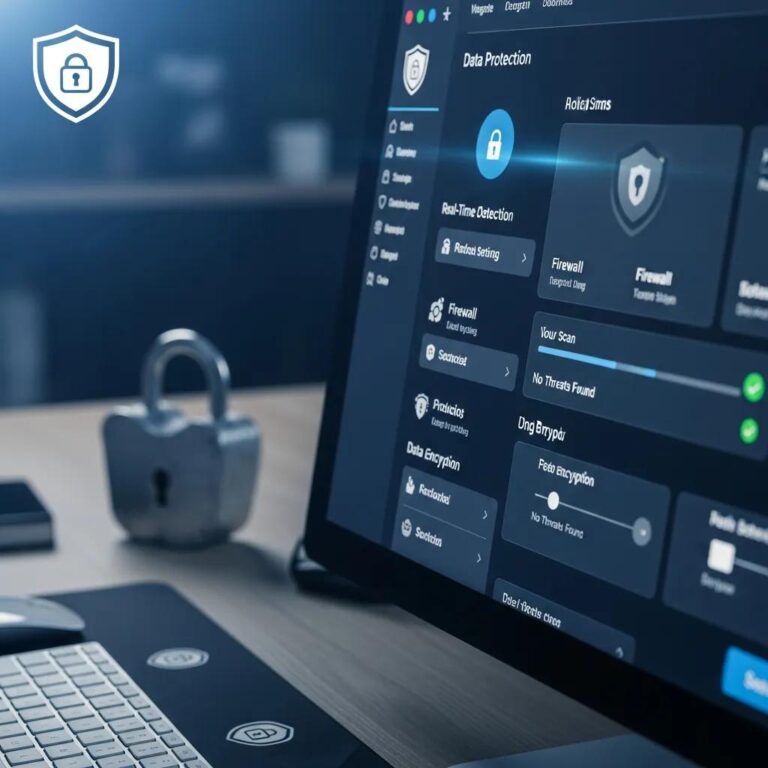
Protecting data and continuity after support ends requires deliberate safeguards. Practical steps include:
- Reliable Backups: Run regular, tested backups and store them securely offsite.
- IT Infrastructure Security: Strengthen network defenses, patch surrounding systems, and enforce access controls.
- Employee Training: Teach staff safe practices for handling data and recognizing threats.
Done correctly, these controls reduce the likelihood of a costly incident while you complete your migration.
What Steps Ensure Data Protection Post-Support?
To protect data after support ends, take these actions:
- Data Security Plan: Document roles, responsibilities, and incident response procedures.
- Regular Backups: Automate backups and verify restorations on a schedule.
- Compliance Monitoring: Continuously review policies and controls to stay aligned with regulatory obligations.
These measures preserve data integrity and help demonstrate due diligence if regulators or customers ask.
How to Maintain Performance and Compliance Without Official Support?
Maintaining performance and compliance without vendor support requires a proactive approach. Key tactics include:
- Data Security Plan: Maintain a clear, actionable security and compliance roadmap.
- Employee Training: Keep teams updated on policies and practical procedures.
- Regular System Updates: Patch dependent infrastructure and apply compensating controls where vendor fixes are no longer available.
These actions help you operate safely and meet regulatory expectations until migration is complete.
Conclusion
Transitioning from Sage Business Vision before support ends is crucial for safeguarding your business against security vulnerabilities and compliance risks. By understanding the migration process and implementing best practices, you can ensure a smoother transition to a modern ERP system that enhances operational efficiency. Don’t wait until it’s too late; start planning your migration strategy today to protect your data and streamline your operations. Explore our resources for expert guidance on selecting the right ERP solution for your needs.