Category: ERP/Business Solution

Why SaaS Companies Outgrow Spreadsheets and Move to ERP

ERP for SaaS Companies

In the early days of a SaaS startup, spreadsheets and basic accounting tools may be enough. But once growth kicks in—more customers, complex billing, expanding teams, and investor expectations—spreadsheets become a bottleneck. This is the critical point where many organizations realize the need for a scalable financial system. That’s why ERP for SaaS companies has become a foundational investment for finance leaders and CEOs aiming to scale smart.

Why Spreadsheets Fail SaaS Companies at Scale

Spreadsheets may be flexible, but they bring serious challenges as your business grows:

  • High risk of human error (88% of spreadsheets have inaccuracies)

  • Manual billing, reporting, and consolidations waste precious time

  • Real-time KPIs like MRR, churn, or ARR are hard to track

  • Difficulty managing compliance (ASC 606, IFRS 15)

  • Frustration preparing board and investor reports

For high-growth SaaS companies, these issues aren’t just inconvenient—they’re costly.

Real Example: When ERP Became a Strategic Asset

A Canadian SaaS company offering a B2B software platform hit $6M ARR. The CFO was juggling QuickBooks, Excel, and Stripe—and spending over 40 hours monthly reconciling deferred revenue.

After implementing Sage Intacct, they:

  • Reduced their monthly close from 15 to 5 days

  • Gained real-time dashboards for MRR, CAC, and churn

  • Automated revenue recognition to stay compliant

  • Prepared investor-ready reports in hours, not days

ERP for SaaS companies wasn’t just a technology upgrade—it became a competitive advantage.

The Hidden Costs of Not Using an ERP

Still relying on spreadsheets or entry-level tools? Here’s what it might be costing you:

ProblemAnnual Impact (est.)
2% billing errors on $5M ARR$100,000 in revenue leakage
Manual financial close and reports$50,000 in lost productivity
Audit prep delays or non-compliance$25,000+ in penalties or lost trust
Missed opportunities with investorsDelayed funding or lower valuations

ERP for SaaS companies helps you eliminate these risks by automating, centralizing, and standardizing financial operations.

ERP Readiness Checklist for SaaS Finance Teams

How do you know if you’re ready for ERP? If you say “yes” to two or more of these, it’s time to act.

  • We serve 100+ customers and counting
  • Our billing model is subscription-based or tiered
  • Financial data is spread across 3+ systems
  • Monthly close takes longer than 7 days
  • We struggle to calculate MRR, ARR, or churn in real-time
  • We’re expanding internationally or adding new business units
  • We’re preparing for funding, M&A, or IPO

Why Sage Intacct and Acumatica Are Top ERP Solutions for SaaS Companies

When evaluating ERP for SaaS companies, two leaders stand out: Sage Intacct and Acumatica. Both are cloud-native, flexible, and designed to support growth, but each has unique strengths.

Sage Intacct: Built for Finance Teams

Sage Intacct is a leading ERP system with deep capabilities for SaaS finance:

  • Native ASC 606 revenue recognition

  • Real-time dashboards with SaaS metrics (MRR, CLTV, churn)

  • Seamless integration with Salesforce

  • AICPA-endorsed financial credibility

  • Fast multi-entity and multi-currency support

Perfect for scale-ups and CFOs who need audit-ready SaaS financials with deep reporting flexibility.

Acumatica: Flexible and Scalable Cloud ERP

Acumatica is a highly customizable ERP with broad platform coverage:

  • Unified system covering finance, CRM, and project management

  • Unlimited user pricing model – ideal for growing teams

  • Open APIs to integrate with billing platforms and product data

  • Modular configuration for startups and midsize SaaS companies

  • Strong automation for billing workflows and expense tracking

If you want control and adaptability, Acumatica offers ERP for SaaS companies with room to grow.

Feature Comparison: Sage Intacct vs. Acumatica

CapabilitySage IntacctAcumatica
SaaS KPI DashboardsNativeCustomizable
Subscription BillingBuilt-inAdd-on available
Revenue Recognition (ASC 606)AutomaticConfigurable
Salesforce IntegrationNative connectorRequires API setup
Workflow FlexibilityModerateHigh
User LicensingPer-userUnlimited users
Multi-Entity Consolidation YesYes

ERP for SaaS Companies = Investor Readiness + Operational Excellence

CFOs often face last-minute scrambles before board meetings or funding rounds, however, with the right ERP:

  • Audit prep becomes instant

  • Reports are drill-down and investor-ready

  • Financials reflect actual performance—not best guesses

This level of control and confidence isn’t possible with disconnected spreadsheets.

IWI Consulting Group: Your Partner in SaaS ERP Success

At IWI Consulting Group, we help SaaS and tech companies across Canada and the U.S. implement Sage Intacct and Acumatica ERP systems that scale with you. Whether you’re moving off QuickBooks or preparing for IPO, our experts:

  • Evaluate your current finance processes

  • Recommend the best ERP for your goals

  • Handle implementation, integration, and team training

  • Ensure long-term ROI and post-launch support

We speak SaaS—and we know how to align ERP with your business model and KPIs.

 Let’s chat about how ERP for SaaS companies can future-proof your finance.
 [Book a free consultation with IWI]

Read More

ERP Supply Chain Planning: The Key to Smarter Purchasing Decisions

ERP supply chain

In today’s fast-paced distribution and logistics world, guessing your purchasing needs is a costly gamble. The stakes are high: inventory pile-ups drain cash flow, stockouts hurt customer trust, and operational chaos slows growth. So, how can you stop the guesswork? The answer is ERP supply chain planning. This technology is revolutionizing how distribution companies make smarter purchasing decisions. Leading platforms like Sage 300, Sage X3 and Acumatica empower businesses to forecast demand with precision, automate procurement, and gain clear visibility across their supply chains.

The Distribution Dilemma: Why Traditional Methods Fail

Imagine coordinating dozens of suppliers, warehouses, and fluctuating customer demands—all while relying on spreadsheets and disconnected systems. This often leads to disaster. Overstocked inventory and costly rush orders become regular headaches. Missed sales opportunities pile up.

Companies without integrated ERP supply chain systems waste up to 30% of inventory costs due to poor purchasing. Meanwhile, e-commerce growth exceeds 20% annually, increasing pressure to get every order right, every time. Additionally, supply chains are under constant threat from global disruptions, from pandemics to geopolitical tensions, making agile planning more critical than ever.

What Makes ERP Supply Chain Planning Your Secret Weapon?

At its core, ERP supply chain planning connects every link in your distribution chain. It integrates procurement, inventory, vendor relations, and order fulfillment into one platform. This approach provides:

  • Real-time, AI-powered demand forecasting, turning raw data into clear insights. Modern ERP uses AI to sense changes in demand patterns faster than traditional methods.

  • Automated purchase orders triggered by intelligent inventory thresholds, reducing errors and freeing staff from tedious tasks.

  • Supplier portals that speed up communication and approvals, improving collaboration with vendors.

  • Scenario planning tools to prepare your team for market disruptions or demand spikes before they happen.

  • Seamless integration of purchasing, finance, sales, and warehouse operations—breaking down silos that slow growth.

  • Integration with IoT devices to track inventory in real-time and blockchain for transparent, secure supplier data.

As a result, you reduce mistakes, optimize inventory, and improve cash flow; a must-have for CFOs and CEOs.

Why Sage 300, Sage X3 and Acumatica Excel in Supply Chain Planning

Sage 300: Built for Growing Distributors

Sage 300 offers:

  • Multi-warehouse inventory management with real-time visibility.

  • Automated procurement workflows to keep stock lean but ready.

  • Tight financial integration for cash flow control and compliance.

  • Modular design that grows with your business.

Acumatica: The Agile Cloud ERP

Acumatica delivers:

  • Real-time inventory tracking is accessible anytime, anywhere.

  • AI-driven demand forecasting and purchasing automation.

  • Mobile-friendly dashboards for teams on the move.

  • Scalability and flexibility to meet changing market needs.

Sage X3: Enterprise-Grade Planning for Complex Supply Chains

Sage X3 is built for larger distributors and enterprises managing complex, multi-site operations:

  • End-to-end supply chain visibility from purchasing to warehousing and fulfillment

  • Intelligent demand planning and forecasting to align purchasing with real-time trends

  • Automated replenishment using EOQ, min/max, and time-based inventory triggers

  • Supplier collaboration tools and real-time vendor performance tracking

  • Integrated logistics and transportation management for streamlined order execution

How ERP Supply Chain Planning Transforms Purchasing Decisions

1 – Pinpoint Demand Accuracy
Say goodbye to guesswork. ERP tools analyze sales history and real-time data to forecast demand accurately. This helps prevent overbuying and stockouts, reducing inventory carrying costs by up to 20%.

2 – Automate the Tedious, Focus on Strategy
Automated purchase orders free your team from repetitive tasks, cutting procurement processing time by up to 40%. This allows more time to build supplier relationships and negotiate better deals.

3 – Vendor Performance at Your Fingertips
Instant insights into supplier reliability and lead times help optimize procurement strategies and reduce delays.

4 – Financial & Operational Harmony
ERP connects purchasing with finance, improving accuracy, speeding up payments, and enhancing cash flow management.

5 – Scenario Planning: Be Ready for Anything
‘What-if’ simulations help you foresee risks and prepare backup plans before disruptions impact your supply chain.

6 – Global Compliance Made Easy
For distributors working internationally, ERP simplifies regulatory compliance and documentation, reducing costly delays and penalties.

Empower Your Team and Improve Collaboration

ERP supply chain planning doesn’t just help CFOs and procurement. It empowers purchasing teams, warehouse managers, and suppliers to collaborate seamlessly through shared dashboards and mobile access. This transparency improves decision-making, responsiveness, and ultimately customer satisfaction.

Future-Proof Your Supply Chain with IWI Group’s Expertise

In distribution, agility and foresight win. Whether you choose Sage 300’s or Sage X3’s powerful on-premises system or Acumatica’s cloud platform, ERP supply chain planning helps you make smarter purchases and scale smoothly.

However, selecting software is only the start. IWI Group specializes in ERP consulting, implementation, and support tailored to your needs. We ensure smooth adoption, thorough training, and ongoing help to maximize your ROI.

Ready to Transform Your Purchasing Process?

Don’t let outdated methods hold you back. Schedule a free demo with IWI Group today and see firsthand how ERP supply chain planning can unlock efficiency, accuracy, and profitability in your distribution business.

Read More

5 Signs Your SaaS Startup Needs an ERP to Scale Profitably in 2025

ERP for SaaS Companies

Scaling a SaaS business is exciting. However, it often becomes complex as operations grow. With new customers, increased transactions, and more stakeholders, your early systems, such as spreadsheets or basic accounting software, can quickly become bottlenecks. If you’re experiencing disjointed workflows, cash flow blind spots, or constant reporting chaos, it’s time to consider the next step: implementing an ERP for SaaS companies.

Modern ERP solutions, such as Sage Intacct and Acumatica, are designed to meet the dynamic needs of SaaS startups. They centralize your operations, finance, and reporting, making it easier to grow profitably.

Here are 5 signs you’re ready for an ERP.

1. Your Billing System Is Costing You Time (and Cash)

Early-stage SaaS startups often rely on manual billing and basic invoicing tools. As your customer base grows, so do complexities like:

  • Recurring billing cycles

  • Usage-based pricing

  • Deferred revenue management

  • Multiple revenue streams or locations

Without automation, billing errors increase, collections slow down, and revenue recognition becomes a nightmare.

Why ERP matters:
Sage Intacct, for example, offers automated ASC 606-compliant billing and multi-entity revenue management, so your finance team can scale with your growth—not slow it down.

2. You Lack Real-Time Cash Flow and KPI Visibility

If your reporting still depends on exported CSVs or manual calculations, you’re flying blind. Investors, board members, and your executive team need to know:

  • MRR, ARR, LTV, CAC

  • Churn and renewal rates

  • Budget vs. actuals

  • Burn rate and runway

Without real-time dashboards, it’s impossible to make agile, data-driven decisions.

Why ERP matters:
Acumatica gives SaaS companies customizable dashboards, with live updates on key SaaS metrics, no Excel needed. You get visibility across departments and locations in a single platform.

3. Your Teams Are Operating in Silos

Sales uses one tool, finance uses another, and operations has its own spreadsheets. Sound familiar? This siloed approach causes:

  • Communication breakdowns

  • Delayed decision-making

  • Duplicate or conflicting data

When your tools don’t talk to each other, your team wastes time reconciling data instead of acting on it.

Why ERP matters:
Sage Intacct and Acumatica integrate seamlessly with CRM, HR, and billing systems to create a single source of truth, boosting collaboration and reducing manual entry errors.

4. Forecasting Feels Like Guesswork

Investors expect SaaS startups to make sharp, data-backed decisions. But when your projections rely on outdated data, gut instinct, or cobbled-together spreadsheets, you risk over-hiring or under-investing.

Why ERP matters:
Modern ERP for SaaS companies includes scenario planning, budgeting, and cash flow forecasting tools that update automatically as you scale.

Bonus: Sage Intacct’s Dynamic Allocations feature allows finance leaders to shift budgets mid-cycle based on real-time performance, keeping you agile in fast markets.

5. Audits, Due Diligence, or Fundraising Slow You Down

Are you prepping for Series B or acquisition? The due diligence process demands clean, detailed records of:

  • Revenue streams

  • Customer contracts

  • Expense categories

  • Deferred revenue schedules

If pulling these together takes weeks, or worse, you can’t produce them, you’ll lose investor confidence fast.

Why ERP matters:
With Acumatica or Sage Intacct, SaaS companies can automate audit trails, tag financial documents to transactions, and quickly generate GAAP-compliant reports.

Why Choose Sage Intacct or Acumatica?

Both ERPs offer powerful solutions, but here’s a quick comparison:

FeatureSage IntacctAcumatica
StrengthFinancial-first ERP for SaaSFlexible, all-in-one platform
Best forCFOs, ControllersCOOs, Tech leaders
PricingSubscription-basedUsage-based
Key BenefitDeep financial reporting, ASC 606Modular scalability, unlimited users

Partner with IWI Consulting Group

Implementing an ERP is a major decision; however, you don’t have to do it alone. At IWI Consulting Group, we specialize in guiding high-growth tech startups through ERP evaluation, implementation, and optimization.

With 20+ years of experience, our team helps you:

  • Choose the right ERP based on your growth goals

  • Migrate data without disrupting your operations

  • Customize dashboards and reporting for SaaS KPIs

  • Train your teams and drive adoption

Ready to future-proof your tech stack and scale with confidence?
Contact IWI Consulting Group today to book a free ERP readiness consultation.

Read More

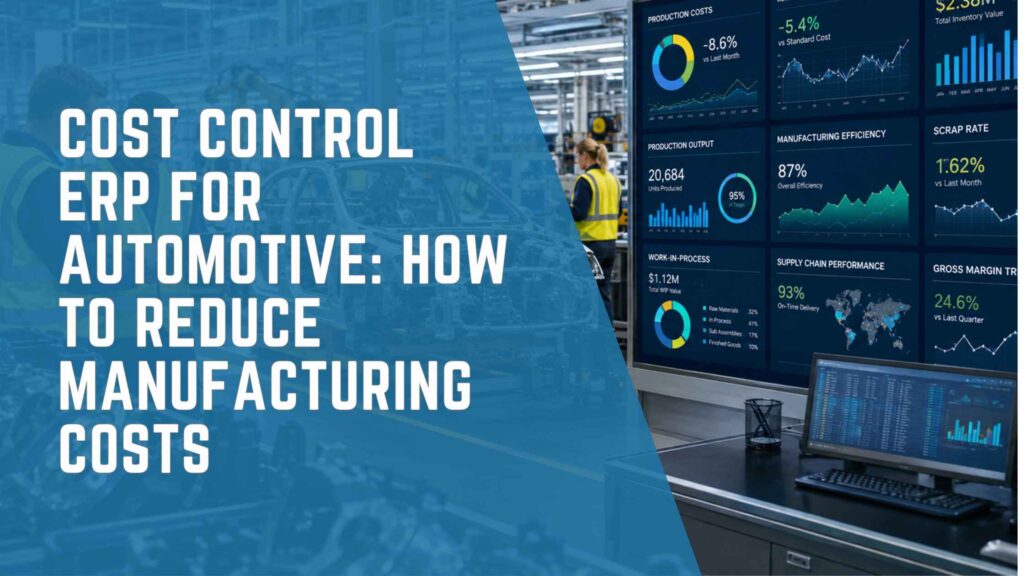
Cost Control ERP for Automotive: Reduce Manufacturing Costs

Cost Control ERP for Automotive

In the high-stakes world of automotive manufacturing, the need for a cost control ERP for automotive has never been greater. Profit margins are constantly under pressure due to rising raw material prices, labor costs, global supply chain disruptions, and regulatory demands.profit margins are constantly under pressure. Rising raw material prices, labor costs, global supply chain disruptions, and regulatory demands have made cost management a critical priority for manufacturers and suppliers. While many companies have tried to tackle these challenges with spreadsheets or legacy systems, these tools often fall short.

That’s where a modern cost control ERP for automotivecomes in. More than just accounting software, it’s a comprehensive platform for managing direct and indirect costs, improving production efficiency, and driving sustainable growth.

In this article, we explore how platforms like Sage X3 and Acumatica empower automotive companies to track, control, and reduce industrial costs through better planning, data visibility, and process automation.

The True Cost of Inefficiency in Automotive Manufacturing

Automotive operations are complex by nature. From multi-tiered supply chains and international logistics to custom configurations and quality assurance, inefficiencies can arise at any point. Common cost challenges include:

  • Overproduction and excess inventory
  • Manual errors in procurement and production tracking
  • Lack of visibility into real-time expenses
  • High scrap rates due to quality issues
  • Inaccurate job costing and margin tracking

Without a dedicated cost control ERP for automotive, these issues can quietly erode profitability. An ERP system gives businesses the tools to quantify these inefficiencies and correct them proactively.

How Cost Control ERP for Automotive Improves Profitability

1. Detailed Job and Project Costing

Modern ERP solutions like Sage X3 and Acumatica track the true cost of manufacturing a part or component by consolidating:

  • Labor time and rates
  • Machine usage and downtime
  • Material consumption (real vs. planned)
  • Overhead allocation

These insights enable more accurate pricing models and better forecasting, helping companies avoid underestimating costs or overpromising to customers. With a cost control ERP for automotive, every step is traceable and measurable.

2. Integrated Inventory and Procurement Management

Poor inventory control is a hidden cost driver. ERP platforms automate inventory tracking and tie it directly to procurement workflows, ensuring:

  • Optimal reorder points
  • Reduced safety stock without risking shortages
  • Lower carrying costs
  • Real-time insight into stock valuation and movement

Sage X3, for example, provides multi-location inventory management, while Acumatica enables real-time inventory dashboards and alerts. This level of control is only possible through a dedicated cost control ERP for automotiveoperations.

3. Production Efficiency and Waste Reduction

ERP software helps reduce waste by optimizing shop floor operations through:

  • Visual production scheduling
  • Work center utilization analysis
  • Scrap and rework tracking
  • Bottleneck identification

By analyzing trends in downtime and throughput, a cost control ERP for automotiveempowers manufacturers to increase equipment effectiveness (OEE) and drive lean initiatives.

4. Cost Control in Multi-Tier Supply Chains

Automotive companies often rely on dozens of suppliers for components. ERP platforms improve collaboration and cost control by:

  • Consolidating supplier performance data
  • Automating RFQs and purchase order approvals
  • Tracking landed costs and supplier lead times
  • Comparing actual vs. expected costs across tiers

Both Sage X3 and Acumatica offer procurement analytics that identify cost-saving opportunities through supplier consolidation and better contract terms. These features are central to a successful cost control ERP for automotivebusiness models.

5. Real-Time Financial Reporting and Budget Control

ERP solutions provide CFOs and controllers with access to up-to-the-minute financial performance metrics, including:

  • Variance analysis by project, department, or SKU
  • Budget vs. actual tracking
  • Cash flow and working capital monitoring
  • Multi-entity and multi-currency consolidation

This data supports more informed decision-making and enables timely adjustments to prevent cost overruns. For many, a cost control ERP for automotiveis the difference between reactive decisions and proactive financial strategy.

Real-World Impact of Cost Control ERP for Automotive Implementation

Let’s consider an automotive parts manufacturer that transitioned from disconnected systems to Sage X3. Before ERP, the company faced:

  • 18% material waste rate due to inconsistent data
  • Delays in supplier deliveries and production scheduling
  • Poor insight into actual profit margins by product

Post-implementation results:

  • Material waste dropped to 6% within six months
  • Procurement cycle time reduced by 35%
  • Net profit margin improved by 12% through better cost tracking and pricing accuracy

Similarly, an Acumatica customer in the EV components space improved warehouse efficiency and cut operational costs by 15% through real-time inventory and production reporting. These are tangible results driven by adopting a cost control ERP for automotive.

Why Sage X3 and Acumatica Are Ideal for Cost Management

Sage X3

  • Strong cost accounting and traceability features
  • Integrated quality and compliance management
  • Multi-site and multi-legislation support

Acumatica

  • Scalable cloud infrastructure for growing manufacturers
  • Robust financial reporting with real-time dashboards
  • Open APIs for integration with PLM, MES, and logistics tools

Both platforms support cost optimization initiatives by breaking down silos and delivering accurate, cross-functional data. As leading options for cost control ERP for automotive, they help companies manage complexity and scale with confidence.

Future Trends: Data-Driven Cost Optimization

The next frontier in cost control involves:

  • AI-powered predictive analyticsfor identifying cost anomalies before they happen – learn more in AI That Works for You: Acumatica AI ERP Solutions.
  • Digital twinsto simulate process changes and forecast cost impact
  • IoT integrationto monitor machine performance and predict maintenance costs
  • Sustainability trackingto reduce energy usage and meet regulatory demands

Sage X3 and Acumatica are investing in these capabilities to ensure manufacturers can adapt and grow profitably. Businesses embracing a modern cost control ERP for automotiveare best positioned for long-term success.

Conclusion: Building Profitability Through Cost Control ERP for Automotive

Cost control isn’t just about cutting expenses—it’s about enabling smarter, faster decisions with accurate, real-time data. ERP solutions like Sage X3 and Acumatica give automotive companies the tools they need to manage complexity, improve margins, and remain competitive.

Adopting a cost control ERP for automotiveenables your business to:

  • Identify and reduce waste across the supply chain
  • Improve pricing strategies and margin analysis
  • Monitor and control indirect and hidden costs
  • Adapt quickly to market shifts and operational risks

How IWI Consulting Group Can Help

IWI Consulting Group is a Canadian ERP specialist with deep expertise in Sage X3 and Acumatica for the manufacturing sector. We work closely with automotive companies to:

  • Evaluate current cost control challenges
  • Recommend and implement the right cost control ERP for automotive
  • Configure dashboards and reports for better visibility
  • Optimize workflows for inventory, procurement, and production
  • Train staff and provide ongoing technical support

From Tier 1 suppliers to specialty part manufacturers, IWI helps you turn ERP into a strategic asset for financial performance.

Read More

Driving Just-in-Time Success with ERP for Automotive Industry

ERP for Automotive Industry

The ERP for automotive industry is more than just software—it’s a strategic enabler for manufacturers aiming to implement lean, Just-in-Time (JIT) processes. As global supply chains become more complex and customer expectations grow, automotive companies need to balance speed, precision, and adaptability.

JIT manufacturing can dramatically reduce waste and inventory costs, but it comes with vulnerabilities—any disruption in the supply chain can halt production. That’s where solutions like Sage X3 and Acumatica come in. These systems provide real-time visibility, predictive planning, and automation that make JIT reliable and scalable.

This article explores how these systems empower businesses to master Just-in-Time manufacturing and gain a competitive edge.

The Core Challenges of Just-in-Time in Automotive Manufacturing

JIT manufacturing in the automotive sector aims to optimize production by receiving materials only when needed. However, several risks can derail JIT success:

  • Supplier Delays: Missed deliveries can disrupt the entire production line.
  • Inventory Shortages: Minimal buffer stock increases vulnerability to forecasting errors.
  • Lack of Integration: Disconnected tools create communication gaps.
  • Inaccurate Forecasting: Poor demand planning leads to inefficiencies.

ERP for automotive industry addresses these pain points by synchronizing operations across procurement, production, inventory, and logistics.

How ERP for Automotive Industry Supports Just-in-Time Execution

1. Real-Time Supply Chain Visibility

ERP systems like Sage X3 and Acumatica provide automotive manufacturers with full visibility of their supply chain, enabling real-time decision-making. Key features include:

  • Shipment tracking and inventory monitoring
  • Alerts for overstock or shortages
  • Supplier performance dashboards
  • Centralized data for proactive response

Such transparency is essential to make JIT work reliably.

2. Automated Procurement and Supplier Collaboration

Modern ERP for automotive industry automates procurement with:

  • Purchase order automation based on production demand
  • Integrated supplier portals for order status and delivery schedules
  • Vendor scorecards to evaluate performance and reduce risks

These tools streamline sourcing and reduce delays that can affect JIT operations.

3. Forecasting and Demand Planning

ERP platforms integrate demand forecasting using data analytics and AI:

  • Acumatica uses demand planning tools and machine learning for demand pattern analysis
  • Sage X3 connects sales, production, and inventory for accurate planning

Forecasting accuracy is key to maintaining lean inventory and avoiding bottlenecks in automotive manufacturing.

4. Production Scheduling and MES Integration

ERP for automotive industry systems align production with demand in real-time:

  • MES (Manufacturing Execution Systems) integration
  • Shop floor visibility for ongoing operations
  • Automated scheduling to optimize throughput
  • Capacity planning and constraint management

This ensures production runs smoothly, with minimal waste.

5. Collaboration Across Multi-Tier Supply Chains

JIT manufacturing relies on tight coordination with Tier 1, Tier 2, and Tier 3 suppliers. ERP platforms enable this through:

  • Shared portals for planning and production timelines
  • Real-time communication of changes
  • Data-driven collaboration to respond to supply disruptions

ERP for automotive industry helps ensure every stakeholder is aligned.

Case Study: Sage X3 and JIT Transformation

A mid-sized Canadian drivetrain component supplier adopted Sage X3 to improve JIT performance. Their previous setup led to:

  • Late shipments due to supplier miscommunication
  • Overstock of slow-moving items
  • Frequent manual errors in procurement and scheduling

After Sage X3 implementation:

  • 24% drop in inventory levels
  • 40% improvement in production scheduling accuracy
  • Stronger collaboration with Tier 2 suppliers

With ERP for automotive industry in place, they secured new OEM contracts thanks to improved reliability.

Choosing Between Sage X3 and Acumatica for Automotive ERP

Both ERP systems offer robust capabilities, but each brings unique strengths to JIT in the automotive industry:

Sage X3

  • Ideal for complex, multi-site manufacturing
  • Built-in compliance tools for automotive standards
  • Advanced planning and quality management

Acumatica

  • Best-in-class cloud ERP for mid-sized manufacturers
  • Open APIs for integration with MES and CAD
  • Intuitive dashboards and role-based KPIs

Choosing the right ERP for automotive industry depends on your scale, existing tech stack, and growth goals.

The Future of ERP for Automotive Industry and JIT

As the industry evolves, so must JIT strategies. The next phase of ERP for automotive industry will embrace:

  • Digital twinsfor scenario planning
  • IoTdevices for real-time tracking
  • AI-powered analyticsfor risk mitigation
  • Sustainable sourcingaligned with ESG goals

Sage X3 and Acumatica are already incorporating these technologies to future-proof JIT operations.

Conclusion: Unlocking JIT Efficiency with ERP for Automotive Industry

Mastering JIT requires more than process discipline—it needs the right technology. ERP for automotive industry provides the infrastructure to:

  • Reduce operational waste
  • Improve supplier coordination
  • Enhance production agility
  • Deliver products on time, every time

Sage X3 and Acumatica stand out as top ERP platforms for automotive JIT success. From Tier 1 suppliers to aftermarket distributors, these systems help businesses build resilience and scale.

How IWI Consulting Group Can Help

IWI Consulting Group is a trusted ERP partner in Canada with deep expertise in the automotive industry. Whether you’re a parts manufacturer, OEM supplier, or aftermarket distributor, we provide tailored ERP solutions to match your operational needs. Our team can:

  • Conduct a thorough needs assessment
  • Help you select the right ERP for automotive industry (Sage X3 or Acumatica)
  • Ensure smooth implementation with minimal disruption
  • Train your team and optimize workflows for JIT execution
  • Provide ongoing support and scalability as your business grows

With a strong track record of successful ERP implementations in manufacturing and distribution, IWI is your go-to partner for turning supply chain challenges into competitive advantages.

Read More

Retail ERP Scalability: How to Support Secure Retail Growth

Retail ERP Scalability

Retail ERP scalabilitymeans having the infrastructure to grow your business without increasing risk, losing control, or compromising data integrity. This is where a modern retail ERP (Enterprise Resource Planning)system becomes indispensable. A well-implemented ERP allows you to scale your operations confidently—ensuring consistent financial control, centralized data, and seamless processes regardless of how large or complex your retail network becomes.

In this article, we’ll explore how two leading ERP platforms—Sage 300and Acumatica Cloud ERP—equip retailers to grow securely and sustainably. We’ll also discuss how partnering with IWI Consulting Group can support you in executing a successful, scalable ERP strategy.

Barriers to Retail ERP Scalability

Before exploring solutions, it’s important to understand what holds retail businesses back from scaling effectively. Companies relying on outdated systems or spreadsheets often experience:

  • Lack of process standardizationacross branches or teams
  • Duplicate data entryand conflicting reports
  • Poor visibility into real-time performance
  • Limited ability to onboard new employees or stores quickly
  • Inflexible financial structuresthat require heavy manual intervention
  • High IT support coststo maintain fragmented systems

These inefficiencies not only slow growth but increase operating costs—precisely what a scalable retail ERP is designed to fix.

The Importance of Retail ERP Scalability in Growth Strategy

Growth in the retail sector can take many forms:

  • Opening new stores in different regions or countries
  • Expanding online through e-commerce or marketplaces
  • Launching new product lines or verticals
  • Acquiring smaller retailers or merging with peers
  • Hiring and training more staff

However, as retailers grow, so do their operational risks. Manual processes, disconnected systems, and poor data visibility can hinder performance and decision-making. Common growing pains include:

  • Inventory inconsistencies across locations
  • Redundant or manual financial processes
  • Inaccurate sales forecasting
  • Compliance challenges with regional tax laws
  • Disjointed customer experiences across channels

Retailers need a centralized system that integrates every function—finance, sales, inventory, purchasing, and customer service—into one scalable environment. This is what retail ERP systems like Sage 300 and Acumatica are built for.

What Does Scalability Really Mean in a Retail ERP System?

Scalability in ERP refers to the system’s ability to grow with your business without performance degradation or the need for complete reconfiguration. A scalable ERP solution should enable:

  • Adding new users without increased complexity
  • Launching new locations or subsidiaries without reinventing processes
  • Handling increased transaction volumes without slowing down
  • Maintaining real-time visibility across all entities
  • Supporting multiple currencies, tax jurisdictions, and regulatory environments

According to a recent Gartnerstudy, organizations that implement scalable ERP systems reduce their time-to-market for new store openings by 22%and achieve 15% lower operational costsover three years.

Best Practices for Scaling Retail Operations with ERP

To maximize the impact of your ERP investment, consider the following best practices:

  • Define your KPIs early: Set clear metrics for growth, including inventory turnover, gross margin return on investment (GMROI), and sales per square foot.
  • Start with a solid chart of accounts: Design a financial structure that supports reporting by location, department, or product category.
  • Automate where possible: Reduce human error and manual tasks with automated workflows in purchasing, approvals, and reporting.
  • Standardize processes across locations: Ensure consistent operations for inventory, billing, and HR so your team can scale faster.
  • Train proactively: Equip teams with training and documentation before new stores or lines go live.

Sage 300: Structured Expansion for Established Retailers

Sage 300(formerly known as Sage ERP Accpac) is a mature and feature-rich ERP platform that excels at supporting mid-sized and large retailers looking for stable, centralized control during growth. It’s best suited for companies that are scaling through regional expansion or acquisitions and want strong financial governance.

Key retail ERP scalability benefits for businesses using Sage 300:

  • Multi-Company and Multi-Currency Support
  • Centralized Financial Management
  • Advanced Inventory Control
  • Scalable User Roles and Permissions
  • Flexible Deployment

Sage 300 provides the structure and reliability needed for long-term retail expansion, particularly for those with established processes who want to avoid disruptive change.

Acumatica: Agile Cloud ERP Built for High-Growth Retailers

Acumatica Cloud ERPis ideal for retailers who are growing rapidly—often digitally—and need a flexible, modern ERP platform to keep up with their pace.

Key retail ERP scalability features of Acumatica:

  • Unlimited User Licensing
  • Real-Time Cloud Access
  • Modular Growth
  • Native Multi-Entity, Multi-Currency, and Tax Handling
  • E-commerce and Marketplace Integration
  • Open APIs

Acumatica enables retailers to launch new ventures quickly while maintaining full visibility and control.

Real-World Use Case: Retail ERP Scalability in Action

Imagine a Canadian-based retail company with 10 physical locations and an online store. The company wants to expand to 25 locations, add two new product lines, and sell internationally via marketplaces.

Without an ERP:

  • Each store has separate inventory and accounting systems.
  • Management relies on spreadsheets to consolidate performance.
  • Forecasting is manual and error-prone.
  • Global tax compliance is risky.

With Sage 300:

  • Financials and inventory across all locations are consolidated.
  • Staff use consistent workflows across regions.
  • Audit and compliance reporting becomes faster and simpler.

With Acumatica:

  • New stores can be onboarded in weeks.
  • Online sales sync directly to finance and inventory.
  • The team can monitor KPIs and alerts via dashboards in real time.

Both systems provide the foundation for smarter growth—each catering to different operational styles.

Is Your Retail Business Ready to Scale? (Checklist)

  • Do you have real-time visibility into all store and online inventory?
  • Can your finance team consolidate multi-location data in minutes—not days?
  • Are your systems flexible enough to add new users, products, and stores quickly?
  • Do your workflows scale without adding new headcount?
  • Can you ensure compliance across all regions you operate in?

If you answered “no” to any of the above, it may be time to consider a scalable ERP solution.

Sage 300 vs. Acumatica: Which Scalable ERP Is Right for You?

FeatureSage 300Acumatica Cloud ERP
DeploymentOn-premise or private cloud100% cloud-native
User LicensingPer-userUnlimited users
Ideal Business TypeTraditional mid-sized retailFast-scaling omnichannel retail
Multi-Entity & Multi-CurrencyStrong supportBuilt-in, dynamic capabilities
CustomizationModerateHigh, API-friendly
E-commerce IntegrationLimited (requires add-ons)Native, broad support
International ScalabilityRobust with planningAgile and rapid

How IWI Consulting Group Helps You Scale Securely

At IWI Consulting Group, we understand that retail growth is more than opening new stores—it’s about creating scalable systems that evolve with your business.

Our retail ERP consulting approach includes:

  • ERP Readiness Assessment
  • Solution Alignment
  • Full Implementation & Integration
  • Continuous Optimization

Whether you’re looking to launch 10 new stores, unify your global finances, or finally eliminate siloed systems, IWI is your trusted partner in retail scalability.

Schedule a Free Consultationand discover what your retail growth could look like with the right ERP foundation.

Read More

How a Retail ERP Can Reduce Operating Costs by 30%

Retail ERP

Did you know that up to 30% of retail operating costs come from hidden inefficiencies?If your team still relies on spreadsheets, disconnected systems, and manual month-end processes, you may be losing more than you realize. Implementing a modern retail ERPis one of the most effective ways to reduce these inefficiencies, streamline operations, and improve financial visibility. Reducing costs without sacrificing quality is a constant challenge in retail, especially with tight margins and multichannel operations.

In 2024, a retailer with 12 stores in Canada saved over $150,000 by centralizing its operations on Acumatica and eliminating five separate systems. This is just one example of how choosing a modern retail ERP can transform not only your daily operations but also your financial future.

In this article, we’ll explore how two leading retail ERP solutionsSage 300 and Acumatica Cloud ERP—help retail businesses reduce operating costs by up to 30%. And in the end, we’ll show how IWI Consulting Group can help your company make the right move with confidence and results.

What Are Operating Costs in a Retail ERP Context?

Operating costs include all recurring expenses to keep your business running: salaries, inventory, logistics, losses, rework, and inefficient use of human or technological resources. In retail, these costs are concentrated in:

  • Inventory and replenishment management
  • Order and sales processing
  • Procurement and vendor management
  • Financial and accounting administration
  • Customer service and after-sales support
  • Integration across channels (in-store, e-commerce, marketplaces)

When these processes run in isolation or manually, failures become inevitable and expensive.

How a Retail ERP Reduces Operating Costs

According to a Forrester report, modern cloud ERPs can help businesses reduce IT and operational costs by more than 20% in the first year. This insight reinforces the growing value of ERP systems in the retail space, especially when it comes to identifying inefficiencies and optimizing workflows.

A retail ERP system acts as the “central nervous system” of a retail operation. It automates tasks, integrates departments, and delivers full operational visibility. Financial benefits appear in several areas:

  • Automates repetitive tasks, freeing up team time
  • Eliminates manual errors in orders, inventory, and accounting
  • Reduces losses from stockouts or overstocking
  • Provides real-time reports for agile decision-making
  • Speeds up financial closing and audits
  • Decreases reliance on multiple spreadsheets and systems

Sage 300 Retail ERP: Strong Financial Control and Local Efficiency

Sage 300 is a well-established retail ERP solution, ideal for retailers with structured operations focused on detailed financial control, reliable accounting, and multi-entity management.

Cost Reductions with Sage 300:

  • Automated accounting: reduces time and errors in payables and monthly closings
  • Inventory control: avoids losses and overstocking with SKU and location tracking
  • Multi-company and multi-currency management: simplifies international operations
  • Custom reports: facilitate performance analysis by store or channel
  • Low total cost of ownership: ideal for businesses with existing local infrastructure

Acumatica Retail ERP: Flexibility and Scalable Growth

Acumatica is a cloud-native retail ERP platform, perfect for digital, multichannel, or fast-growing retailers who need integration, mobility, and agility.

Cost Reductions with Acumatica:

  • Zero local infrastructure: eliminates expenses with servers and support
  • Real-time access: data available anywhere, on any device
  • Native integration with e-commerce and POS: centralizes all operations
  • Smart inventory management: with demand forecasting and automated restocking
  • Volume-based licensing, not per user: scalable savings as the business grows

Comparison: Sage 300 vs Acumatica for Retail

CriteriaSage 300Acumatica Cloud ERP
Deployment TypeOn-premise or hosted100% Cloud-native
Ideal forTraditional, multi-store operationsDigital and fast-growing operations
IT CostsRequires on-site serverNo local infrastructure
ScalabilityGood, but requires more IT effortHigh, with flexible and rapid growth
Licensing ModelPer userBased on usage volume
IntegrationsLimited, via third partiesNative with popular platforms

Executive Summary

  • Retail ERP reduces operating costs by up to 30%
  • Sage 300: ideal for local operations and financial control
  • Acumatica: ideal for scalability, digital channels, and mobility
  • Both retail ERPs offer: automation, integration, and operational visibility

How IWI Consulting Group Can Help

At IWI Consulting Group, we understand that every retail business faces unique challenges. That’s why we don’t just offer software—we deliver end-to-end retail ERP solutions that drive operational transformation and cost reduction.

Here’s how we support your journey:

  • Free diagnostic: We analyze your current environment to identify bottlenecks and savings opportunities
  • Tailored implementation: From system configuration to staff training
  • Retail-focused expertise: We’ve helped fashion, electronics, food, and franchise brands

Unsure which retail ERP will bring the most efficiency and cost savings to your operations? The IWI team is ready to guide you—with data, industry experience, and a strategic perspective.

Contact us today to schedule a conversation with one of our experts.

Speak to IWI Consulting Group

Read More

Sage Intacct Implementation Checklist: 9 Steps to a Smooth Sage Intacct ERP Implementation

sage intacct implemmentation

Implementing a new financial management system like Sage Intacct is a significant decision for any organization. It impacts your financial processes, reporting capabilities, compliance strategy, and your team’s productivity. That’s why the Sage Intacct implementation process must be carefully planned and executed. At IWI Consulting Group, we’ve guided numerous mid-sized organizations across Canada through seamless cloud ERP transitions. This detailed checklist will walk you through the essential stages of a successful Sage Intacct implementation—ensuring that your investment leads to measurable outcomes.

1. Pre-Implementation Planning for Sage Intacct

The foundation of any successful ERP implementation lies in proper planning. Before any configuration begins, your organization needs to define what success looks like and how you plan to measure it.

Key Actions:

  • Define your goals: Are you aiming to reduce month-end close time? Gain better visibility across entities? Automate revenue recognition?
  • Identify key performance indicators (KPIs) that will be used to evaluate success.
  • Establish a cross-functional implementation team, including executive sponsors, finance leads, and IT support.
  • Assess current systems and processes to identify gaps, inefficiencies, and risks.
  • Decide on a go-live timeline based on internal constraints and business cycles.

Benefits:

Clear planning ensures all stakeholders are aligned, reducing risks and avoiding scope creep during the project.

2. Aligning with Your Sage Intacct Implementation Partner

Choosing the right Sage Intacct implementation partner can make or break your ERP transition. With IWI Consulting Group, you benefit from an experienced team that knows how to guide clients through complex accounting, multi-entity management, and compliance needs.

Key Actions:

  • Conduct a formal project kick-off with IWI and your internal team.
  • Review project scope, resources, roles, and responsibilities.
  • Agree on communication cadence, tools, and documentation standards.
  • Identify risks and develop a mitigation plan.
  • Finalize a statement of work (SOW) and success criteria.

Benefits:

Establishing a collaborative relationship with your implementation partner from the beginning reduces confusion, enhances communication, and ensures better outcomes.

3. Preparing Your Data for Sage Intacct Implementation

Migrating your data is one of the most sensitive components of the ERP implementation. Data integrity is essential for reporting accuracy, audit readiness, and compliance.

Key Actions:

  • Audit and clean legacy data to ensure accuracy.
  • Identify critical fields to map, including vendors, customers, COA, dimensions, and historical transactions.
  • Remove duplicate or outdated records.
  • Determine the cut-off date for the old system.
  • Develop a strategy for opening balances and historical data import.

Benefits:

A strong data foundation prevents future reporting issues and ensures clean financial statements from day one.

4. Sage Intacct ERP Configuration

Sage Intacct offers extensive configuration options to support complex business models and multi-entity structures.

Key Actions:

  • Design your chart of accounts with Intacct’s flexible dimensional structure.
  • Set up entity structures, intercompany rules, and consolidations.
  • Define workflows, permissions, and user roles tailored to departmental needs.
  • Configure core modules like AP, AR, GL, and Order Entry based on your processes.
  • Enable features for multi-currency, project accounting, or subscription billing if needed.

Benefits:

Tailoring Sage Intacct to your operations increases adoption, reduces manual work, and supports long-term scalability.

5. Sage Intacct Integrations with Other Business Systems

Your ERP is only as powerful as its ability to integrate with other business-critical applications.

Key Actions:

  • Identify systems for integration: payroll, CRM, billing, expense management, etc.
  • Evaluate native connectors vs. custom API integrations.
  • Work with IWI to ensure proper mapping and test connectivity.
  • Automate data synchronization to eliminate redundant entry.
  • Validate real-time performance and data accuracy.

Benefits:

Integrated systems reduce friction, prevent silos, and enable real-time decision-making.

6. Building Reports and Dashboards in Sage Intacct

Sage Intacct excels in financial visibility, and this phase is where you bring that power to life.

Key Actions:

  • Design dashboards for different user roles (finance, execs, operations).
  • Build core financial reports: P&L, balance sheet, cash flow, entity roll-ups.
  • Create audit-ready views for compliance reporting.
  • Configure performance cards and visual analytics.
  • Validate reporting logic and ensure data integrity.

Benefits:

Empowering users with role-specific, real-time data improves decision-making and stakeholder confidence.

7. Testing Your Sage Intacct Implementation

Before go-live, rigorous testing ensures that your ERP system functions as intended.

Key Actions:

  • Conduct sandbox testing of core workflows.
  • Validate data migration and report accuracy.
  • Run UAT (User Acceptance Testing) sessions with department leads.
  • Document feedback and issues.
  • Prioritize fixes and apply adjustments.

Benefits:

User testing ensures that the solution meets real-world scenarios and gives teams time to adapt.

8. Sage Intacct User Training & Enablement

Training is critical to ERP adoption. Even the best Sage Intacct implementation won’t drive ROI if your team doesn’t know how to use it.

Key Actions:

  • Deliver customized training sessions for different departments.
  • Provide written documentation and quick-reference guides.
  • Identify “super users” to act as internal champions.
  • Host Q&A sessions post-training.

Benefits:

Training builds user confidence and reduces post-go-live support tickets.

9. Go-Live & Post-Go-Live Support

Going live isn’t the end—it’s the beginning of operational transformation.

Key Actions:

  • Execute final migration and go-live cutover plan.
  • Monitor system usage and early KPIs.
  • Schedule daily or weekly check-ins with IWI for 30–60 days.
  • Collect user feedback and plan optimization rounds.

Benefits:

Ongoing support ensures early wins, faster adoption, and long-term success.

Conclusion: Your Sage Intacct Implementation Roadmap

Choosing Sage Intacct means investing in a scalable, cloud-native financial system—but the real ROI comes from a structured ERP implementation. By following this checklist, you ensure a smooth transition, empowered users, and measurable business outcomes.

At IWI Consulting Group, we don’t just implement software—we help you rethink and elevate your finance function. Let’s talk about what your roadmap could look like. To explore Sage Intacct’s capabilities in more depth, visit the official Sage Intacct product page.

Book a free Sage Intacct consultation today to get started.

Read More

A Complete Acumatica Pricing Guide for Canadian Businesses

acumatica pricing

Acumatica is a cloud-native ERP platform designed to help small and mid-sized businesses scale efficiently while staying agile. But when it comes to budgeting for an ERP, one of the first questions finance and operations leaders ask is: “How much does Acumatica cost?” The answer depends on several factors—from licensing structure and selected modules to implementation services and ongoing support. In this guide, we break down Acumatica ERP pricing for Canadian businesses, helping you understand the real cost of ownership, common pricing models, and how to plan your investment wisely.

Why Acumatica?

Before getting into pricing, it’s worth understanding why Acumatica stands out:

  • 100% cloud-based with browser access from any device
  • Flexible industry editions (Manufacturing, Distribution, Construction, Retail, etc.)
  • Resource-based pricing (not per-user), making it ideal for growing teams
  • Open API structure for integrations and customizations
  • Real-time dashboards, reporting, and mobile accessibility

Acumatica is ideal for companies that:

  • Are scaling quickly and need a flexible licensing model
  • Require multi-entity, multi-currency financials
  • Operate in inventory-intensive industries
  • Value modern, cloud-first infrastructure

When Does It Make Sense to Move to Acumatica?

You might be ready for Acumatica if:

  • You’re outgrowing your current accounting system or entry-level ERP
  • Your ERP penalizes you with rising costs as you add more users
  • You’re managing multiple locations, entities, or project types with difficulty
  • You need access to real-time data across departments, teams, or devices
  • You want to integrate systems like Shopify, Salesforce, or third-party logistics into one central platform

Acumatica’s Unique Pricing Model

Unlike traditional ERP systems, Acumatica doesn’t charge per user. Instead, it uses a resource-based pricing model, where costs are tied to the volume of data processed and system usage (e.g., transactions, computing resources).

This model benefits businesses that:

  • Want unlimited user access across departments
  • Need to onboard seasonal or part-time staff without additional licenses
  • Have complex operations but predictable data volume

Key Factors That Influence Acumatica Pricing

Acumatica pricing varies depending on your organization’s specific requirements. Key factors include:

1. Industry Edition

Each edition includes tailored functionality:

  • General Business– Core financials, project accounting, CRM
  • Distribution– Advanced inventory, order management, purchasing
  • Manufacturing– BOM, MRP, production scheduling, shop floor control
  • Construction– Job cost tracking, project billing, subcontractor management
  • Retail/Commerce– Multi-channel sales, inventory sync, POS integration

2. Applications/Modules Needed

Choose only what you need:

  • Financial Management
  • CRM and Customer Portals
  • Project Accounting
  • Inventory and Order Management
  • Manufacturing Management
  • Payroll (via integration)

3. License Type and Hosting

  • SaaS (Cloud-Hosted by Acumatica)– Predictable subscription fees, auto-updates
  • Private Cloud (Self-Hosted)– Flexibility with internal or partner hosting
  • Perpetual License (On-Premise)– One-time license + annual support

4. Transaction Volume and System Resources

Acumatica’s pricing tiers align with your business volume and technical needs:

  • Number of transactions processed
  • Integration load (e.g., eCommerce, EDI)
  • Storage and compute requirements

What Does Acumatica Really Cost?

While Acumatica doesn’t publish pricing online, here are typical cost estimates for Canadian businesses:

Business TypeDeploymentFirst-Year EstimateOngoing Annual Cost
10-user Manufacturing CompanySaaSCAD $60,000 – $90,000CAD $35,000 – $55,000
20-user Distribution CompanyPrivate CloudCAD $100,000 – $150,000CAD $60,000+
Construction Firm (Project-focused)SaaSCAD $80,000 – $110,000CAD $45,000 – $65,000

Note: These costs include licensing, implementation, training, and initial configuration. Integrations and custom development are typically extra.

Acumatica Implementation Costs

Implementation is a significant part of the total investment and should not be underestimated. Acumatica partners (like IWI Consulting Group) tailor implementation projects to your specific processes and goals.

Implementation services may include:

  • Business process analysis
  • Data migration and system setup
  • Module configuration and testing
  • Training for admins and users
  • Integrations (e.g., Shopify, Salesforce, EDI)

Typical Implementation Ranges:

  • Small deployment: CAD $25,000 – $50,000
  • Mid-market deployment: CAD $60,000 – $100,000
  • Complex, multi-entity deployment: CAD $125,000+

Acumatica vs Other ERPs

FeatureAcumaticaSage 300NetSuiteQuickBooks EnterpriseSAP Business One
Pricing ModelResource-basedPer-userPer-userPer-userPer-user
DeploymentCloud or On-PremiseBothCloud OnlyDesktop/CloudOn-Premise/Cloud
CustomizationHighModerateModerateLowModerate
API & IntegrationExcellentGoodGoodLimitedGood
Ideal ForGrowing SMBsEstablished mid-sizeRapid-scaling enterprisesSmall businessesManufacturing SMEs

Real Advantages of Acumatica’s Pricing

  • Unlimited users: No added cost as your team grows
  • Transparent scaling: Pricing grows with your usage, not headcount
  • Better TCO: Especially for multi-department collaboration
  • Licensing flexibility: Choose SaaS, private cloud, or perpetual options

Example: A Canadian distributor added 15 new users without increasing licensing costs thanks to Acumatica’s unlimited user model.

Frequently Asked Questions About Acumatica Pricing

Q: How is Acumatica priced?
A: Acumatica uses a resource-based model that factors in transaction volume and selected modules—not the number of users.

Q: What’s included in a typical Acumatica subscription?
A: Core financials, standard support, updates, and the industry edition you choose. Implementation is priced separately.

Q: How long does implementation take?
A: Projects can range from 2 to 6 months depending on size and complexity.

Q: Can I integrate Acumatica with Shopify, Salesforce, or logistics partners?
A: Yes, Acumatica supports open APIs and native connectors for many third-party platforms.

Q: Is Acumatica suitable for construction, distribution, or manufacturing?
A: Absolutely. Acumatica has specialized editions tailored for each of these industries.

Final Thoughts: Is Acumatica Worth the Investment?

If your business is scaling quickly and needs a flexible, modern ERP system that won’t penalize you for growth, Acumatica is one of the most cost-effective solutions on the market.

With the right implementation partner, you can fully tailor Acumatica to fit your workflows and ensure a smooth transition—without the surprises that often come with legacy or rigid ERP platforms.

Curious if Acumatica fits your business model?Book a discovery call with IWI— we’ll help you assess your needs and build a smarter ERP roadmap.

At IWI Consulting Group, we help Canadian businesses evaluate, implement, and scale with Acumatica.

Schedule a free consultationwith us, or you can talk with Acumatica experts to explore how we can support your growth goals.

Read More

Sage X3: A Complete Pricing Guide for Canadian Mid-Sized Enterprises

Sage X3 Pricing

As your organization grows, so do the complexities of your operations, reporting, compliance, and supply chain. For mid-sized and larger Canadian businesses looking for a highly configurable, enterprise-grade ERP solution, Sage X3is often the answer. But how much does it cost to implement and run Sage X3—and is it the right investment for your business? In this guide, we’ll break down Sage X3 pricing in Canada, including cloud vs. on-premise options, licensing models, key modules, and implementation services. Whether you’re budgeting for a new ERP or comparing options, this will give you the clarity you need.

Why Consider Sage X3?

Sage X3 is designed for growing enterprises that need to manage complex operations across finance, inventory, manufacturing, and distribution—all while staying agile.

Key capabilities include:

  • Advanced financial management (multi-entity, multi-legislation, multi-currency)
  • Manufacturing (discrete, process, and mixed-mode)
  • Supply chain management
  • Project management and costing
  • Role-based dashboards and automation tools

It’s best suited for industries like:

  • Manufacturing (industrial, food & beverage, pharmaceuticals)
  • Distribution & logistics
  • Chemicals and process industries
  • Global, multi-location businesses

Not sure if Sage X3 is the right fit?Request a free ERP evaluation with IWIto discuss your needs.

When Is It Time to Migrate to Sage X3?

Your current ERP may be holding you back if:

  • You’re using spreadsheets to consolidate data from multiple systems
  • You need better control over manufacturing processes or inventory levels
  • You operate in multiple entities or countries and face tax/regulatory complexity
  • You’re using Sage 300 or another system that lacks deep automation and scalability
  • You spend weeks closing the books or generating custom reports

If you nodded to any of these, Sage X3 might be the next step in your ERP evolution.

Sage X3 Deployment Options: Cloud vs. On-Premise

Sage X3 offers flexible deployment to meet your IT strategy:

DeploymentKey FeaturesPricing Estimate
Cloud (SaaS or Hosted)Scalable, reduced IT overhead, automatic updatesStarting at CAD $3,500–$6,000/month depending on users and modules
On-PremiseFull control over infrastructure, often preferred for data sovereigntyOne-time license: CAD $200,000+ plus annual maintenance (~20%)

Note: On-premise may have a lower total cost over 5+ years but requires IT infrastructure and staff.

Sage X3 Licensing and Users

Unlike entry-level ERPs, Sage X3 is priced by named usersand modules. It supports a range of user roles:

  • Full users (finance, operations)
  • Light users (approvals, reports)
  • API users/integration roles

Typical license packages:

  • 10–20 full users for CAD $80,000–$150,000 (license only)
  • Additional light users can be added at a lower rate

Cloud subscriptions bundle users + modules in monthly pricing tiers.

What Influences Sage X3 Pricing?

Several key factors determine your overall cost:

1. Number and Type of Users

  • Full vs. light user mix
  • Internal users only vs. external vendor/customer portals

2. Functional Modules Selected

ModuleFunctionEstimated Cost
Financial ManagementGL, AR/AP, multi-currencyIncluded in base
Inventory & WarehousingStock, logistics, transfersCAD $10,000–$25,000
ManufacturingBOM, MRP, production trackingCAD $15,000–$40,000
CRM & SalesSales cycle managementCAD $8,000–$18,000
Quality & ComplianceInspections, traceabilityCAD $8,000–$15,000
Business IntelligenceDashboards, KPIsCAD $5,000–$12,000

Add-ons like WMS, EDI, or barcode scanning may be licensed separately.

3. Implementation Services

Sage X3 implementations are highly customized. Scope may include:

  • Requirements gathering and solution design
  • Configuration and module setup
  • Data migration
  • Integrations (e.g., Salesforce, Shopify, EDI)
  • Training and change management

Implementation Cost Ranges:

  • Small/Mid-Sized Project: CAD $150,000–$250,000
  • Enterprise/Global Deployment: CAD $300,000–$750,000+

4. Annual Maintenance & Support

If you’re running Sage X3 on-premise, annual maintenance is typically 20–22% of license cost.

On the other hand, for cloud deployments, this is included in the subscription fee.

Example Scenarios: Sage X3 Pricing in Practice

Company TypeUsersDeployment1st-Year Investment
Food Manufacturer20 full, 10 lightCloudCAD $190,000 (includes setup)
Equipment Distributor30 usersOn-PremiseCAD $300,000+ (includes licensing + services)
Multi-National Pharma50+ usersCloud HostedCAD $500,000–$800,000

How Does Sage X3 Compare to Other ERPs?

FeatureSage X3AcumaticaNetSuite
DeploymentCloud or On-PremiseCloud OnlyCloud Only
Best FitComplex ops & manufacturingSMBs with rapid growthGlobal finance-focused firms
CustomizationHighly configurableModerateModerate
Cost LevelMid to HighMidHigh
IndustriesIndustrial, Pharma, F&B, ChemicalDistribution, Service, RetailSaaS, Financial, Global Brands

Key Benefits That Justify the Investment

While Sage X3 may appear expensive upfront, the ROI can be significant:

  • Consolidate multiple systems into one source of truth
  • Reduce manual work and errors with automation
  • Improve inventory and margin visibility
  • Enable faster decision-making with real-time dashboards
  • Easily adapt to global and regulatory changes

Frequently Asked Questions About Sage X3 Pricing

Q: Which industries most commonly implement Sage X3 successfully?
A: Sage X3 is ideal for manufacturing, distribution, chemicals, pharma, and food processing industries.

Q: Can Sage X3 integrate with third-party tools?
A: Yes, it supports robust API and connectors for tools like Salesforce, Shopify, and EDI systems.

Q: How long does a typical implementation take?
A: In general, mid-sized projects take 6–9 months; however, larger, multi-country deployments can take 12–18 months depending on scope and complexity.

Q: Can we start with core modules and expand later?
A: Absolutely. Many businesses begin with finance and operations, then expand into WMS, CRM, or production.

Q: Is Sage X3 only available in English?
A: No. Sage X3 supports multiple languages and localizations, making it suitable for international rollouts.

Final Thoughts: Is Sage X3 Worth the Cost?

If your business is outgrowing Sage 300, legacy ERPs, or fragmented systems, then Sage X3 offers enterprise-grade ERP functionality without the cost or rigidity of Tier 1 systems like SAP or Oracle.

In general fit and pricing, it’s best to work with a Sage X3 partner who understands your industry, your challenges, and your long-term goals.

At IWI Consulting Group, we’ve consistently helped dozens of mid-sized Canadian firms successfully scope, implement, and optimize Sage X3.

Request a free consultation todayto see how Sage X3 could fit your digital transformation journey.

Read More