IWI Consulting Group - authorized Sage partner Ontario, Canada

Category: Uncategorized

Sage CRM Can Provide a Seamless Multi-Channel Experience

Sage CRMSage CRM offers many positive benefits, but one that’s guaranteed to make a sales and marketing manager smile is its ability to provide a seamless multi-channel customer experience. No matter where a customer chooses to connect with your company, be it through phone, email, or social media, they receive the same response and service, period.

Many legacy systems offer only one inbound channel. Most companies use inbound call centers to handle customer service. Yet customers today expect more. When your competitors offer instant chat or responses to Facebook queries, it sets a whole new standard for your company too. You can ignore it only at your own peril. Now with Sage CRM, it’s actually easier than ever to embrace multichannel CRM.

How Much Is CRM Worth to Your Company?

Forrester Research offers assistance to help your company evaluate the potential value of a CRM system to your business. Look at the following metrics as you evaluate Sage CRM and other CRM systems:

  • Revenue: What opportunities does Sage CRM offer to increase revenues? With add-on sales, special communications, and targeted marketing, you can evaluate the impact of your CRM system on revenues by assessing the many ways in which it can be used to enhance value and offer up-sell and cross-sell opportunities.
  • Operating costs: If you have a legacy CRM system, consider how much you’re spending now to cover all potential communication channels. That’s your current operating cost estimate. Monitoring an inbound call center, sales team dashboards, marketing data, social media, and inbound emails can take considerable time and staff resources, all of which can increase costs. Multi-channel CRM available through Sage CRM potentially lowers operating costs if you’re switching from single-point CRM to integrated CRM.
  • Improve efficiencies: Legacy systems often require more frequent updates, tweaks, and patches to ensure they continue running. With every new software purchase for your company, integrating them with legacy systems can be cumbersome and require custom programming. A new Sage CRM system improves operating efficiencies and integrates well with other Sage products, offering a comprehensive approach to business systems that improves many areas of your work.

A thorough examination of the costs, benefits, and risks of updating your CRM system may make it clear that a new system such as Sage CRM offers more benefits than your current legacy system.

Integration Paints a Complete Picture

The more data you gather and the better it’s integrated, the more complete the customer portrait you can draw from the data.

  • Accounting data will help your team understand the average dollar value of a customer and their purchasing history.
  • Return data shows you any problems they may have had with merchandise.
  • Sales, warehouse, and fulfillment data can show you the status of any open orders so that you can give customers an accurate shipping estimate.
  • Marketing data shows you which promotions were sent to customers and when.

Data is like colors of paint on an artist’s palette. Mix a little of this and a little of that, and you can paint a data-based customer portrait that helps you see your customers in a new light. With this new picture, you can then improve marketing and sales to increase revenues.

Sage CRM at IWI Consulting Group

IWI Consulting Group is a Canadian-based provider of software and service for businesses and nonprofits. Sage CRM when integrated with Sage EM (formerly known as Sage X3) and Sage 300cloud (formerly known as Sage 300) are just the start of a more productive and profitable business. To learn more, visit IWI Consulting Group or contact us today.

Read More

Game-Changing Innovations for Your Business Systems

business systems Business systems have come a long way since the first computerized systems made their way into the small to mid-sized business sector in the 1980s. Innovations throughout the world of technology, from areas as diverse as manufacturing and finance, are changing how business systems think, work, and function.

The following are some innovations that we think will have the biggest impact on business systems in the near future. Although no prediction is foolproof, these innovations are already slipping into many diverse areas of business.

Five Innovations to Watch

  1. Blockchain: Once relegated to the world of Bitcoin and other cryptocurrencies, blockchain looks as if it will cause the next big technological explosion. Innovations that depend upon fast, anonymous, and secure transactions can rely upon blockchain’s digital ledger algorithm to record and create transactions in the blink of an eye. Banking, financial services, and insurance are already exploring the use of blockchain technology, but it’s making ripples in other areas where secure transactions are required. Someday, you may be able to vote online thanks to blockchain technology or buy a house using this encryption technology.
  2. Internet of Things (IoT): It sounds like science fiction, but it’s true: The Internet of Things (IoT) is here to stay, and it’s probably in your home, car, and office. Sensors in your washing machine, clothes dryer, heating system, car’s exhaust system and more are already helping engineers understand how people use their products and troubleshoot problems. Look for more real-world applications as the IoT becomes both widely accepted for consumers and affordable for companies to add sensors that pick up data into almost anything imaginable.
  3. Self-driving cars: Although many people balk at the idea of self-driving cars, someday we may see them on highways and in self-contained areas like airports, cities, and factories. Self-driving cars are being tested around the world, and while some consumers believe they cannot be safer than people-driven cars, they can actually be safer and more efficient. If self-driving cars do become mainstream, they’ll disrupt many industries including taxi and car services, delivery services, and much more. Factory owners can use self-driving cars to move materials around an industrial plant or to shuttle workers to and from office buildings to the buildings housing machinery. Airports can use them like hotel shuttles to move passengers to and from their lodgings. It’s an intriguing concept and one looking more likely for mass-adoption every day.
  4. Cognitive computing: It’s also called artificial intelligence (AI) and machine learning. Cognitive computing helps computers “think”, learn, and respond to routing commands, getting better as they go. It also generates enormous sums of data which, thanks to cloud computing, can be more easily accessed and used. As companies continue to explore applications using cognitive computing, it’s possible that soon, small to mid-sized businesses will benefit from the power of AI.
  5. Hyper-converged systems: Hyper-converged systems integrate several technologies. These technologies can then be managed using one single tool set. Nodes added to the basic unit of the system can expand the system to the size, scope, and parameters required. The components in such systems are so merged that they cannot be easily unbundled. Together, the convergence of all the technologies in a hyper-converged system offer a brand new tool. Technology companies continue to explore the real of hyper-convergence and what it offers to the business world.

Many of these innovations seem like science fiction, or like something that’s so outrageous and out of reach for the average business owner that it’s more fantasy than fact.

Think about the sci-fi programs you watched as a kid. Perhaps you were a fan of the crew of the starship Enterprise?

The Enterprise crew whipped out a small handheld communicator the size of a deck of cards, flipped it open, and spoke into it. Today, we have cell phones just like that.

The Enterprise crew used a tricorder, a device about the size of a paperback book, to look for information on flora, fauna, and other facts about the worlds they visited. Today, we have smartphones in our pockets that can access the internet and provide information on the temperature in Moscow, the best way to cook chicken, and the latest stock prices with the touch of a fingertip.

The world of science fiction often presages the world of science fact. Technology continues to grow and advance rapidly, and soon we will see many innovations make their way from the confines of the laboratories and think tanks to the desks of companies worldwide. It’s a great time to explore business systems and the many ways in which technology can enhance them.

Business Systems from IWI Consulting Group

IWI Consulting Group is a Canadian-based company that helps match effective business systems with companies to enhance their productivity, workflow, and more. Software such as Sage EM (formerly known as Sage X3), Sage 300cloud (formerly known as Sage 300), Sage CRM, and other Sage products enhance productivity for manufacturers and industries producing a wide range of goods. For more information on our business systems and services, contact us today.

Read More

Sage 300cloud Offers More Features than QuickBooks

Sage 300Check Out Our Special Offer for QuickBooks Users!

If QuickBooks isn’t making the grade anymore, consider switching to Sage 300cloud (formerly known as Sage 300) . Sage 300cloud (formerly known as Sage 300) offers many powerful accounting tools that provide better support for payroll, purchasing, and several other tasks.

Many companies begin automated accounting with QuickBooks. It’s easy to set up and use. However, as your company grows, so will its accounting needs. That’s when a more robust accounting package such as Sage 300cloud (formerly known as Sage 300) comes in handy.

Five Reasons Why Sage 300cloud (formerly known as Sage 300) Is a Better Choice

There are many reasons why Sage 300cloud (formerly known as Sage 300) may be a better choice for your accounting and ERP needs than QuickBooks. Some of the reasons why Sage 300cloud (formerly known as Sage 300) offers more than QuickBooks include:

  1. Customized reporting: QuickBooks has a series of ready-made reports that can be slightly customized by changing pre-set fields. But for more robust reporting, you need to either export data or import it into Excel—hardly a user-friendly alternative. Sage 300cloud (formerly known as Sage 300) offers many customizable reporting features. With Sage 300cloud (formerly known as Sage 300), you can run reports from a template or customize your own reporting solution.
  2. Better security: Intuit has had to upgrade the security around QuickBooks. After moving it from seat-based software to the cloud, the company has had to take greater measures to secure company data. Sage 300 ERP is backed by the enormous security resources of Sage itself, which offers a secure, firewall-protected ring around your data. You’ll sleep better knowing that your company’s information is protected by a well-known company like Sage.
  3. Room to grow: User licenses for Sage 300cloud (formerly known as Sage 300) range from 1,000 to 4,999 users. QuickBooks Pro, their top business package, maxes out at only 499 users. Clearly, as your company grows, Sage 300 ERP is the better choice. The system can expand to include many more new users.
  4. International support: Another way in which Sage 300cloud (formerly known as Sage 300) provides better features than QuickBooks Pro is through its support for conducting business across borders, currencies, and languages. QuickBooks can only be configured with one currency and one language at a time. Sage 300cloud (formerly known as Sage 300) supports multiple languages and currencies. It also offers a currency conversion tool.
  5. Advanced business tools: Sage 300cloud (formerly known as Sage 300) offers profit analysis tools, budgeting tools, and workflow integration across currencies. It also integrates easily with other Sage products, offering you an enhanced suite of CRM, HR, and other business support tools if you wish to expand into other automated systems. QuickBooks focuses primarily on the needs of small to mid-sized businesses, and while it does offer some business tools, nothing compares to the advanced business tools available in Sage 300cloud (formerly known as Sage 300) and through additional Sage purchases and integrations.

Ready to Make the Switch? Here’s a Little Something to Make It Easier!

If QuickBooks no longer meets your needs and it’s time to make the switch to Sage 300cloud (formerly known as Sage 300), IWI Consulting can help. We are offering a special to those moving from QuickBooks to Sage 300cloud (formerly known as Sage 300). Switch by March 31, 2017, from QuickBooks to Sage 300cloud (formerly known as Sage 300), and IWI Consulting Group can help you save up to 50% off. Offer only good with IWI Consulting, and other guidelines apply.

IWI Consulting Group offers exceptional finance and operating systems to companies in Canada. Businesses and nonprofits alike can benefit from using ERP and other software systems that improve efficiency and help businesses gain insights into their operations, inventory, and profitability.  For more information, please visit IWI Consulting Group or contact us today.

Read More

ERP Systems Improve Food Manufacturing Processes

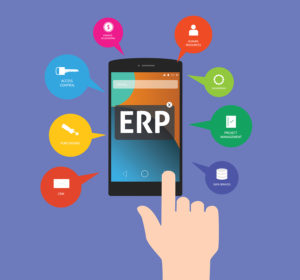
Sage X3ERP systems and other integrated business systems can help improve quality control throughout the food manufacturing process. Food manufacturers, like companies who manufacture pharmaceuticals and similar products, must comply with stringent rules and regulations to ensure safety and quality of end-products. Having accurate, timely data helps ensure compliance and safety.
Ways in Which ERP Benefits the Food Manufacturing Process

Quality assurance professionals and quality analysts know that data fuels many of their decisions. They rely upon accurate, timely data, scientific facts, and knowledge of their industry’s laws and regulations to produce high-quality products that are safe for the public. Having accurate data is vital for food manufacturers.

Data integrity, consistency, and accuracy are all improved thanks to ERP systems for food manufacturing companies. Such information can help you predict problems and take corrective measures to prevent them. Here are more ways in which ERP benefits the food manufacturing industry.

  1. Accurate data: Food manufacturing depends upon accurate data for both quality and consistency. Centralized data and careful selection of those approved to input data improve both accuracy and quality. When specific employees are responsible for data input, they can be trained to ensure accuracy and competency and avoid mistakes. Data throughout the ERP system can be centralized, stored, and shared company-wide. Cloud-based ERP systems and mobile ERP make it easy to share real-time data and information, no matter where your employees are traveling or working.
  2. Fast response to potential problems: Real-time data also provides insights into what is happening now. If your quality assurance team spots a problem, they can take swift, corrective action to prevent problems from spreading. For example, if tests on ingredients indicate the presence of potential food-born pathogens, the lot can be stopped in the manufacturing process before it contaminates machinery or spreads into finished goods. This information can be discovered and shared quickly, thanks to real-time data stored in the ERP system.
  3. Manage complex regulations: Food manufacturing is fraught with complex regulations and requirements to ensure the public’s safety when purchasing and consuming products. These complicated rules can be challenging to track and implement, especially when changes occur. Fortunately, ERP for food manufacturing can be set so that automated alerts are sent when audits, inspections, or other important events are pending. You can also update systems with new information, as it becomes available, to share it throughout your organization.
  4. Track and document important events: Lastly, you can track, document, and share responses to important external events by using an ERP for food manufacturing system. Such systems can help you maintain accurate records of public complaints or problems and your company’s responses to them. You can then easily run reports for external agencies and other regulatory bodies seeking such data.
  5. Single view: When all your company’s data is contained in a centralized, easily accessible system, there’s a “single view” of everything that’s going on throughout the company. Departments no longer need to rely upon specific reports or chunks of information obtained from others. Data can be shared instantly so that everyone can use it for their work. Instead of disparate parts, everyone is working from the whole.

Sage EM (formerly known as Sage X3), also called Sage EM (formerly known as Sage X3), is a system that supports shared, collaborative business information. The system features centralized data, integrated business processes, mobile access and more, to provide a robust yet scalable suite of business productivity tools. For food manufacturers, it’s a good tool to enhance collaboration and improve data visibility throughout your organization.

Learn More About ERP for Food Manufacturing

IWI Consulting Group offers businesses assistance choosing the right Sage products for their needs. We can help you convert your company’s systems into a single, integrated solution that supports your business and enhances productivity.

Contact IWI Consulting today for a consultation. Call 1-866-916-3851.

Read More

Four Tips to Transition to Mobile ERP for Manufacturing

BarcodingMobile ERP for manufacturing can transform your organization. Companies worldwide in many industries are embracing mobility to enhance productivity, efficiency, and profitability.

Workers may be fine with using standard PCs, but managers, supervisors, and salespeople absolutely need mobile ERP for manufacturing. With mobile ERP, they can take their workplace anywhere they need to go. As they move about the shop floor, visit with customers, or meet with suppliers, they can use their smartphones and other devices to access critical information that can help them make decisions and share information to close sales. Now that’s something worth investing in!

Include these four steps for an effective mobile ERP strategy

If you’re considering mobile ERP for manufacturing, but aren’t sure where to start or how to implement if effectively, these tips will help you move in the right direction.

  1. Offer primary access through mobile devices. Instead of making mobility a secondary data access method, enable mobility for all of your data access and reporting and encourage adoption of it as a primary method of access. Universal, secure mobile access will encourage more people in the workplace to adopt it as their main method of retrieving and using data.
  2. Establish goals, measure results. It’s difficult to ascertain the success of any endeavor unless you set goals. Quantifiable goals can be measured. It’s easier to see what you have or haven’t achieved when you have a shared goal and are measuring results.
  3. Use cloud ERP. Cloud ERP systems with built-in web-based dashboards facilitate mobile ERP for manufacturing. They also make it easier to update and upgrade systems, as well as add new users. Cloud ERP is secure, flexible, and mobile. It’s a great way to add mobile ERP for manufacturing to your company at a reasonable cost.
  4. Encourage and accept BYOD (Bring Your Own Device). Businesses used to push back against BYOD because it meant supporting multiple devices, formats, and software. It was both unwieldy and expensive. Newer cloud-based mobile ERP for manufacturing systems makes it much easier to support BYOD initiatives. Employees can use a device they would normally carry anyway for both work and pleasure with little ramp-up costs for you.

Advantages of mobile ERP for manufacturing

There are many advantages of mobile ERP for manufacturing. Companies in the food or pharmaceutical manufacturing industries will find that mobile ERP enhances their ability to track shipments and lots and to ensure compliance with manufacturing guidelines. Traceability and in-process checks are easier with mobile ERP.

Managers will find that mobile ERP makes it easier to keep track of information as they move about the plant or manufacturing facility. Instead of scribbling notes to themselves, they can tap them quickly into the ERP system. This can instantly update and alert everyone in the company about things happening down on the shop floor instead of waiting for a manager’s report or update.

Barcode readers are also a big part of mobile ERP for manufacturing. They aren’t just for retailers or big warehouses. Barcodes affixed to raw materials and equipment can be used to track usage, monitor stock levels, and find things fast in large warehouses.

The right tools support an effective mobile strategy

Companies considering mobile ERP for manufacturing should ensure they have the right tools in place to make the change. Working with a partner such as IWI Consulting, you will find it much easier to choose and implement a new ERP for your manufacturing system.

Sage 300cloud (formerly known as Sage 300) offers a powerful ERP system with built-in mobility. It’s an excellent tool, whether you’re just getting started with ERP or seeking a more robust system to achieve your business goals.

IWI Consulting Group offers businesses assistance choosing the right Sage products for their needs. We can help you convert your company’s systems into a single, integrated solution that supports your business and enhances productivity.

Contact us today for a consultation.

Read More

Business Intelligence: Success Made Simple

business intelligenceAt IWI Consulting, we want your business intelligence programs to be successful. BI is more than software; it’s a way of thinking about your business. To help you make your business intelligence projects a smashing success, we’ve put together a resource for you.
Seven Tips to Make Your BI Program a Smashing Success

Implementing any new business technology can be challenging. There’s a learning curve as people get used to the new technology and, no matter how simple and user-friendly the technology, people do need time to get used to it. Others may find themselves overwhelmed with the riches of information now available through good business intelligence systems.

If you’re among either camp, or you’re in charge of implementing a new business intelligence solution for your company, the following seven tips will help you get your new business intelligence project off the ground and running:

  1. Leverage existing information and structures: Your new BI system should have integrated with existing structures such as your ERP system. You can leverage existing training resources, templates, reports, and more as much as possible with the new system. Why reinvent the wheel when you already have great materials? Use as much as you can to get your new BI solution off to a strong start.
  2. Stay simple: The simpler, the better, as far as technology launches go. Focus on simplifying your business intelligence system so that it is so easy anyone can begin using it quickly. Test the system with many different people within your organization to see where any troublesome spots are and to provide the appropriate training to help people over those spots.
  3. Don’t over-complicate things: Along with keeping the system itself simple, don’t over-complicate reports. Begin by using the least number of reports necessary to get the information you need for improvement. Add reports and features as you need them. Avoid bogging down the project by demanding too much customization from the start.
  4. Keep it accessible: Successful business intelligence systems must be accessible to many throughout the organization. Avoid concentrating access to the BI system through one employee. This can create information bottlenecks. Instead, allow access to information through multiple people. You may wish to limit inputs into the system to ensure consistency, but accessing the information and running reports should be available to a larger group in your company.
  5. Get it done: Make sure that your BI implementation project moves along and meets its milestones and timelines. Nothing is more frustrating to employees than getting excited by a new project, then finding their excitement dwindling as projects are reprioritized. Keep your business intelligence project in the forefront and devote adequate time to completing it so that you can get it done on time and keep the positive momentum flowing.
  6. Focus on problem-solving: It’s tempting to think about your BI system as a useful tool for many different issues in your company. BI systems excel at providing data for problem-solving. Focus on specific problems at first, and target your BI work to finding the data that provides useful insights to help you solve the problems.
  7. Train your teams: Lastly, don’t launch a BI program without adequate team training. Groups should be trained on the specific functions they will use in the business intelligence system. You may also wish to designate BI “champions” within the organization who can spearhead specific initiatives and problem-solving efforts, or answer questions related to the BI system’s use.

Choosing a BI System: Sage Enterprise Intelligence

When it comes time to choose a business intelligence system, Sage Enterprise Intelligence offers many benefits. It integrates well with other Sage systems and offers an intuitive dashboard that many people can begin using quickly. More importantly, it brings multiple silos together into one intelligence dashboard for robust reports.

IWI Consulting Group offers business assistance choosing the right Sage products for their needs. We can help you convert your company’s systems into a single, integrated solution that supports your business and enhances productivity. Contact us today for a consultation. Call 1-866-916-3851.

Read More

Integrated Business Systems Powering New Manufacturing Trend

business systemsIntegrated business systems may be the hot new trend for manufacturing leaders today. The push to integrate systems so that information is shared, synthesized, and combined for new insights and useful actions is proving to be just what the manufacturing sector needs to fuel innovation and change. ERP systems are at the forefront of this technological revolution along with business intelligence, accounting, inventory systems, and more.

Improving Speed Through the Manufacturing Process

One way that integrated business systems are helping boost manufacturing success is by improving speed throughout the supply chain and beyond. Contextual intelligence, or the knowledge gained from using data derived from multiple systems throughout an organization, helps companies keep pace with customers’ rapidly changing needs. Speedy insights gleaned from integrated systems are improving speed throughout many aspects of the manufacturing process.

  • Real-time order status: Integrating ERP, CRM, inventory and warehouse management, and other systems ensures that customers can get fast responses to their order status questions. For someone anxiously waiting for important parts or goods, knowing the answer without delay may earn your company loyalty for future orders. It certainly saves time by improving customer self-service portals and other methods of helping customers find the answers to their own questions quickly and efficiently.
  • Reaching time-to-market goals: Innovations must reach the market faster than a competitor’s in order to gain market share. Improving time-to-market speed is another way of boosting competitive advantages, especially in crowded industries with multiple, similar products vying for purchase. Real-time integration of ERP, BI, and quality assurance programs helps companies create better products faster and achieve their time-to-market goals. It saves time, provides milestones and checkpoints, and ensures that all working on the project have accurate, timely data to work from.
  • Addressing product problems faster: Another benefit of integrated systems is addressing any potential flaws, problems, or recalls quickly, thanks to accurate data. When all your systems integrate and communicate with one another, noticing an uptick in the CRM system’s complaint status can help you pinpoint the problem and address it quickly before it escalates. Integration ensures that all parts of the company have access to the same data and can understand and respond in harmony to the questions that arise from product issues.
  • Creating “smart” factories: Smart factories are factories built around the IoT (internet of things) and communication among the components within the factory including machinery, equipment, and raw materials. Barcoded materials indicate when stock counts fall below an accepted threshold; integrated systems can trigger a reorder, adjust time to market status, and more. Machinery can be better deployed for maximum efficiency in smart factories that “know” when to use certain equipment and when to power down. The use of sensor data and smarter factories means greater speed and efficiency throughout all aspects of the manufacturing process.
  • Discovering connected products: Another benefit of integrating business systems is the ability to gain new insights into useful products. Some businesses even find ways to connect existing products, forging new and useful items out of the old. The integration of ERP, BI, CRM, and other systems points the way to potential new products made from old. This offers efficiencies, cost savings, and revenue potential for manufacturers.

Integration Made Easy

Integrating business systems doesn’t have to be hard work. IWI Consulting Group offers businesses assistance choosing the right Sage products for their needs. We can help you convert your company’s systems into a single, integrated solution that supports your business and enhances productivity.

Over 45,000 midmarket businesses in 150 countries using Sage 300 can’t be wrong. Reap the benefits of integrated business systems today. Contact us today for a consultation. Call 1-866-916-3851.

Read More

Refresh and Reinvigorate Your Sage CRM System

Sage CRMIt is time to refresh and renew your Sage CRM system? If it’s been more than a year since the implementation of your CRM system, it may be time to take a new look at your entire CRM program. Like any project, assessing goals and objectives annually in your CRM program ensures that you’re not doing the same thing repeatedly just because it’s always been done that way. It can help you pinpoint your goals and tailor CRM projects to achieve those goals.

Common CRM Objectives

Good CRM objectives align with your company’s core goals. CRM is a philosophy of conducting business, not just a software. Good CRM objectives infuse that philosophy throughout your organization.

Most CRM systems have at their core three sales and marketing objectives:

  • Acquisition: Quantify, monitor, and acquire new customers.
  • Retention: Retain or keep customers. How long you keep a customer may be determined by your industry average.
  • Satisfaction: Satisfaction can also be called loyalty. As an offshoot of retention, it’s a mark of a company that is building long-term customer relationships.

Align CRM Objectives to Corporate Goals

Your Sage CRM goals should be aligned to corporate goals. Most companies evaluate and update their goals annually. They adjust goals according to the economy, industry changes, new product launches, and many other factors that affect operations, sales, and marketing.

Your CRM goals should also be adjusted to account for the same factors. When company goals shift, so too should CRM goals shift. If you haven’t adjusted your Sage CRM goals since its inception, they may be misaligned with the current corporate goals. Although many companies set their CRM goals during annual strategic planning sessions, sudden market fluctuations or other drastic changes may require you to take a step back and redefine your CRM.

Teamwork for CRM Updates

CRM systems are usually maintained by the sales and marketing department. Some companies may assign them to the IT department. But neither group should have sole purview over the CRM system. Instead, appoint a group, team, or task force to assess the current CRM situation and make adjustments or changes as necessary. Each group lends a unique perspective to the CRM project.

Sage CRM at IWI Consulting

If it’s time for you to upgrade your CRM system or change to a new one entirely, contact IWI Consulting Group. We offer Sage CRM for unparalleled business planning and efficiency. It integrates well with other Sage products such as Sage 300cloud (formerly known as Sage 300) and Sage EM (formerly known as Sage X3) and offers excellent support for communications, sales, and marketing.

With Sage CRM, you can take complete control of your sales automation pipeline. You can:

  • Automate your sales and marketing functions. Set up systems to send messages automatically, respond to different scenarios, and continually communicate with your customers.
  • Track the ROI of marketing programs. Measure response, sales from responses, and more.
  • Improve customer service. Faster response times enhance service.
  • Maximize every customer interaction so that it enhances and builds customer relations.

Sage CRM integrates with Microsoft Outlook and offers many advanced features including offline synchronization, automated process workflow, and much more. If you are looking for a robust CRM system that offers excellent integration with Outlook and Sage ERP systems, contact IWI Consulting for more information about Sage CRM.

IWI Consulting Group

IWI Consulting Group offers businesses assistance choosing the right Sage products for their needs and making the switch to a new Sage process. We can help you convert your company’s systems into a single, integrated solution that supports your business and enhances productivity. We offer CADLink for Sage EM (formerly known as Sage X3), Sage 300cloud (formerly known as Sage 300), and many other Sage productivity tools to help your business thrive.

Contact us today for a consultation.

Read More

CADLink for Sage X3 Improves Efficiency

Sage X3Engineers love accuracy. Their world revolves around it. Tools that provide faster and more accurate data flow from sales to engineering, purchasing, and production such as CADLink for Sage X3 make your engineers’ jobs easier.
CADLink for Sage X3 Links Inventory, Bills, and More

CAD (computer assisted design) helps engineers create designs on the computer that can then be made into prototypes and projects. Typical CAD system require a list of materials entered into the CAD system and then entered into other systems used throughout the company such as inventory management systems and ERP systems. This multiple data entry is time-consuming and increases the chance of data entry mistakes.

With CADLink for Sage X3, engineers are able to build out the specs for your projects while they simultaneously create item lists, including a list of supplies. They enter one set of materials for the project into one system, eliminating duplicate entry and the potential for mistakes inherent in any duplicate system.

With CADLink for Sage X3, you can:

  • Design new products and create the bill of materials (BOM) in one system.
  • Earmark materials in the warehouse now for design projects currently on the drafting table.
  • Enter one set of materials into the system and have the information sent automatically to multiple systems, reducing data entry and mistakes.
  • Conduct live searches in Sage EM (formerly known as Sage X3) Items Master List and insert raw materials and non-CAD items into your BOM.
  • Write back your CAD model properties so that CAD engineering data remains in sync with Sage X3 data.

The Many Benefits of CADLink for Sage X3

Engineers just want to focus on engineering—they don’t want to waste time typing material lists into multiple systems, fussing with invoices, or adjusting entries to ensure that changes are made throughout the system when a design is tweaked.

That’s why CADLink for Sage X3 pleases even the pickiest engineer. The system takes care of sending changes out through the entire Sage X3 system. One small engineering change that updates the BOM won’t be forgotten, leading to multiple mistakes. Instead, a change recorded in one part of the system flows throughout the entire system. It increases accuracy, which in turn improves efficiency and profitability. The more accurate your orders are, the better the service to your customers. This cycle of improved efficiency can be felt throughout the organization from the warehouse to the client, from sales to finance, helping everyone in your company succeed.

Sage X3: ERP for a New Era

Sage X3 is a powerful ERP, or enterprise resource planning, software tool. ERP programs help businesses centralize their data so that all information is available for access, collaboration, and sharing across teams.

Sage X3 puts powerful knowledge right at your fingertips. Mobile access means you can access your business data whenever you want to, wherever you want to. Check on inventory, open invoices, shipping updates, and more on the go.

Tools like Sage X3 help everyone in your business improve productivity. Errors are reduced, and collaboration among teams and employees is easier. When all systems improve, customer satisfaction increases. It’s a winning combination for all.

IWI Consulting Group

IWI Consulting Group offers businesses assistance choosing the right Sage products for their needs and making the switch to a new Sage process. We can help you convert your company’s systems into a single, integrated solution that supports your business and enhances productivity. We offer CADLink for Sage X3, Sage 300cloud (formerly known as Sage 300), and many other Sage productivity tools to help your business thrive.

Contact us today for a consultation.

Read More

Barcoding Makes Warehouse Management Easy and Fast

barcodingIf there’s only one thing you do to improve your warehouse management this year, make it barcoding. Bar codes are a simple improvement in your warehouse management process that can add great value to your bottom line. How? They make inventory management faster and easier.
Three Ways Barcodes Make Your Job Easier

There are probably dozens of ways that barcodes make a warehouse manager’s job easier. These three, however, are those cited by many warehouse managers worldwide.

  1. Better inventory tracking: Keeping stock levels consistent so that you can fulfill incoming orders is important, but it can be difficult to know exactly what you have in the warehouse at any given moment. Managing multiple inventory locations within a single warehouse, or multiple warehouse locations containing the same SKUs, make the job even harder. Barcodes scanned into the system enable you to check inventory in and out of warehouses, monitor stock levels, and reorder before inventory levels drop too low. It makes inventory tracking faster, easier, and more efficient.
  2. Easier receiving: Receiving is often a bottleneck in many warehouses. The press to get customer orders out the door as fast as possible sometimes results in incoming shipments backing up in the receiving area. When you use bar code scanners and barcodes, you can swipe and scan inbound shipments quickly and efficiently, adding them to your inventory with just a single swipe. Processing inbound shipments takes only minutes compared to hours of manually inputting information.
  3. Pinpoint accuracy: Recalls aren’t something companies like to talk about, but when a recall is issued, it’s important to find the defective goods in your warehouse as quickly as possible so they can be returned to the sender. Barcodes enable tracking by lot and SKU so that if an entire lot is recalled, you can find it with pinpoint accuracy in your warehouse even if you’re juggling thousands of SKUs. Finding the bin or shelf location and tagging the recalled items for return takes much less time with barcode tracking than manually locating such inventory in a large warehouse.

Better Inventory Managements Means Higher Profits

The inventory in your warehouse represents money spent with an eye to making a profit in the future. If you don’t manage your inventory efficiently, you could lose money. The better you manage your inventory, the better your company’s cash flow. You’ll always have goods on hand to ship to customers without sinking extra money into excess inventory.

Companies who excel at inventory management find that not only do they rarely over-order goods, but they improve customer satisfaction, too. Having the right items in stock ensures that orders can be fulfilled in a timely fashion. Customers never have to wait for their shipments, and your company can develop a reputation as a reliable vendor.

IWI’s Barcode Scanning Module for Sage 300cloud (formerly known as Sage 300)

IWI Consulting Group offers a unique barcode scanning module for Sage 300cloud (formerly known as Sage 300) that connects the powerful Sage ERP application with your inventory management and barcode scanning system. This cost-effective module reduces mistakes, improves efficiency, and increases profits through better inventory management.

Many complicated inventory management procedures can be streamlined with the right barcode scanning modules. IWI barcode scanning offers matching to purchase order receipts, ability to direct items to the proper warehouse with receipt, matching shipped items to a pick sheet to reduce picking errors, inventory count, stock transfer, and serial and lot tracking.

If there’s just one thing you improve in your warehouse in 2017, improve your inventory management. Ask us about barcode scanning for Sage 300cloud (formerly known as Sage 300) today.

IWI Consulting Group offers business assistance choosing the right Sage products for their needs and making the switch to a new Sage process. We can help you convert your company’s systems into a single, integrated solutions that supports your business and enhances productivity.

Contact us today for a consultation.

Read More
#zikzag_button_695694847c084 { color: rgba(255,255,255,1); }#zikzag_button_695694847c084:hover { color: rgba(49,49,49, 1); }#zikzag_button_695694847c084 { border-color: rgba(49,49,49, 1); background-color: rgba(87,143,68,1); }#zikzag_button_695694847c084:hover { border-color: rgba(49,49,49, 1); background-color: rgba(255,255,255,1); }#zikzag_button_695694847c0fb { color: rgba(255,255,255,1); }#zikzag_button_695694847c0fb:hover { color: rgba(49,49,49, 1); }#zikzag_button_695694847c0fb { border-color: rgba(49,49,49, 1); background-color: rgba(2,122,192,1); }#zikzag_button_695694847c0fb:hover { border-color: rgba(49,49,49, 1); background-color: rgba(255,255,255,1); }